













Transkriptor
Convert audio and video into text with high accuracy and support for over 100 languages.
Transkriptor.com
Is this your tool?
Follow for updates & deals
Get alerts for Transkriptor discounts, feature releases & pricing changes
Similar Tools

Adobe Speech Enhancer
Enhances voice recordings to achieve clear, studio-quality sound for podcasts and voiceovers.

NoteWave
Transcribes and summarizes meetings in real time, capturing key decisions and action items.

VEED
AI-driven video editor that simplifies video creation and enhances content with automatic features.

Deepgram
Real-time voice AI agents for speech-to-text and text-to-speech integration in applications
vui
Conversational speech models running on-device.

Transkriptor Media Gallery

Transkriptor (review) video
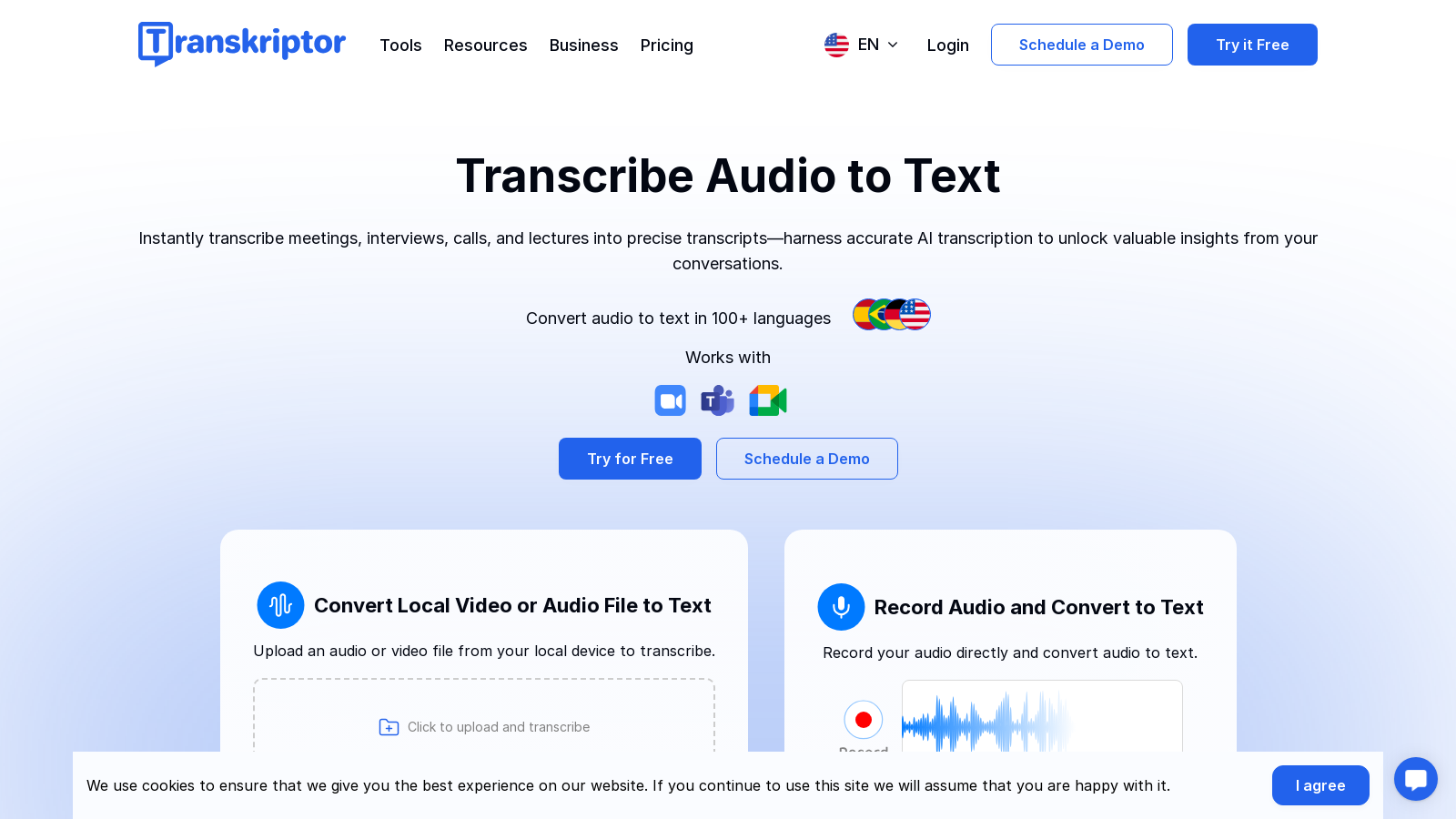
Screenshot of Transkriptor
What is Transkriptor?
Transkriptor is an advanced AI transcription tool designed to convert audio and video files into accurate text. With robust support for over 100 languages, this platform provides a seamless and user-friendly experience—be it for transcribing meetings, interviews, or any other audio content.
Create Your Account & Transcribe Instantly
To get started, users simply create a free account. Once logged in, users can effortlessly record or upload their audio and video files to the platform. This immediate access ensures efficient transcription, drastically speeding up workflows for users across various sectors.
Leading Technology & Features
- High Accuracy: Transkriptor guarantees up to 99% accuracy in transcriptions depending on audio quality, enabling highly reliable results.
- Multiple Language Support: With the ability to transcribe in over 100 languages, it caters to a global audience, breaking language barriers effectively.
- Easy Editing: Users can take advantage of built-in editing tools to refine transcriptions post-processing, thereby enhancing clarity and usability.
- AI Integration: The platform features an AI assistant that helps streamline the transcription process, making complex recordings easier to manage.
- Automated Meeting Notes: Transkriptor's AI note taker captures meeting details, generating searchable transcripts and summaries that allow professionals to stay focused on discussions.
Export and Integration Options
Transkriptor allows users to export transcriptions in various formats—PDF, TXT, SRT, Word, and more—making it a versatile tool for diverse requirements. It integrates seamlessly with cloud storage solutions like Google Drive and Dropbox, allowing easy access and sharing of files. Furthermore, it supports video translation and subtitling capabilities, enabling users to extend their content to global audiences.
Streamlining Workflows
Designed with productivity at its core, Transkriptor is built to save time. The platform’s speed reduces the hours typically expended on manual transcription, delivering results in a fraction of the time compared to traditional methods. For busy professionals, the ability to convert speech to text quickly means more time can be focused on critical tasks rather than busywork.
Enhanced Collaboration
Transkriptor also supports multi-user collaboration, making it perfect for teams that need to work together on projects or document detailed transcriptions from meetings. This collaborative feature significantly boosts efficiency and communication within teams, enhancing overall productivity.
Security and Privacy
Transkriptor places a high priority on data security, adhering to SOC 2 and GDPR compliance standards. This commitment ensures that users’ information remains confidential and secure throughout the transcription process.
If you are searching for a reliable and efficient transcription tool that harnesses the power of artificial intelligence, Transkriptor stands out as the ideal choice. Start your free trial today and transform the way you manage audio and video transcription!
Pros & Cons
Pros
- Achieves up to 99% accuracy in transcribing audio and video content.
- Supports over 100 languages for transcription and translation.
- Offers automated summaries and action item detection to enhance productivity.
Cons
- Performance can be affected by poor audio quality and background noise.
Frequently Asked Questions
Transkriptor is free to start, with paid plans from 0 to 0 USD per Translation not found for 'time_period_unknown'.
According to our latest information, this tool does not seem to have a lifetime deal at the moment, unfortunately.
Transkriptor supports a variety of audio and video file formats for transcription, including MP3, WAV, AAC, and more. You can also transcribe audio and video content from URLs, allowing for flexibility in how you upload your files for transcription.
Yes, Transkriptor provides collaboration features that allow you to work with your team on transcription files. You can edit permissions, organize files and folders, and share completed transcripts with ease, making it ideal for team projects and remote collaboration.
Transkriptor is equipped with AI technology that can identify and separate different speakers in your audio or video files. This feature is handy for interviews and meetings, as it provides clear attribution, helping you to understand the dialogue better and organize it more effectively in transcriptions.
Transkriptor's AI note taker automatically captures and transcribes meeting content, generating organized transcripts, summaries, and action items. This allows participants to focus on discussions without the distraction of manual note-taking, ultimately improving engagement and productivity during meetings.
Yes, Transkriptor takes security and customer privacy seriously. The platform adheres to SOC 2 and GDPR standards, ensuring that your data is protected throughout the transcription process. You can confidently use Transkriptor for sensitive information and recordings.
Transkriptor is designed for speed and efficiency, often delivering transcriptions within minutes. The platform can transcribe audio files in about half the time of the recording's length, providing you with quick and accurate text output from your uploaded content.
Absolutely! Transkriptor offers a user-friendly editor that allows you to make adjustments to your transcriptions after they have been generated. You can easily search for specific text, correct errors, and format your transcripts as needed to achieve the desired outcome.
Transkriptor supports transcription in over 100 languages, making it a versatile tool for users worldwide. This extensive language support includes popular languages such as English, Spanish, French, German, and many others, enabling effective communication and understanding across diverse linguistic backgrounds.




