Ubersuggest

SEO tool that provides keyword metrics, trends, and competition analysis for effective digital marketing.
Google.com
Is this your tool?
Follow for updates & deals
Get alerts for Ubersuggest discounts, feature releases & pricing changes
Similar Tools

BrandStori
Optimize website messaging for clarity and conversions.

SEO Minion
Chrome extension for on-page SEO analysis, broken link checking, and SERP previews.

PhotoG
Create and optimize visual marketing content, including ads and videos, using AI-driven tools.

Content Gap Report
Identify content gaps on your site and receive personalized recommendations to improve traffic and conversions.

ZipTie
Monitor brand visibility and optimize performance across major AI search platforms

Ubersuggest Media Gallery
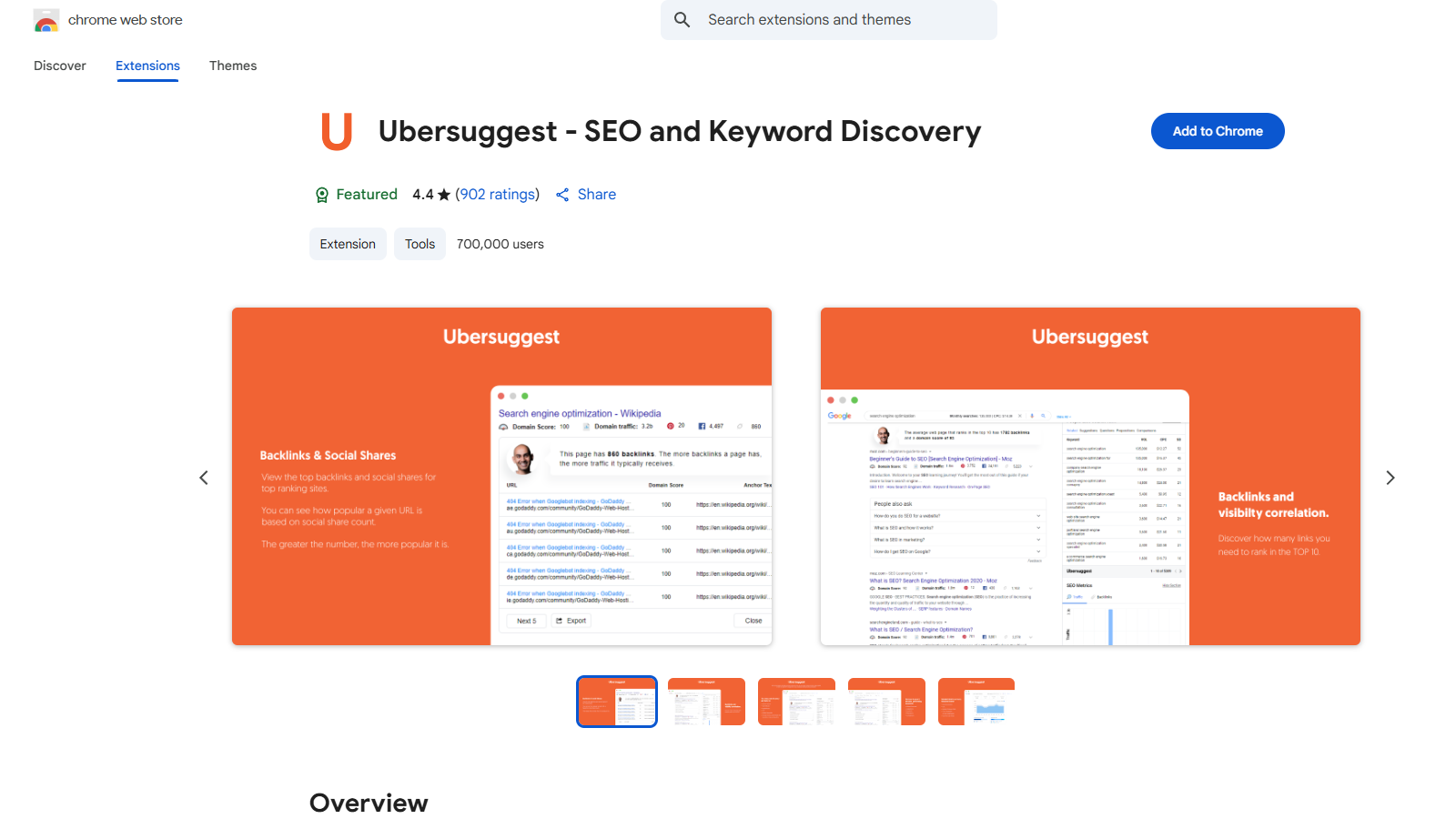
What is Ubersuggest?
Ubersuggest is a FREE Chrome extension and an incredibly powerful SEO tool designed to elevate your keyword research and SEO strategy. Developed by Neil Patel, this tool delivers essential insights regarding keywords' monthly search volume, cost-per-click (CPC), and competition data across various platforms such as Google, YouTube, and Amazon.
Upon installation, the Ubersuggest extension offers a seamless user experience as it provides insightful data relevant to the keyword queries performed on Google, YouTube, Amazon, and more. Users will find it easy to browse suggested keywords right after searching on these platforms. By clicking 'view all' next to the search bar, you will gain access to a larger pool of related keywords and invaluable SEO insights for any query, enabling you to pinpoint precise keywords that can boost your ranking.
One of the most impressive qualities of Ubersuggest is its ability to visually present data. The tool features graphs that break down total monthly search volumes, providing clarity on mobile versus desktop searches for particular keywords. Moreover, traffic estimates are displayed under each URL during Google searches, helping users visualize potential traffic that each page can attract, enhancing your overall content strategy.
The extension offers enriched keyword research capabilities by presenting backlink data as well. Above the organic results, you can view a speech bubble outlining the average authority score (domain score) and the average number of referring domains (backlinks) for the top ten search results. This critical information aids in refining your link-building strategies and understanding the competitive landscape of your chosen keywords.
Customization is another key feature as Ubersuggest allows users to modify their location and language settings, ensuring the data is specific to their target market. When exploring any website, simply click on the Ubersuggest icon in your browser to receive a domain overview, historical traffic data, and insights into the leading pages and keywords driving traffic to competitors’ sites.
Here are the standout features and metrics offered by Ubersuggest:
- Access to diverse keyword ideas and suggestions
- Content ideas based on trending keywords
- In-depth keyword analysis
- Site audits to assess webpage SEO health
- Comprehensive backlink profiles to optimize link strategies
- Trend charts and visual data representation
- Insights into Google, Amazon, and YouTube keywords
- User-customizable settings for location and language
- Historical traffic data over the last six months for any domain
- Competitive analysis through metrics on top pages and keywords by country
- Pinterest and Facebook shares related to content
- Social engagement metrics that indicate the popularity of your target keywords among different demographics
Ubersuggest directly addresses the need for high-quality keyword suggestions, searching behavior insights, and comprehensive metrics, simplifying the process of SEO optimization. Marketers, bloggers, and business owners alike will benefit from its usability and effectiveness in identifying high-potential keywords and unearthing valuable insights about audience engagement.
Moreover, Ubersuggest is continually updated to meet user needs, with enhancements regularly making their way into the extension. Listening attentively to user feedback, they strive to make their tool the best in the digital marketing space. Featuring support in nine different languages, Ubersuggest aims to cater to a global audience seeking to enhance their SEO strategies.
Pros & Cons
Pros
- Provides comprehensive keyword data for Google, YouTube, and Amazon searches.
- Offers visual traffic estimations and backlink data to enhance SEO strategies.
- Available in multiple languages, catering to a wider audience.
Cons
- Currently only available as a Chrome extension, limiting browser compatibility.
Frequently Asked Questions
Ubersuggest is available at no cost.
This tool offers a lifetime deal.
Once you install the Ubersuggest extension, search on Google, YouTube, or Amazon. The extension will display data related to the search term, including monthly search volume, CPC, and competition. By clicking 'view all' next to the search bar, you can access more granular keyword data and SEO insights.
Ubersuggest offers a variety of data for keywords, including monthly search volume, cost-per-click (CPC), competition data, related keywords, trending keywords, and long-tail keyword suggestions. Additionally, it includes graphs and trends showing search volumes for both mobile and desktop, allowing users to analyze keyword performance over time.
Yes, Ubersuggest allows users to customize location and language settings. This means you can get keyword data that is relevant to specific geographic regions and in the language of your choice, helping you optimize your content for a targeted audience.
Ubersuggest provides a range of tools for competitor analysis, including domain metrics that showcase the number of organic keywords a site ranks for, its estimated organic traffic, domain score, and number of backlinks. You can also see the organic traffic chart for the last six months and identify the most popular pages and keywords driving traffic to competitor sites.
While Ubersuggest is free to use, it does come with daily data limits. Users can access many features at no cost, but there are options to upgrade for additional data if desired. This allows beginners to utilize the tool effectively while providing advanced users with the option to gain more detailed insights.
Currently, the Ubersuggest extension is only available for Google Chrome. However, the developers have plans to incorporate compatibility with other browsers in the future. For now, users must use Google Chrome to utilize the extension's features.
If Ubersuggest is not functioning after updating Chrome, first ensure you are using the latest version of Chrome. Clear your browser cache, temporarily turn off other extensions that might cause conflicts, and check your internet connection. If problems persist, reach out to UberSuggest support at support@ubersuggest.com for assistance.
Ubersuggest welcomes user feedback and suggestions for new features. If you have ideas you believe would enhance the extension, feel free to reach out to their support team via email at support@ubersuggest.com with the subject 'Chrome extension'. Your input is valued and can help shape future updates.