URL to Any
Convert any webpage into formats like PDF, Markdown, and HTML for easy saving and sharing.
Urltoany.com
Is this your tool?
Follow for updates & deals
Get alerts for URL to Any discounts, feature releases & pricing changes
Similar Tools

Bubble
Build web and mobile applications visually without writing code using a drag-and-drop interface.

v0
AI assistant that generates UI components and provides real-time coding support for web development.

Tenorshare AI
Convert AI-generated text into engaging, human-like content for diverse writing needs.

Archimyst
Create and test complex system architectures using AI-driven simulations and visual design tools.

PopAi
Generate professional presentations from text inputs or documents with AI-driven templates.

URL to Any Media Gallery
What is URL to Any?
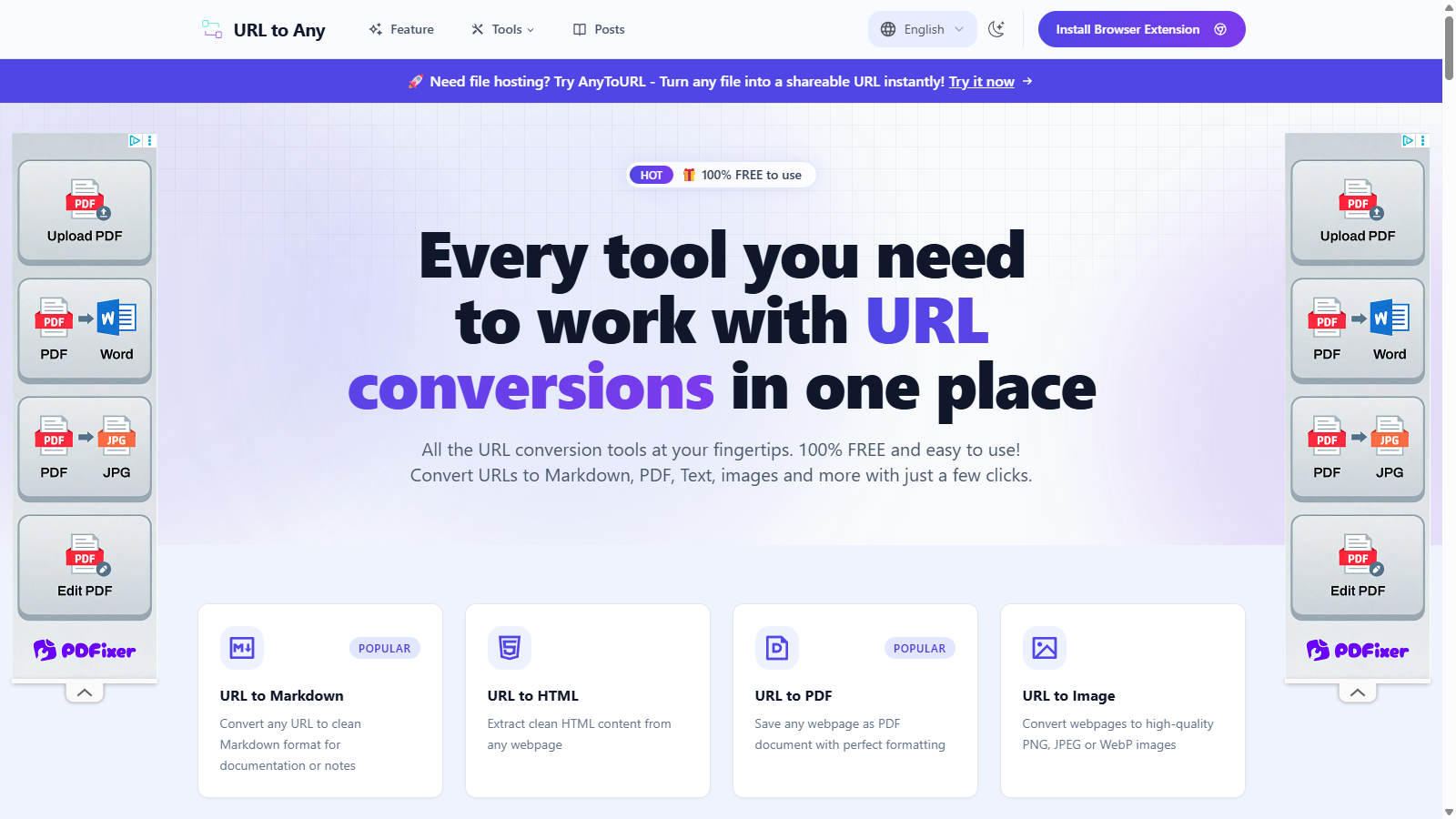
URL to Any is a powerful set of tools that lets you convert any webpage into various formats for easy saving, sharing, and reference. This feature-rich platform is designed to meet the needs of diverse users, ranging from content creators to professionals seeking a reliable solution for web content conversion.
Multiple Conversion Options
With URL to Any, converting URLs is a breeze. Users can convert any webpage to Markdown, PDF, HTML, images, text, JSON, and XML with just a few clicks. This versatility is particularly useful for those who need to archive, share, or document information in various formats.
Easy-to-Use Interface
The platform boasts a simple and intuitive design that facilitates effortless conversions. Users can quickly paste the desired URL, select the format, and receive the converted file in mere seconds, regardless of their technical expertise.
Instant Processing
A standout feature of URL to Any is its optimized processing engine, allowing users to get their converted content almost instantaneously. This speed is crucial for individuals and businesses that require rapid turnaround times for their projects.
Why Choose URL to Any
URL to Any differentiates itself from other web conversion tools by providing a comprehensive suite of features:
- Save Web Content Easily: Quickly save important webpages in your preferred format without the need for complex software installations.
- Share Information Better: The tool makes it simple to convert URLs into shareable formats, enhancing effective communication and collaboration.
- Reference Without Distraction: Converting content to clean formats like Markdown or PDF minimizes distractions, allowing users to focus on essential information.
How to Use URL to Any
Using URL to Any is straightforward and can be done in just a few simple steps:
- Paste Your URL: Copy the web address of the page you wish to convert and paste it into the designated field on the URL to Any website.
- Choose Your Format: Select from various conversion formats, including Markdown, PDF, text, image, JSON, and XML.
- Get Your Result: Click the convert button and receive tailored content instantly, ready for download or copying to the clipboard.
Security and Privacy
Given the increasing concerns regarding data security, URL to Any places great importance on user privacy. The tool processes data securely in the cloud and does not store any of the converted content or personal information, ensuring peace of mind for all users.
Global Access
URL to Any is accessible from any device with a modern web browser. Its responsive design ensures convenience for those who work across various platforms and locations.
More Than Just Conversion
Besides standard conversion features, URL to Any has added functionalities such as a QR code generator, an AI summarizer for quickly generating summaries of lengthy articles, and tools for encoding and decoding URLs. It also includes new tools for extracting meta tags, analyzing headings, and resolving URLs to IP addresses, making it a comprehensive web content toolkit.
User Favorites
The platform has garnered a loyal user base, with over 50,000 daily users and an impressive rate of processing more than a million URLs monthly. The tool's simplicity and speed frequently highlight positive user reviews.
Conclusion
In conclusion, URL to Any is an essential resource for anyone needing to convert webpage content into usable formats for documentation, sharing, or analysis. Its completely free access, ease of use, and extensive conversion options make it an indispensable tool in the digital toolkit.
Pros & Cons
Pros
- Offers a comprehensive suite of URL conversion tools in various formats.
- Fast processing delivers converted content almost instantly.
- Completely free to use without registration or hidden fees.
Cons
- Limited to publicly accessible webpages; content behind paywalls cannot be converted.
Frequently Asked Questions
URL to Any is available at no cost.
According to our latest information, this tool does not seem to have a lifetime deal at the moment, unfortunately.
With URL to Any, you can convert URLs to a variety of formats, including PDF, Markdown, HTML, images (PNG, JPEG, WebP), JSON, XML, plain text, and MP3. This versatility makes it ideal for content creation, archiving, and data extraction.
To convert a webpage to PDF using the URL to Any tool, paste the desired webpage URL into the PDF converter. It will automatically process the URL and convert it into a high-quality PDF document, which you can then download with a single click.
Yes! URL to Any includes a URL Extractor tool that allows you to extract all URLs from a given website. It first checks for a sitemap and then analyzes page content to maximize URL discovery, providing you with results in TXT or CSV format.
The AI Summarizer in URL to Any extracts content from any provided URL and uses advanced algorithms to analyze and summarize key points of the text. The summarized output is generated in real-time, allowing for immediate insights into the source material.
Absolutely! URL to Any processes all conversions locally within your browser, meaning no data is transmitted to servers, ensuring your information and URLs remain private and secure.
Yes! URL to Any is fully responsive and can be accessed on any device with a web browser, including smartphones and tablets, allowing you to convert URLs while on the go.
While URL to Any supports the conversion of most publicly accessible webpages, it cannot convert pages behind logins or paywalls, ensuring that privacy and security are upheld. Additionally, very large or complex webpages might have some limitations in specific formats.
The URL Opener feature enables you to open multiple URLs simultaneously. Paste your list of URLs (one per line) into the tool, ensure popups are enabled in your browser, and click 'Open All URLs' to open them simultaneously in new tabs for efficient browsing.