Vibecode

Streamline mobile app development by turning your ideas into native apps in seconds with AI.
Vibecodeapp.com
Is this your tool?
Follow for updates & deals
Get alerts for Vibecode discounts, feature releases & pricing changes
Similar Tools

Dualite
Rapidly create and deploy full-stack web and mobile applications with minimal coding and seamless integrations.

FlowBot
Automate customer interactions and support processes for teams using WhatsApp.

Droxy
AI agents that autonomously engage customers across multiple channels to improve lead qualification and responses.

Factory
AI platform that automates software development tasks, speeding up coding, documentation, and incident response.

Ripplica
Automate browser tasks with context-aware execution and remote triggers for improved workflow efficiency.

Vibecode Media Gallery

Vibecode (review) video
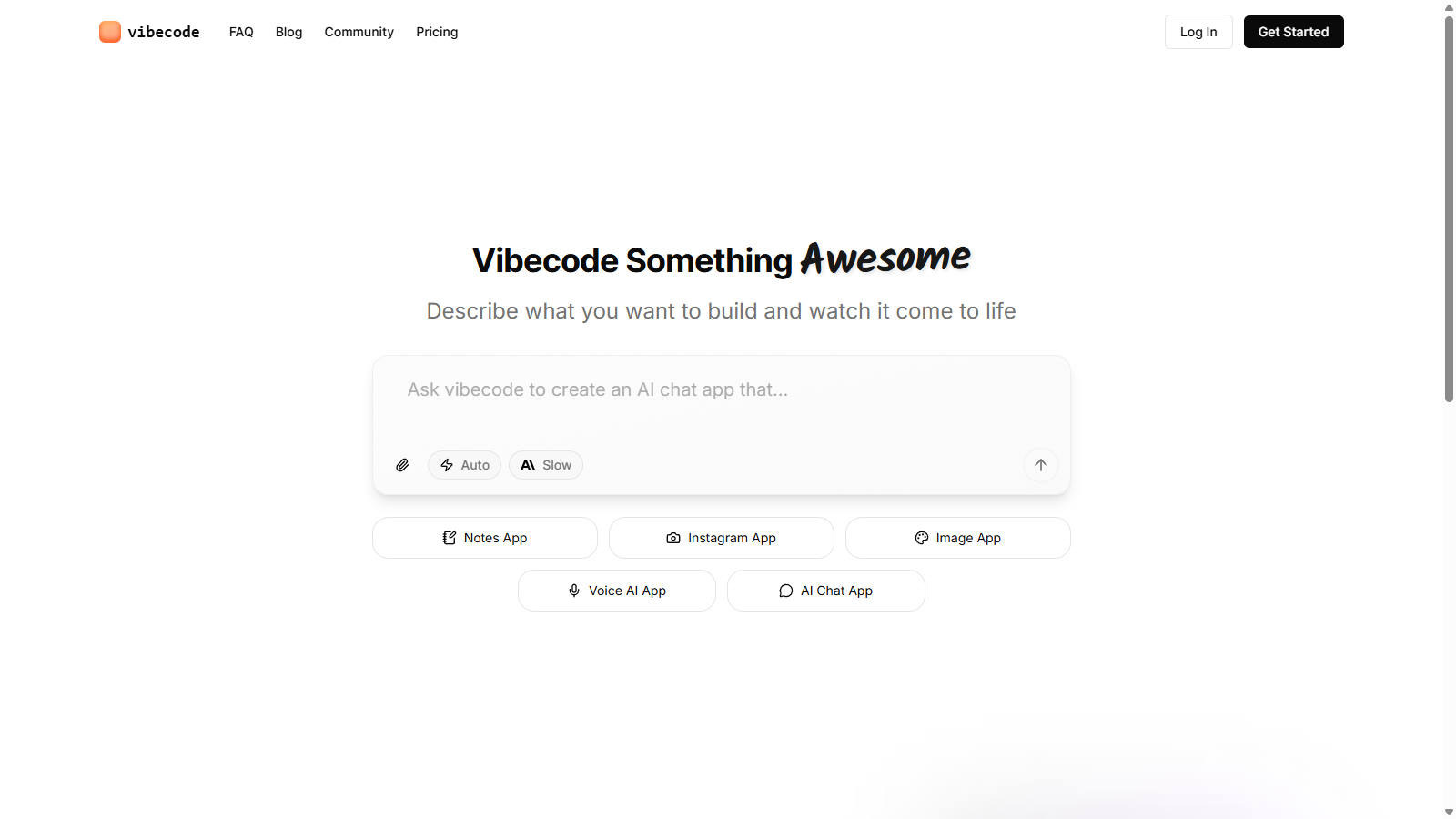
Screenshot of Vibecode
What is Vibecode?
Vibecode is a revolutionary platform that empowers users to realize their app development aspirations rapidly and efficiently. By leveraging cutting-edge AI technology, Vibecode facilitates the creation of both native and web applications in just seconds. Whether you're an experienced developer or a beginner eager to translate your ideas into a tangible product, this versatile tool serves as an accessible and comprehensive solution. With Vibecode, users have the capability to seamlessly prototype and share their concepts via App Clips, granting potential users immediate access without the need for a full app download.
Key Features of Vibecode
Vibecode is replete with features that simplify the app development process. One standout element is the platform's unique ability to allow users to describe their app concept using natural language, which the AI then transforms into a functional application. This functionality encompasses a broad spectrum of app types—from simple productivity tools to complex social media platforms. Designed to cater to a variety of user needs, Vibecode offers different tiers of service, making mobile app development accessible to everyone.
A highlighting aspect of Vibecode is its flexible subscription model. Users can start with a fully free version, which includes access to basic features and limited messaging options, enabling newcomers to test the platform without any financial obligations. As needs expand, users can easily upgrade to paid plans that enhance their capabilities, offering benefits like increased messaging limits, professional customer support, and SSH access for those who want to delve deeper into customization.
Understanding Pricing Models
The pricing structure of Vibecode is designed to be simple and transparent. The journey begins with a zero-cost version that allows users to explore essential features without incurring any expenses. Vibecode's paid options are tailored to suit various user profiles:
- Free: Ideal for beginners, this tier provides limited access to basic features, allowing users to share apps via App Clips.
- Plus: Costing NULL per month, this plan caters to non-technical users, providing 120 messages monthly along with email support.
- Pro: At NULL per month, this tier is designed for professional developers, offering features like 250 messages, SSH access to Cursor, and code download capabilities.
- Max: For teams and enterprises, this plan costs NULL per month and includes unlimited messages, SSH access, code download options, and priority chat support.
Each tier is structured to add significant value, ensuring users save costs over time while maintaining continued engagement. It's noteworthy that credits from paid tiers roll over into each billing cycle, preventing loss of value if users do not fully utilize their features each month.
App Prototyping Made Easy
Vibecode’s user-friendly interface enhances the app prototyping experience without sacrificing professional-grade capabilities. Users can swiftly mock up their app ideas and publish them directly to the App Store with minimal effort. This streamlined process eliminates many technical barriers traditionally associated with app development, enabling a broad audience, including entrepreneurs and marketers, to create applications swiftly and with ease.
The integration of App Clips allows users to share their apps instantly, enhancing user engagement by removing lengthy download periods. This feature not only promotes rapid sharing but also amplifies visibility and interaction with the application.
Support and Community
Vibecode is committed to providing extensive customer support through various channels, including FAQs, community forums, and direct assistance. This robust support system ensures that users of all skill levels—whether novice or professional—have accessible avenues to resolve any challenges they may face during their app development journey.
In summary, Vibecode is more than just a tool; it's a multifaceted ecosystem aimed at mobile app development, empowering users to transform their creative ideas into functional applications with remarkable efficiency. With adaptable options suitable for varying skill levels and requirements, Vibecode continues to establish itself as a premier choice for serious mobile developers.
Pros & Cons
Pros
- Rapidly create native app prototypes directly from your mobile device.
- AI-driven functionality streamlines the app development process for all users.
- Instantly share apps with others through App Clips, without requiring installation.
Cons
- Some features require technical knowledge to fully utilize, like backend integrations.
Frequently Asked Questions
Vibecode is free to start, with paid plans from 0 to 200 USD per month.
According to our latest information, this tool does not seem to have a lifetime deal at the moment, unfortunately.
To get started with Vibecode, visit the website and click on 'Get Started' to sign up for a free account. Once you've created your account, you can start building your first app right from your mobile device. The platform is designed for both new and experienced developers, so you can easily prototype your app ideas without extensive technical knowledge.
With Vibecode, you can create a variety of mobile apps, such as productivity tools, social media platforms, and custom AI-driven applications. The platform allows you to build native prototypes in seconds, making it suitable for non-technical users. Whether it's a notes app, an Instagram clone, or a voice AI application, Vibecode provides the necessary tools to bring your ideas to life.
You can easily share your apps with others using App Clips, which allow users to access a portion of your app without needing to download the full version. To share your app, create it in Vibecode, head to the Menu, and use the share link feature to copy and distribute the link. This makes it simple for others to try out your app instantly.
The free plan in Vibecode provides basic access to app creation tools, but it comes with some limitations. You are restricted to a limited number of messages per month, and you can only share apps via App Clips. For more features and higher message limits, you might consider upgrading to one of the paid plans that offer additional benefits like email support and download options.
Yes, you can download the project code for your app as a ZIP file. On mobile, you long-press your project on the home screen and select 'Download Code.' On the web, navigate to your app workspace and click 'Download' in the action bar. Keep in mind that any changes made to the downloaded code won't sync with the Vibecode app unless you use SSH.
Currently, Vibecode does not support automatic backend or authentication features through the app itself. However, users can manually integrate services like Firebase or Supabase by following available tutorials. This requires some technical knowledge, so if you're unfamiliar with these services, consider researching or seeking assistance.
To connect to your app using SSH, open the Vibecode app, select your application, and navigate to the Menu to choose 'Connect via SSH.' You will be provided with a host and a password. On your computer, use an IDE like Cursor or a terminal to connect using the given information. This allows you to edit files live, making it easier to implement custom changes.
If your AI agent becomes stuck or unresponsive, you can clear the conversation to reset its memory. This can be done by tapping the eraser icon in the menu for the mobile app or clicking on the eraser icon in the bottom right of the chat area on the web. After clearing, be prepared to clearly describe the changes you want, as it may take some time for the agent to acclimate to your app's needs.