VidFlux

Generate videos from text descriptions or images quickly and easily
Vidflux.ai
Is this your tool?
Follow for updates & deals
Get alerts for VidFlux discounts, feature releases & pricing changes
Similar Tools

2short.ai
AI YouTube Shorts generator

Videomaker.me
Generate videos from text or images using advanced AI for quick and easy video creation.

Arcads
Generate personalized video ads with AI using customizable user-generated content.

Whisper Thunder
Generate high-definition videos from text and images with user-friendly AI technology.

Latte Social
Simplifies social media video creation with automatic editing and text-based editing tools.

VidFlux Media Gallery

VidFlux (review) video
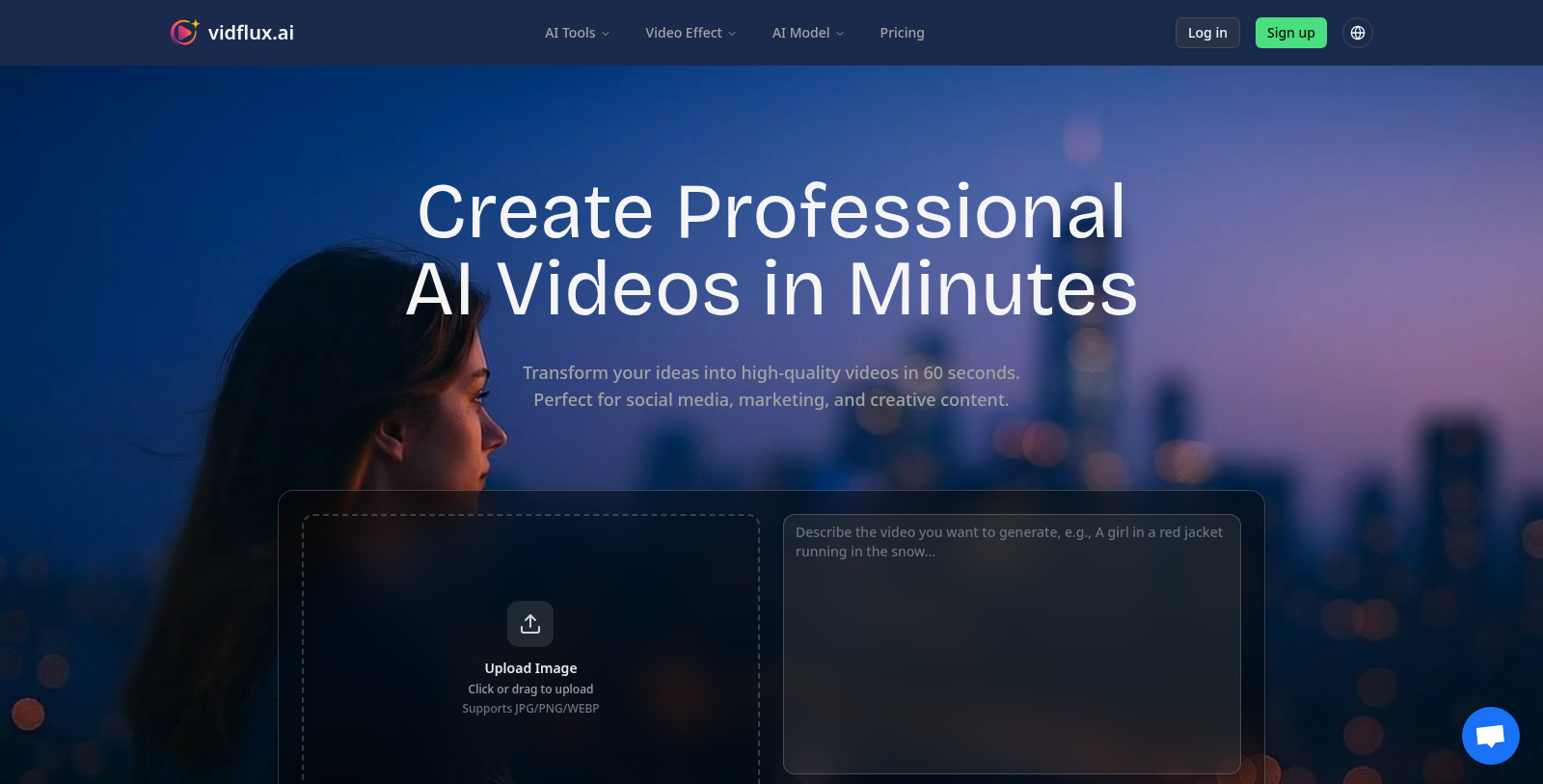
Screenshot of VidFlux
What is VidFlux?
VidFlux is an innovative online tool designed to empower creators by making video generation as simple as describing an idea. Whether you're a marketer, educator, or social media influencer, VidFlux lets you create professional-quality videos in just 60 seconds, perfect for a wide range of applications, from promotional content to educational tutorials.
Transform Your Ideas
With VidFlux, you can easily transform your thoughts into engaging videos. Users start by uploading images or entering descriptive text prompts. For example, you might describe a scene such as 'A girl in a red jacket running in the snow,' and within moments, VidFlux will create a stunning video representation. The tool supports various file formats including JPG, PNG, and WEBP to cater to diverse user needs.
Advanced Video Generation Features
VidFlux offers several AI-powered features that enhance the video creation process:
- Text-to-Video Generation: Convert text prompts into cinematic videos effortlessly, tailored to various styles, including realistic and artistic.
- Image-to-Video Animation: Animate images and turn still photos into lively video stories, integrating audio to enhance storytelling.
- Video-to-Video Generation: Use existing videos as references to animate new content with realistic character movements, allowing for creative personalization.
Multiple Plans to Fit Your Needs
VidFlux understands the diverse needs of its users, offering various pricing plans that cater to individual creators, businesses, and professionals. The Basic Plan is perfect for beginners at just NULL per month, providing 1,000 credits for generating around 20 videos. Advanced users can opt for the Studio Plan at NULL per month, which includes premium features and a prolific 11,000 video generation credits, allowing for the creation of 220 videos monthly. Additionally, users can save significantly with annual subscriptions, which provide discounts on monthly costs.
Exceptional AI Video Models
The tool integrates multiple top-tier AI video models, including Google's Veo3, Kuaishou's Kling AI, and OpenAI's Sora2, ensuring high-quality video outputs regardless of the chosen style or type. This sophisticated technology enables versatile applications, allowing users to create everything from social media snippets to comprehensive educational modules with impressive professionalism and ease.
Powerful AI Video Features
VidFlux is equipped with cutting-edge features that make it a powerful ally for any creator:
- Custom Style Transfer: Tailor videos according to your creative vision.
- Multi-Language Support: Catering to a global audience, ensuring accessibility for non-English speakers.
- Batch Processing: Streamline video creation for companies needing large volumes of content.
Commercial Usage Rights
Every video produced through VidFlux with a paid plan includes full commercial usage rights. This means you can use your creations for marketing, advertising, or personal projects without any additional licensing fees, offering great value for businesses.
Use Cases Across Industries
VidFlux caters to various industries, enhancing their creative capabilities and efficiency:
- Marketing & Advertising: Craft compelling advertising campaigns and product demos that convert.
- Education: Create instructional videos and course material effortlessly, enhancing the learning experience.
- Social Media: Produce captivating content tailored for platforms like TikTok, Instagram Reels, and YouTube Shorts.
- Real Estate: Generate virtual tours and listings creatively and interactively from simple descriptions and photos.
- Corporate Use: Access high-quality video tools for training and internal communications, promoting effective collaboration.
Conclusion
VidFlux successfully merges advanced AI technology with user-friendly functionality, allowing users to focus on creativity rather than complex video editing processes. Enjoy the freedom to design and generate videos that captivate and engage audiences swiftly and efficiently. Join thousands of satisfied users who are transforming their ideas into visual spectacles with VidFlux.
Pros & Cons
Pros
- Generates high-quality videos from text prompts in about 60 seconds.
- Offers a variety of AI models for diverse video styles and effects.
- Supports multiple formats and resolutions, including HD and 4K.
Cons
- Limited to video generation based on user descriptions, may lack advanced customization.
Frequently Asked Questions
VidFlux is free to start, with paid plans from 9 to 59 USD per month.
According to our latest information, this tool does not seem to have a lifetime deal at the moment, unfortunately.
VidFlux offers a variety of video generation capabilities, including text-to-video, image-to-video, and video-to-video transformations. Users can describe their desired scene using natural language, upload images to animate, or provide reference videos to create personalized animations. This versatility makes it suitable for a wide range of use cases, from marketing and social media content to educational materials.
VidFlux combines multiple industry-leading AI models to ensure high-quality video output. Some of the models used include Google's Veo 3 for ultra-realistic motion, Kling AI for creative control, and OpenAI's Sora2 for photorealistic results. This range of models allows users to choose the best tools for their specific video generation needs.
Yes, the number of videos you can generate depends on the subscription plan you choose. For example, the Basic Plan allows you to generate 20 videos per month, while the Pro Plan enables 100 videos, and the Studio Plan supports up to 220 videos. Each video generation consumes credits, and users can purchase additional credits if needed.
Currently, VidFlux does not explicitly mention any integrations with third-party tools or platforms on its website. However, given the ease of exporting videos in MP4 format, users can easily download videos and share them across platforms such as TikTok, Instagram, and YouTube. For more detailed integration options, consider checking the official documentation.
To maximize your results with VidFlux, start by using clear, descriptive prompts when using the text-to-video generator. Use high-quality images for the image-to-video features to improve animation quality. Also, experiment with the tool's different styles and effects, and take advantage of its support for multiple languages to reach a broader audience.
VidFlux primarily operates as a web-based application, so users should ensure they have a reliable internet connection to make the most of its features. A modern web browser (like Chrome, Firefox, or Safari) is recommended for the best performance. For video generation, uploading JPG, PNG, or WEBP images is supported, which are standard image formats.
VidFlux provides 24/7 support for its users. You can contact their support team via email at support@vidflux.ai if you need assistance. Additionally, the platform offers detailed documentation and video tutorials to guide you through its features and functionalities.
The videos generated by VidFlux are exported in the widely compatible MP4 format. Users can choose between two aspect ratios: 16:9 for landscape viewing, suitable for platforms like YouTube, and 9:16 for portrait content, ideal for TikTok and Instagram Reels. This flexibility allows users to tailor their content to specific social media platforms.