Wondershare Filmora

Edit videos easily with AI tools for clipping, enhancing, and creating engaging content.
Wondershare.com
Is this your tool?
Follow for updates & deals
Get alerts for Wondershare Filmora discounts, feature releases & pricing changes
Similar Tools

Viggle AI
Easily create personalized meme videos using a library of templates and AI-enhanced features.

Videomaker.me
Generate videos from text or images using advanced AI for quick and easy video creation.

Gamma
AI tool for creating presentations, documents, and social media content with advanced design simplicity.

Dreamina
Generate personalized images and videos from text prompts with an intuitive AI creative platform.
vivago
Generate AI-driven images and videos from text prompts with customizable editing tools.

Wondershare Filmora Media Gallery

Wondershare Filmora (review) video
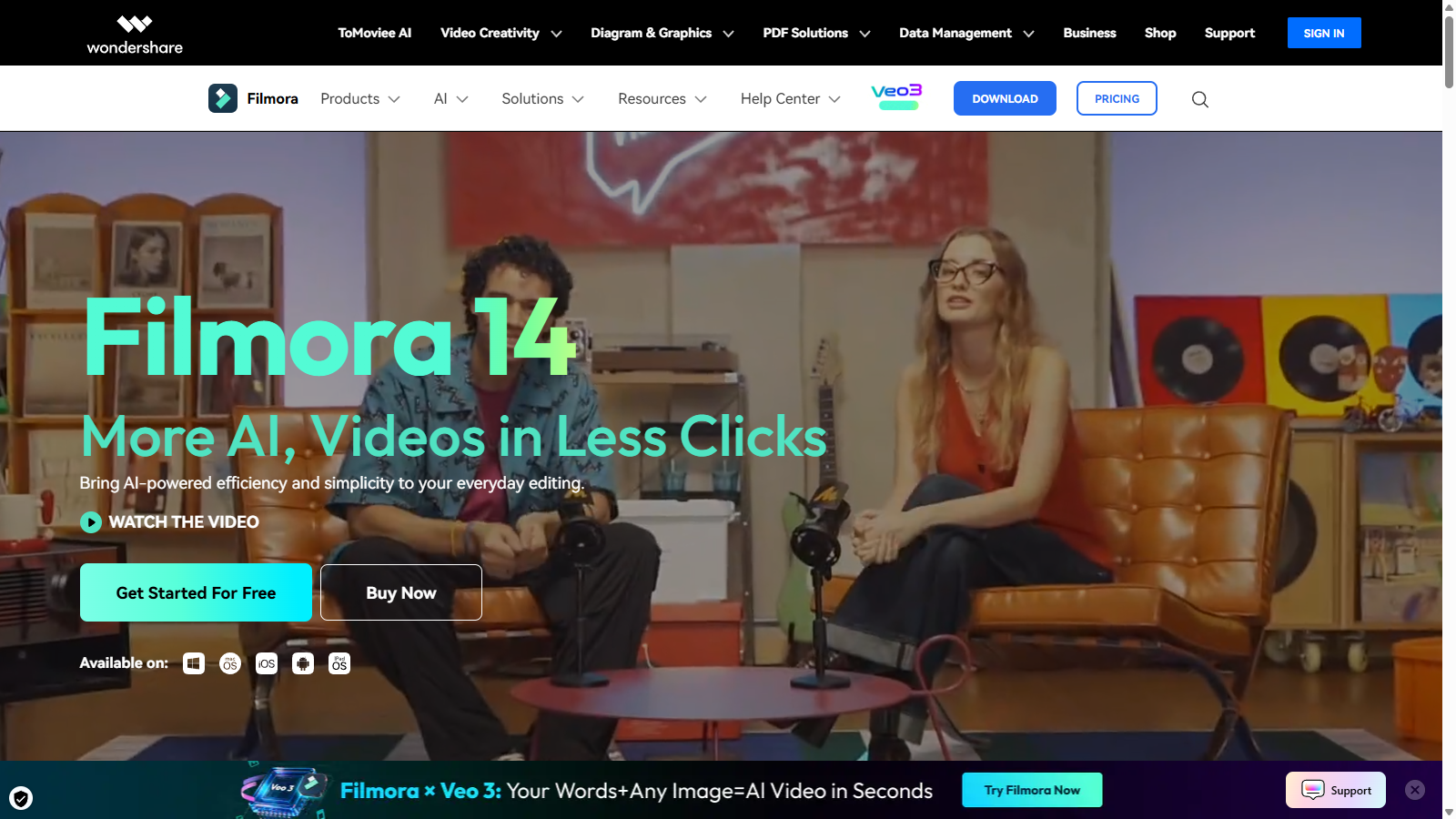
Screenshot of Wondershare Filmora
What is Wondershare Filmora?
Wondershare Filmora 14 is here, promising to deliver more AI-driven features and simpler workflows for creating stunning videos. Whether you are a novice or a seasoned professional, Filmora has integrated powerful, intuitive AI tools into its editing platform, making video production smoother and more accessible.
AI-Powered Editing: The latest iteration of Filmora leverages cutting-edge AI technology to enhance your editing experience. One of its standout features is the Smart Short Clips functionality, allowing users to convert long videos into bite-sized clips tailored for social media platforms. The AI identifies key moments within your footage, automatically adding music and subtitles, which is ideal for sharing engaging content on TikTok, Instagram, or YouTube.
Transform Ideas into Videos: With Filmora, you can turn your ideas into videos almost instantaneously. Utilizing AI to generate scripts, visuals, and even voiceovers, you can tell your stories effectively and efficiently, making the creative process as enjoyable as the final product.
AI Video Enhancer: You deserve high-quality videos, and Filmora’s AI enhancement tools provide just that. By fixing lighting issues, reducing noise, and sharpening details with just a click, you can elevate your video quality with minimal effort, ensuring your audience enjoys clear, professional-looking content.
Cutting-Edge Professional Features: Filmora 14 doesn’t skimp on advanced editing capabilities. It supports multi-camera editing, allowing users to seamlessly sync and switch between different camera angles, making it perfect for interviews or event coverage. The planar tracking feature helps you lock text and graphics onto moving objects — think Hollywood-style effects at your fingertips!
Magnetic Timeline: Streamlining the editing process, the magnetic timeline feature makes for faster edits by automatically snapping clips into place, ensuring a seamless flow without gaps.
Path Curve: Design your own custom motion paths with the Path Curve feature, allowing you to animate text and objects precisely the way you envision them.
Filmora is not just about technical prowess; it offers an extensive library of over 2.3 million creative assets. Users can access templates, titles, stickers, stock footage, effects, filters, LUTs, transitions, and plugins, enabling them to tailor videos to their unique style and requirements.
The user-friendly interface makes it simple for beginners to get started while providing robust tools that seasoned editors will appreciate. Wondershare Filmora empowers creativity and expression in every video project, whether it's for personal use, YouTube vlogs, educational content, or corporate presentations.
Pros & Cons
Pros
- AI-powered features simplify complex video editing tasks with minimal effort.
- Offers over 2.3 million creative assets and templates for enhanced content creation.
- User-friendly interface allows seamless navigation for both beginners and professionals.
Frequently Asked Questions
Wondershare Filmora is free to start, with paid plans from 0 to 0 Unknown per Translation not found for 'time_period_unknown'.
According to our latest information, this tool does not seem to have a lifetime deal at the moment, unfortunately.
Wondershare Filmora incorporates several AI-powered features designed to streamline the video editing process. Key functionalities include the AI Video Enhancer, which boosts video quality with a single click, the AI Portrait Cutout for quick background removal, and Smart Short Clips that automatically create social media-ready snippets from longer videos. Additionally, the AI Idea to Video tool generates storyboards and visuals based on user concepts to expedite the video creation process.
The Smart Short Clips feature in Filmora allows users to condense longer videos into shorter, engaging segments tailored for platforms like TikTok and Instagram. Upload your video, and Filmora's AI will analyze it to identify key moments, add music, and apply subtitles. This feature streamlines the editing process and enhances viewer engagement by making your content more accessible and shareable across different social media platforms.
Yes, Wondershare Filmora supports multi-camera editing, which is especially useful for projects like interviews or events that require footage from multiple angles. This feature allows users to easily sync and switch between different camera perspectives within the editing timeline. The software automatically aligns the footage for a seamless editing experience, making it simple to create coherent presentations without manual adjustments.
Wondershare Filmora supports a wide range of video formats for exporting, including MP4, AVI, MOV, MKV, and more. This extensive compatibility ensures that your videos can be easily shared on various platforms and devices without any loss of quality. Additionally, you can customize your export settings by adjusting parameters such as resolution and bitrate to suit your specific requirements.
To get started with Wondershare Filmora, download the software from the official website and install it on your device. Once installed, you can begin a new project by importing your media files into Filmora. The intuitive drag-and-drop interface enables you to easily add videos, music, and effects to your timeline. For beginners, Filmora offers tutorials and a Master Class to enhance your skills, making the learning process straightforward and enjoyable.
Wondershare Filmora is compatible with multiple operating systems, including Windows and Mac. For optimal performance, ensure that your system meets the minimum requirements, which typically include a multi-core processor, at least 4 GB of RAM (8 GB recommended), and sufficient hard drive space for storing your edited projects. Always check the official Filmora website for the most current system requirements.
Absolutely! Filmora is designed with social media content in mind. The software includes features such as Auto Reframe, which adjusts video dimensions to suit various platforms, and a Social Video Planner that helps you schedule and optimize posts for maximum reach. With rich templates and effects tailored for platforms like YouTube, Instagram, and TikTok, Filmora makes it easy to create visually appealing content that resonates with your audience.
Wondershare Filmora offers several resources to help users master video editing. This includes the Filmora Master Class, which features tutorials from professional editors covering a variety of advanced editing techniques. Additionally, the Filmora community and support team offer access to guides, FAQs, and user feedback to help you resolve issues and enhance your video creation skills.