Xpptx

Generate professional PowerPoint presentations from documents like Word, PDFs, and mind maps with AI.
Xpptx.com
Is this your tool?
Follow for updates & deals
Get alerts for Xpptx discounts, feature releases & pricing changes
Similar Tools

Ghost
Create and edit presentations effortlessly with an AI-powered slide editor designed for fast, beautiful results.

MyMap AI
Generate flowcharts, mind maps, and presentations using conversational AI for easy visual organization.

DeckSpeed
Create personalized slide presentations through an interactive conversation process.

Predis.ai
Create engaging memes and social media content effortlessly with AI-driven templates and suggestions.

Luma AI
Generate high-quality videos from text and images with an intuitive AI platform.

Xpptx Media Gallery

Xpptx (review) video
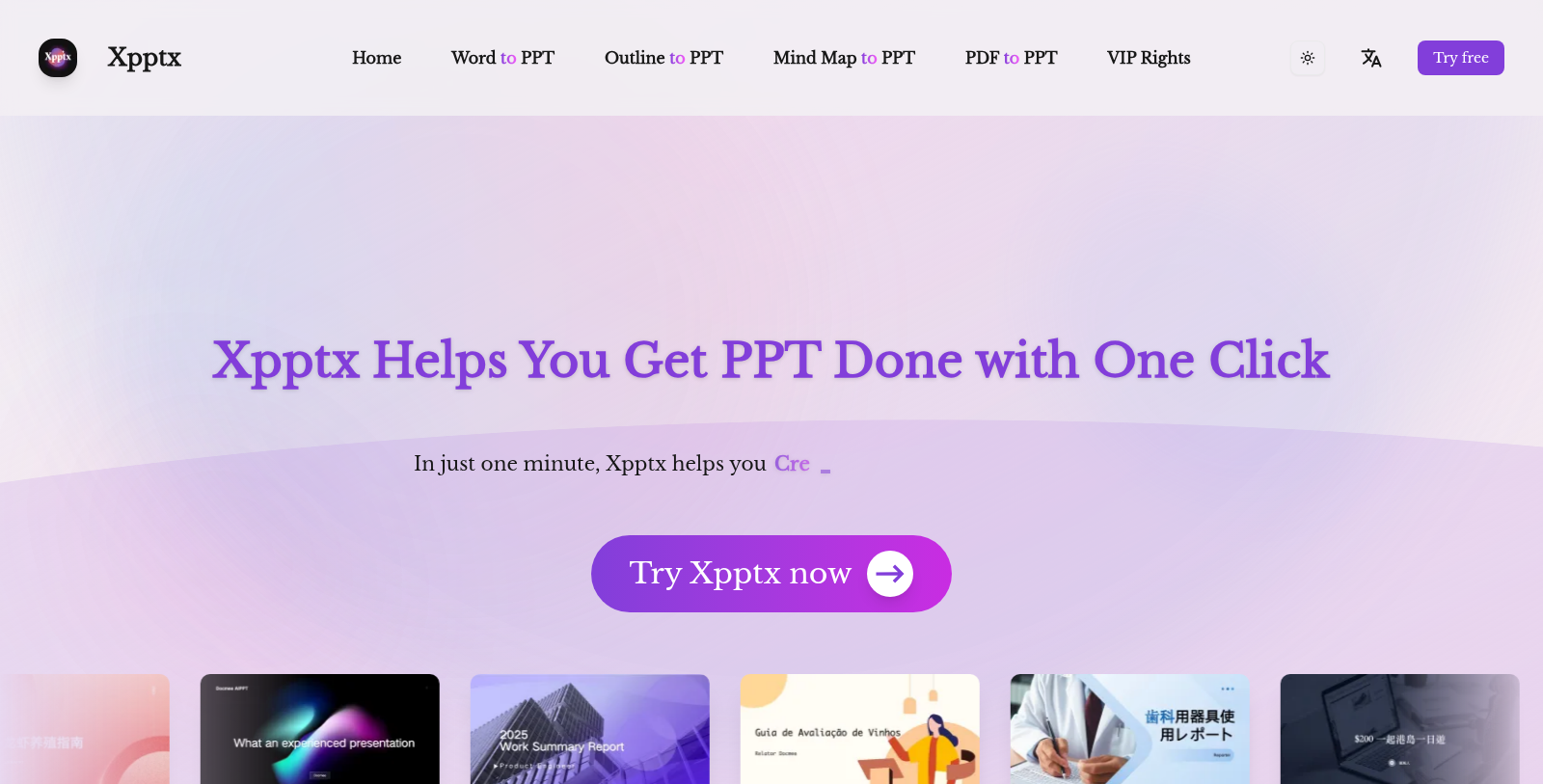
Screenshot of Xpptx
What is Xpptx?
Xpptx is an innovative tool designed to streamline PowerPoint presentation creation. With its advanced AI technology, users can generate professional-looking PPT slides in just one minute, transforming various document types like Word files, outlines, mind maps, and even PDFs into easily editable presentations.
Creating stunning marketing plans, project summaries, and reports can often be time-consuming. However, Xpptx simplifies this by taking the hassle out of manual formatting and design adjustments through AI-driven automation. Imagine uploading a Word document; within moments, Xpptx comprehensively analyzes the content, retains the essential information, and produces a PPT that maintains the structure and key visuals. This feature is useful for users who need to present large amounts of information quickly and effectively.
PPT Generation Features
With the power of AI, Xpptx is capable of:
- Word to PPT: This feature allows users to input a Word document which is then transformed into a visually appealing PowerPoint presentation, keeping all critical elements intact.
- Outline to PPT: Users can enter their outlines and have Xpptx generate complete presentations with well-structured slides based on the outlined points.
- Mind Map to PPT: By uploading mind maps, users can generate organized presentations that convey complex ideas clearly and concisely.
- PDF to PPT: Xpptx can convert PDF files into editable presentations without losing the richness of the original content, ensuring that users can convert large or complex documents efficiently.
Membership Tiers
Xpptx offers different membership levels, allowing users to choose between a free version and a VIP membership. The free version includes limited features, such as generating up to nine AI-generated PPTs. At the same time, the VIP plan provides unlimited PPT generation, exclusive templates, and the ability to maintain a consistent brand aesthetic across presentations.
Commercial Use
One of the standout features of Xpptx is its assurance of copyright-safe content. Users can confidently use presentations created for commercial purposes, knowing that all provided templates and materials are fully authorized.
Multi-lingual Support
To cater to a global audience, Xpptx supports multiple languages, including English, Simplified Chinese, Traditional Chinese, Japanese, Korean, Portuguese, French, and German. This feature breaks down language barriers and enables users to craft effective presentations regardless of their linguistic background.
Conclusion
Xpptx emerges as a formidable player in the field of presentation tools, utilizing AI to advance the way presentations are created. Whether you are a student, a marketer, an educator, or a corporate professional, Xpptx provides a simple yet effective solution to your presentation needs, taking the legwork out of preparation and allowing you to focus on delivering impactful messages.
Pros & Cons
Pros
- Generates high-quality PPTs from Word, outlines, mind maps, and PDFs in under a minute.
- Supports multiple languages, allowing for broader accessibility in professional presentations.
- Automatically creates speaker notes for enhanced presentation preparation.
Frequently Asked Questions
Xpptx offers a freemium model with free features available and premium options for advanced functionality.
According to our latest information, this tool does not seem to have a lifetime deal at the moment, unfortunately.
Xpptx allows you to convert various document types into PPT presentations. You can upload files from Word, PDF, Mind Maps, and outlines. The tool intelligently processes these formats, retaining key content and structure to generate polished, professional presentations quickly.
For optimal performance, ensure that your Word, PDF, or Mind Map files are clear and well-structured. While Xpptx can handle large files (up to 50MB for PDFs), simpler formats typically yield faster results. The platform also supports multiple languages, enhancing accessibility for diverse users.
The speaker notes feature in Xpptx automatically generates detailed notes for each slide based on your document's content. This helps you prepare for your presentation by highlighting key points, so you don't overlook any critical details when delivering your talk.
Yes, Xpptx offers various customization options to personalize your presentations. You can choose different colors, fonts, and layouts. This flexibility helps ensure that the generated PPT reflects your personal style or aligns with your brand identity.
Xpptx is designed for speed and efficiency, with most PPTs being generated in about one minute. The time may vary slightly depending on factors such as file size or network speed, but the tool is optimized for quick document transformation.
If you encounter any issues with Xpptx, it's best to check their official website or documentation for troubleshooting guidance. They may also have customer support options available for more specific inquiries.
Xpptx guarantees that the PPTs you create are safe for commercial purposes. All templates and materials used on the platform are authorized, allowing you to use the generated content with confidence, free from copyright concerns.
To maximize the benefits of Xpptx, start with well-organized documents with clear headings and structured content. Utilize the customization features to match your presentation style and ensure your content is concise. Regularly explore the tool's supported document types to become more adept at quickly creating diverse presentations.