Yolly AI

Generate high-quality videos and images from text prompts in seconds for creative projects.
Yolly.ai
Is this your tool?
Follow for updates & deals
Get alerts for Yolly AI discounts, feature releases & pricing changes
Similar Tools
Twin AI
Convert still images into engaging videos with voice synchronization and customization options.

genmo
Create realistic videos from text prompts using an open-source video generation model.

Krea
Create, enhance, and modify images, videos, and 3D objects using generative AI tools.

Vidguru
Create videos, images, and audio content with an all-in-one AI platform designed for seamless user experience.
Auralume AI
Generate professional-quality videos from text prompts and images effortlessly with Auralume AI.

Yolly AI Media Gallery
What is Yolly AI?
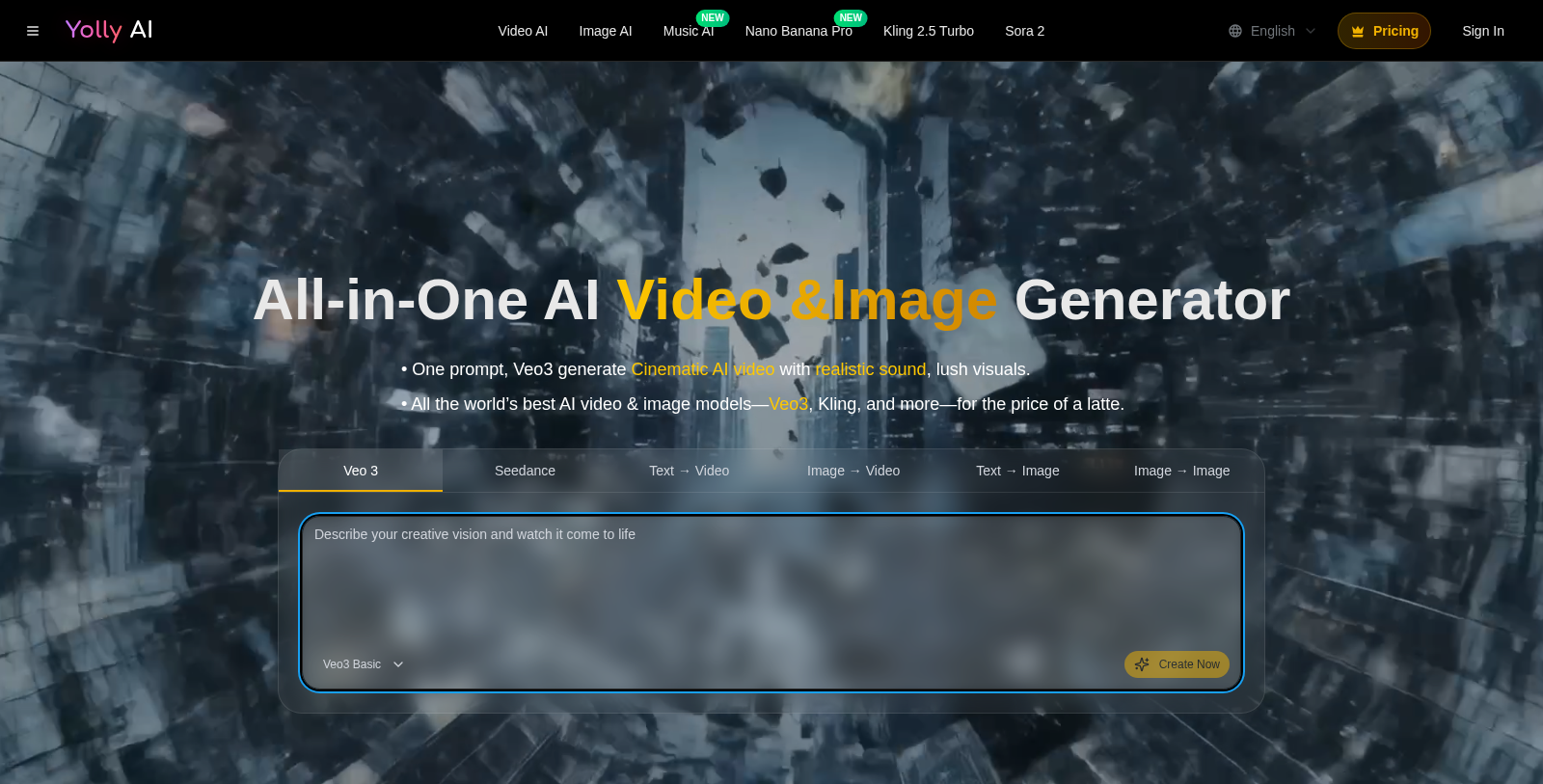
Yolly AI is an all-in-one AI video and image generator that empowers users to create cinema-grade 4K videos and high-resolution images in mere seconds. This innovative platform leverages leading-edge artificial intelligence models such as Veo3, Kling, and Seedance, ensuring top-notch quality that meets the demands of content creators, marketers, and businesses. With Yolly AI, transforming simple text prompts or still images into captivating video content has never been easier.
At its core, Yolly AI blends various advanced AI technologies, delivering an unparalleled experience in video and image generation. Whether crafting promotional materials, social media content, or personal storytelling, this platform offers tools that can match professional production standards.
Core Features
The standout feature of Yolly AI is its advanced Text-to-Video capability. By simply entering a text description, the AI can create stunning videos that align with the prompt, complete with natural audio and aesthetically pleasing visuals. This feature is particularly useful for creators in need of quick, engaging content for platforms such as TikTok and Instagram.
Image Generation Abilities
Yolly AI doesn't stop at video creation; it also boasts robust image generation functionalities. Users can generate unique images from scratch using intuitive text prompts or transform existing images into fresh variants with the Image Generator. This flexibility caters to diverse artistic workflows, making it easy to integrate generated images into video projects seamlessly.
User Experience Insights
Feedback from Yolly AI users has been overwhelmingly positive, applauding its user-friendly interface and impressive output quality. Many customers report a significant reduction in production times, thanks to the power of the AI tools providing rapid and effective results. Moreover, features like priority support and high-quality downloads enhance usability, making Yolly AI a favored choice among busy professionals.
Pricing Structure
Yolly AI operates on a freemium pricing model, allowing users to experience the service for free before committing to paid plans. The platform offers multiple tiers, including Starter, Standard, and Premium packages. Users who opt for the Starter plan can begin creating high-quality outputs without watermarks, with the first tier typically offering a set allocation of credits for video and image generation. Recently, updated pricing hints that there might be adjustments designed to create more accessible options for various users.
Commercial Use Options
Yolly AI also allows for the commercial use of generated content under specific subscription plans, making it a valuable resource for businesses and marketers seeking reliable video content for advertising and promotion.
Conclusion
In summary, Yolly AI remains a powerful tool, ready to revolutionize how creators harness AI for video and image content. With its flexible pricing plans, extensive feature set, and a strong focus on user satisfaction, Yolly AI continues to be an exceptional choice for professionals across different industries, enabling them to turn their creative ideas into reality rapidly. As the platform evolves, it consistently enhances the user experience, staying ahead of the competition in an ever-changing digital landscape.
Pros & Cons
Pros
- Generates high-quality 4K videos and images in seconds using advanced AI models.
- Offers versatile input methods, including text-to-video and image-to-video transformations.
- Includes unique features like character consistency and audio syncing for realistic content.
Cons
- Free outputs feature watermarks, requiring paid plans for watermark-free results.
Frequently Asked Questions
Yolly AI offers a free plan with limited credits, with additional credits available.
According to our latest information, this tool does not seem to have a lifetime deal at the moment, unfortunately.
With Yolly AI, you can create a variety of videos for different purposes, including social media posts, advertisements, product showcases, and personal projects. The platform supports text-to-video and image-to-video generation, allowing you to turn scripts or images into engaging cinematic clips swiftly. Additionally, Yolly AI offers unique video styles, including ASMR, fight scenes, and product ad loops, to cater to diverse content needs.
Yolly AI's text-to-video feature lets you enter a script or scene description, and the AI converts it into a fully animated video with matching visuals and audio. In contrast, the image-to-video feature lets you upload still images, which the AI animates by applying motion effects, transitions, or transformations to create engaging video clips. Both functions enable users to create dynamic content from static ideas.
Yes, as long as you are subscribed to one of Yolly AI's paid plans. This allows you to utilize the videos and images you create for commercial activities, such as advertising, promotions, and social media marketing. It's essential to review the platform's Terms of Service for specific usage rights and guidelines.
Yolly AI allows you to export videos in multiple resolutions, including 480p, 720p, and 1080p. You can choose the resolution that best fits your project requirements, whether for social media short clips or high-definition storytelling. Additionally, the platform delivers cinematic quality at 24 FPS for a professional look.
Yolly AI provides developers access to its functionalities through the Gemini API and Vertex AI. This enables deeper integration of Yolly's video and image generation capabilities into custom applications and workflows, supporting automated content creation and adaptability for enterprise-level needs.
Yes, Yolly AI offers over 100 ready-to-use templates that cover a range of trends and needs. These templates allow creators to produce specific types of videos, like ASMR clips, promotional ads, and looped animations, with just a click, streamlining the video production process and enhancing creativity.
Videos and images generated using Yolly AI's free features typically include watermarks. To remove these watermarks, you will need to subscribe to a paid plan, which provides watermark-free downloads. Review the plan details to choose the best fit for your needs.
If you experience any difficulties while using Yolly AI, you can contact their customer support team directly via email at hi@yolly.ai. Additionally, the platform offers self-service options on the website, where you can manage subscriptions, access FAQs, and find resources related to your video creation experience.