Zread

Find trending open-source GitHub repositories tailored to your coding interests and project needs.
Zread.ai
Is this your tool?
Follow for updates & deals
Get alerts for Zread discounts, feature releases & pricing changes
Similar Tools

Cline
AI assistant for VS Code that plans and implements complex coding tasks while enhancing productivity.

TensorZero
Streamlines integration and optimization of large language models for industrial applications.

Gretel
Generate synthetic datasets for AI applications while ensuring data privacy and compliance.

Anything
Transforms your ideas into functional applications using AI to generate backend code from plain language descriptions.

LangChain
A framework for building and deploying applications powered by large language models.

Zread Media Gallery
What is Zread?
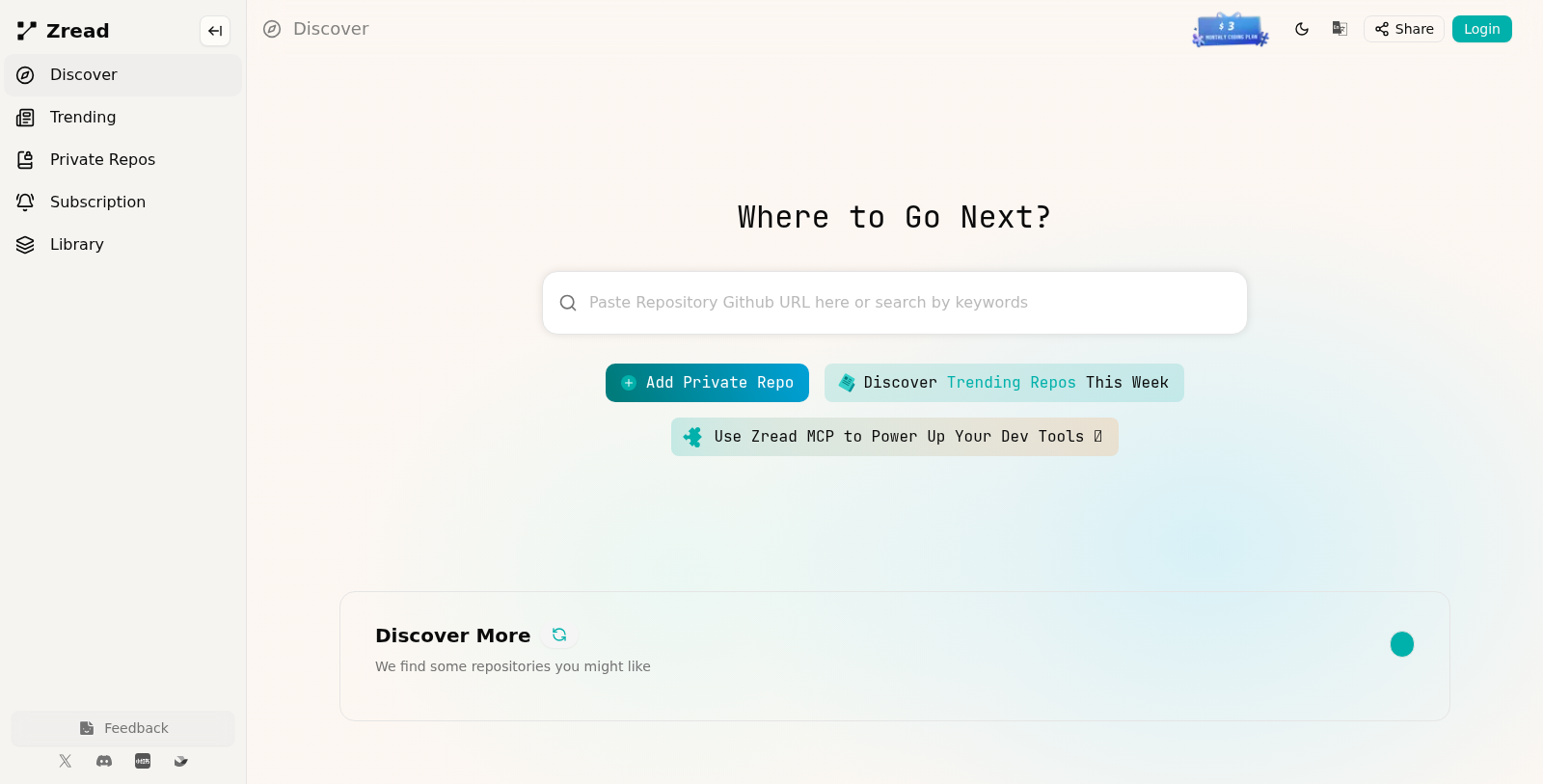
Zread is an innovative platform designed to help developers discover trending GitHub repositories that align with their interests and project needs. By leveraging powerful algorithms, Zread curates popular or recommended repositories for specific coding languages such as Python, JavaScript, C++, and more.
Whether you're looking for libraries, tools, or frameworks, Zread makes it easier to find valuable resources that can enhance your development projects. Users can paste GitHub repository URLs or search by relevant keywords to quickly locate the repos they need.
Discover Trending Repositories
The feature that stands out in Zread is its ability to present users with trending repositories of the week. This allows developers to stay up to date with the latest tools and libraries, gaining traction in the developer community. Trending repositories are not only popular but also useful for various development tasks.
Open Source Resources
One of the key strengths of Zread is its extensive collection of open-source repositories. Open source repositories provide developers with access to source code that they can modify and use freely, often accompanied by documentation. Projects like the stripe-sdk for PHP, SuperTuxKart's codebase, and many others are readily accessible through Zread, simplifying the process of sourcing reliable tools for various programming needs.
Search and Filter Capabilities
Finding the right repositories can be a challenge due to the vast number of options available on GitHub. Zread alleviates this issue by providing robust search and filtering capabilities. Users can filter by programming language, popularity, and specific keywords, ensuring they find the most relevant repositories for their work.
Engagement with Community Projects
Zread not only helps developers find existing tools but also promotes GitHub collaboration. By using Zread, developers can easily engage with community projects, contribute to popular repositories, and potentially enhance their skills in the process. This engagement fosters a collaborative environment where peers encourage learning and development.
User-Friendly Interface
The user experience on Zread is designed to be straightforward and intuitive. With a clean layout and organized features, developers can easily navigate the platform and get the most out of their experience. The simplicity of Zread allows users to focus on what matters most: discovering tools that improve their productivity and effectiveness as developers.
Conclusion
In summary, Zread is a valuable ally for developers looking to explore the multitude of resources available on GitHub. Its focus on trending and open-source repositories, combined with effective search tools, makes it a go-to platform for anyone needing relevant coding tools. Whether you're a novice developer or an experienced engineer, Zread provides the resources you need to stay at the forefront of development trends.
Pros & Cons
Pros
- Efficiently discovers trending GitHub repositories tailored to user interests.
- Integrates with development tools to enhance productivity and collaboration.
- Offers a user-friendly interface for searching and adding repositories.
Frequently Asked Questions
Zread is open source and free to use.
According to our latest information, this tool does not seem to have a lifetime deal at the moment, unfortunately.
With Zread, you can discover a wide variety of repositories across different programming languages and categories. Popular tags include Python, JavaScript, C++, PHP, and more specialized areas such as human-object interaction, security, and game development. This versatility makes it easier for developers to find relevant projects that match their skills and interests.
To add a private repository in Zread, click on the 'Add Private Repo' option available on the main interface. You will be prompted to enter the repository details, including the repository URL. Note that you may need to provide appropriate access permissions depending on your version control system, such as GitHub authentication tokens.
The Zread Multi-Channel Protocol (MCP) enhances your development tools by integrating various functionalities into a single workflow. This feature improves communication across applications, enabling seamless collaboration among team members, efficient data sharing, and optimized project management—all of which boost productivity in coding tasks.
Yes, Zread offers a user-friendly search feature that lets you find repositories using specific keywords. This makes it easy to find projects that align with your interests or technical requirements. Paste the desired keyword or repository URL into the search bar to view the most relevant results.
To maximize your use of Zread for discovering trending repositories, keep an eye on the 'Discover Trending Repos This Week' section. This feature highlights popular projects gaining traction, providing insights into community preferences. Additionally, explore repositories with high star counts or active contributors to find dynamic projects that may offer learning opportunities.
Yes, Zread typically provides support through its official website or within the application itself. Users can often find a support section with resources such as FAQs, tutorials, and community forums. For more specific questions or technical issues, it is advisable to reach out via support channels or check community discussions on platforms like GitHub.
Zread supports integrations with popular platforms, including GitHub, so you can easily import and manage repositories directly from your GitHub account. This seamless integration streamlines your workflow, letting you interact with your projects without switching between applications.
While Zread is a powerful tool for discovering repositories, it may experience performance issues with large repositories or intensive searches, resulting in slower response times. Additionally, certain features may be more beneficial to developers with experience in specific programming languages or technologies, so it's good to familiarize yourself with these aspects to make the most of the tool.