













AI Studio

Create and manage AI prompts efficiently with a user-friendly platform from Google.
Google.com
Is this your tool?
Follow for updates & deals
Get alerts for AI Studio discounts, feature releases & pricing changes
Similar Tools

Lovable
Build web applications and websites by describing your ideas in a chat interface with AI assistance.

Gening AI
Engage in immersive roleplay conversations with customizable AI characters without sign-up.

AI Chatbot Online
Engage with a vast library of AI chatbots inspired by your favorite characters and create your own.

Resemble AI
Create lifelike AI-generated voices and detect deepfakes to ensure content authenticity.

Filo
Organizes emails by summarizing threads and filtering low-priority messages for better productivity.

AI Studio Media Gallery

AI Studio (review) video
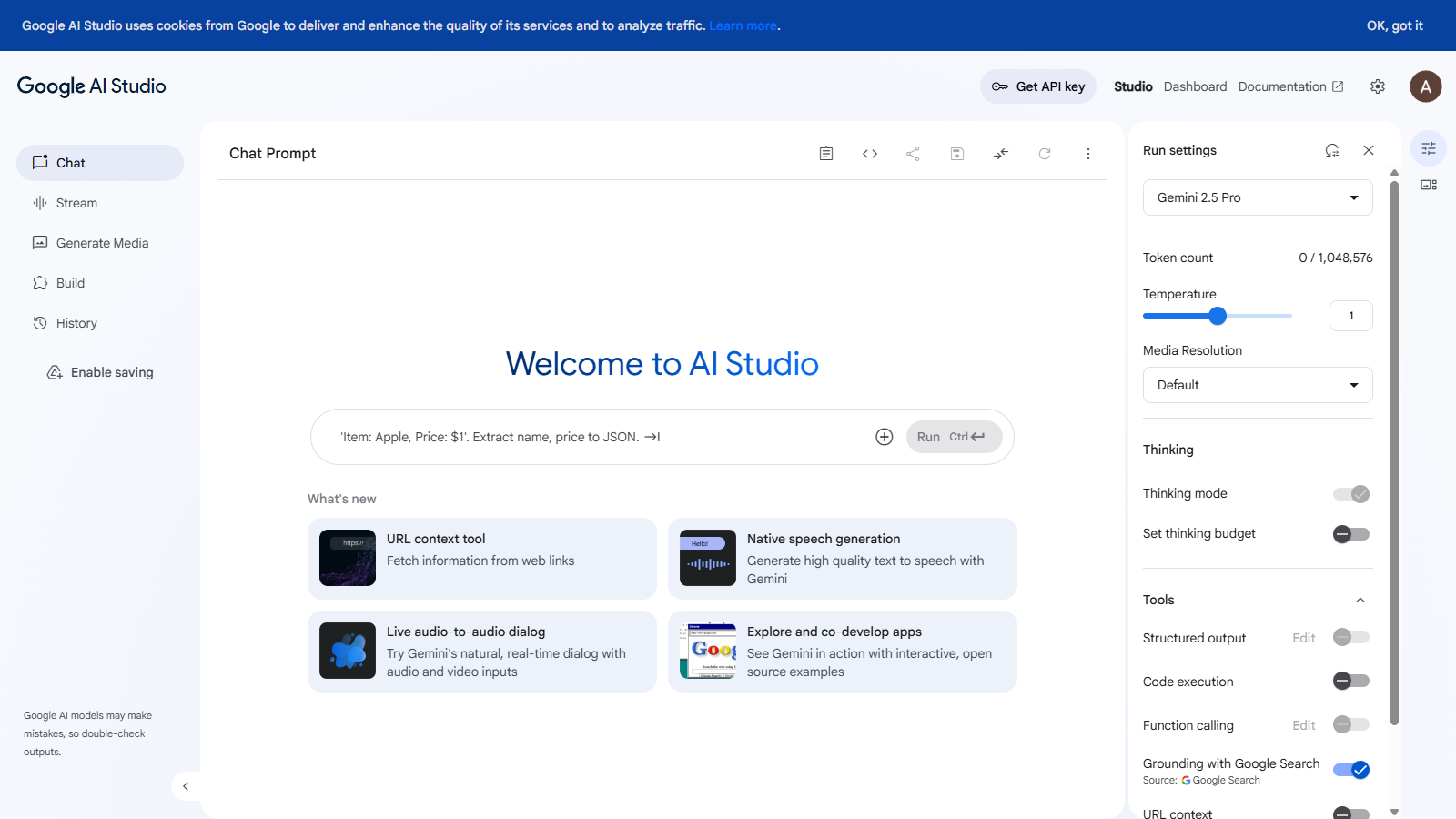
Screenshot of AI Studio
What is AI Studio?
AI Studio is a versatile platform created by Google that allows users to engage with various AI models. It facilitates the generation of prompts to help streamline creative and productive tasks, enabling both individuals and teams to harness the power of AI effectively.
From the moment you access AI Studio, you are greeted with a user-friendly interface that simplifies the process of creating and managing prompts. Whether you are an experienced developer or a novice just exploring the potential of AI, AI Studio offers a range of tools to cater to your needs.
Features of AI Studio
AI Studio comes equipped with several key features designed to enhance user experience:
- User-Friendly Interface: The intuitive layout makes it easy for users to navigate the platform and utilize various AI capabilities without extensive training.
- Multi-Model Support: AI Studio supports a variety of AI models, allowing users to switch between them based on their requirements and tasks.
- Customization Options: Users can customize prompts to fit their specific needs, improving the relevance and effectiveness of AI interactions.
- Collaboration Tools: AI Studio includes features that facilitate teamwork, making it ideal for organizations that want to leverage AI collaboratively.
Applications of AI Studio
AI Studio can be applied across various industries and for multiple use cases, including:
- Content Creation: Writers and marketers can use AI-generated prompts to inspire new ideas and enhance their content.
- Customer Support: Businesses can utilize AI Studio for developing chatbots that can handle common queries, improving customer interaction.
- Learning and Development: Educators can employ the platform for creating engaging learning materials and prompt-based exercises.
- Research and Analysis: Researchers can automate data gathering and analysis through customized prompts tailored to their projects.
Getting Started with AI Studio
To get started with AI Studio, users need to sign in with their Google accounts. Once logged in, you can begin exploring the features, creating prompts, and utilizing AI models suiting your objectives.
In conclusion, AI Studio is a powerful tool that caters to a wide audience, offering flexible solutions tailored for various AI-based tasks. Whether you aim to boost productivity, foster creativity, or enhance engagement, AI Studio offers the essential features and tools necessary to achieve these goals.
Pros & Cons
Pros
- Integration with Google accounts for seamless login experience.
- Responsive design enhances usability across devices.
- Ownership by Google provides reliability and trust.
Frequently Asked Questions
AI Studio offers a freemium model with free features available and premium options for advanced functionality.
According to our latest information, this tool does not seem to have a lifetime deal at the moment, unfortunately.
AI Studio enables you to create a variety of projects, such as chatbots, interactive stories, and educational content. You can leverage its AI capabilities to engage users in unique ways, making it an ideal tool for developers, educators, and content creators looking to harness the power of artificial intelligence.
To effectively use AI Studio, you will need a Google account since the platform is integrated within Google's ecosystem. Ensure you have a stable internet connection and a modern web browser for the best user experience. For development and deployment, familiarity with coding concepts can be beneficial.
AI Studio is designed to integrate seamlessly with other Google services and tools, allowing users to pull data or functionalities from services like Google Sheets or Firebase. However, native integration with non-Google third-party applications may vary, so users should check the specific compatibility of the desired integrations.
For support, AI Studio users can visit the official documentation and community forums for guidance. If specific technical issues arise, users can also reach out to Google's support channels. Additionally, it's helpful to engage with the community for shared experiences and solutions.
To maximize the potential of AI Studio, start by experimenting with the templates available for various project types. Take advantage of the debugging tools to fine-tune your applications. Don't hesitate to refer to the documentation for advanced features, including API integrations, to enrich your projects.
Yes, AI Studio allows for collaboration on projects. Users can share project links with others, enabling co-development and feedback from team members. You can manage permissions and access levels to ensure that collaborators can contribute effectively to the project.
While AI Studio is a powerful platform, users may encounter certain limitations, such as resource caps on free accounts and constraints on data processing capabilities for complex projects. It's advisable to review the terms of service for detailed limitations regarding usage.
Several tools offer similar functionalities to AI Studio, including Microsoft Azure Bot Services, IBM Watson, and Amazon Lex. Each platform has unique features, so it's worth exploring them to find the one that best suits your specific project needs and technical skills.





