







AudioPen
AI-powered
AI voice-to-text app that turns rambling voice notes into clear, rewritten text in any style
Audiopen.aiOpens in new tabIs this your tool? Claim this page
Claim Your Tool Page
Free to claim • Premium features available
- Verified Badge – Show users your tool is legitimate with a verified checkmark that builds instant credibility.
- Edit Your Profile – Update descriptions, screenshots, pricing, and keep your listing accurate and up-to-date.
- Boost Visibility – Get featured placements, priority listing in categories, and promotional badges to stand out.
- Respond to Reviews – Engage with your users by responding to feedback and building trust with potential customers.
Follow for updates & deals
Get alerts for AudioPen discounts, feature releases & pricing changes
Similar Tools

RambleFix
Turns spoken voice notes into polished emails, notes and summaries on web, iPhone and Mac
Auri
AI keyboard and voice typing assistant for iPhone, iPad, Mac and Apple Watch

LazyTyper
Voice typing app with multiple AI models for accurate transcription in various languages.

Wispr Flow
Transcribes speech into text for seamless communication across various applications

Typeless
Convert spoken words into formatted text, emails, and documents in real-time.

Dream Story
A journaling app that enhances personal growth through guided self-reflection and AI-assisted insights.

Heynds
Transcribes voice to text in real time for faster writing and editing.

QuickCreator
AI content team of agents that researches, writes and optimizes SEO articles in your brand voice
New Tools

Text Generator
OpenAI-compatible API giving access to many AI text, vision and speech models through one endpoint

Linfo.ai
Summarizes articles, YouTube videos and documents into takeaways, outlines and mind maps

Brain Pod AI
AI platform for writing, images and chat, now evolving into Charigent with AI characters and workflows

AutoBlogging.Pro
Generates SEO-optimized blog articles with GPT models and publishes them to WordPress automatically

Vsub
Turns a script or voiceover into narrated, illustrated faceless videos using your own style template

VideoToPage
Turns YouTube videos, uploads and recordings into blog posts, articles and social posts

AudioPen Media Gallery
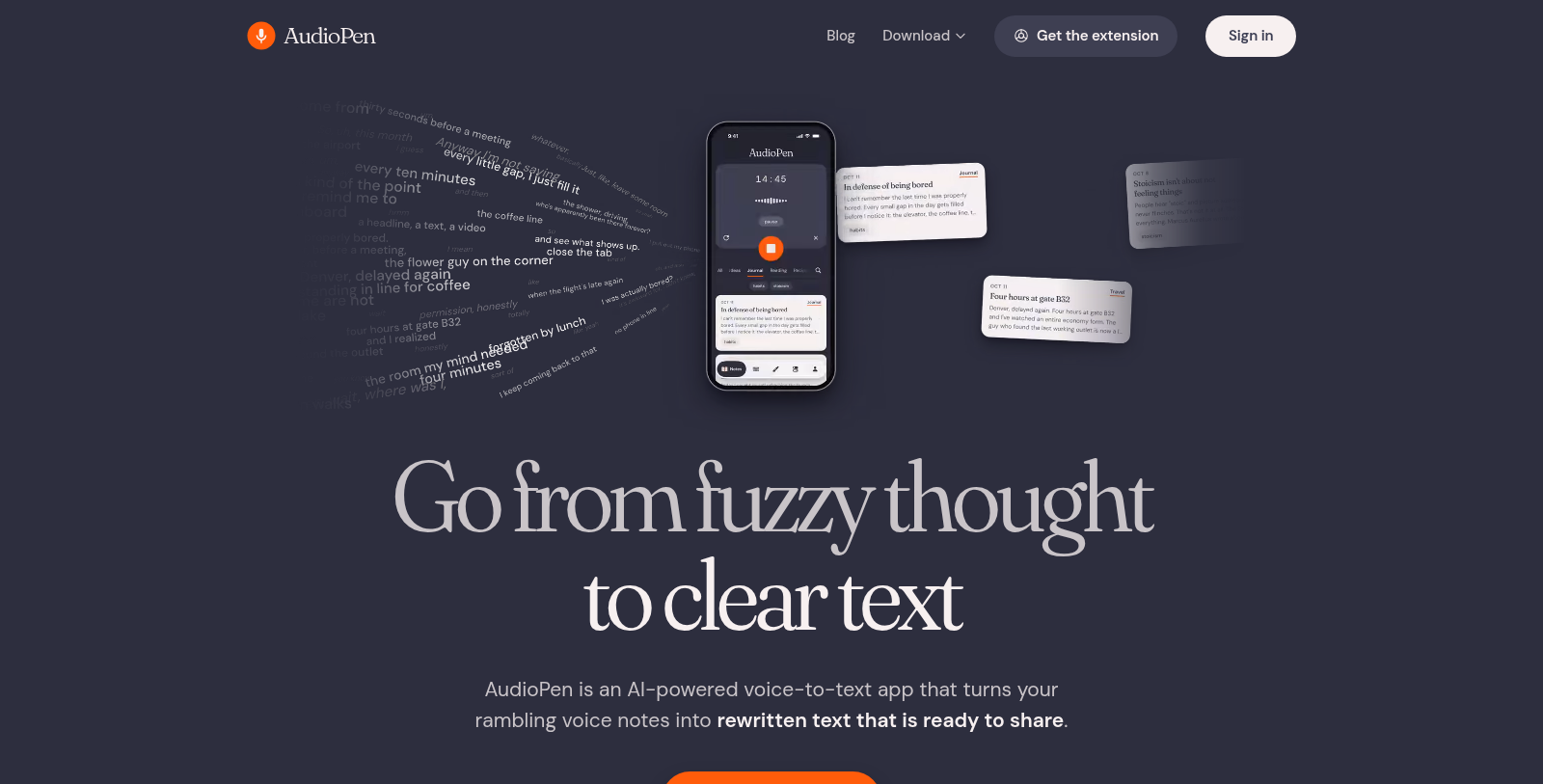
Screenshot of AudioPen
What is AudioPen?
AudioPen is an AI-powered voice-to-text app. Instead of a plain transcript, it turns rambling voice notes into rewritten text that is ready to share, in a style you pick.
It is available as a web app, Chrome extension, iPhone and iPad app with a voice keyboard, an Android app with a floating bubble, and Mac and Windows apps for voice typing anywhere with a hotkey.
The site targets writers, creators, salespeople, lawyers, therapists and people with busy minds, and publishes comparison pages against other dictation tools. It says it is free to start with no credit card needed; paid plan prices were not captured. Comparison pages on the site set it against tools such as Otter, Wispr Flow, SuperWhisper and Dragon.
Pros & Cons
Pros
- Rewrites rambling voice notes into clear, shareable text in a chosen style
- Runs on iPhone, Android, Mac, Windows, the web and as a Chrome extension
- Desktop apps support voice typing anywhere with a hotkey
Cons
- Output is rewritten rather than a word-for-word transcript
Frequently Asked Questions
How much does AudioPen cost?
AudioPen offers a freemium model with free features available and premium options for advanced functionality.
Does AudioPen have a lifetime deal?
According to our latest information, this tool does not seem to have a lifetime deal at the moment, unfortunately.
Which devices and platforms can I use AudioPen on?
AudioPen works as a web app and a Chrome extension. It also has an iPhone and iPad app with a voice keyboard, an Android app with a floating bubble, and Mac and Windows apps for voice typing anywhere with a hotkey. Pick the surface that matches where you usually write or record your thoughts.
How is AudioPen different from a plain dictation tool?
Instead of returning a raw transcript, AudioPen turns rambling voice notes into rewritten text that is ready to share. You pick the style the result should be written in. Comparison pages on the site set it against tools such as Otter, Wispr Flow, SuperWhisper and Dragon.
Who is AudioPen best suited for?
The site targets writers, creators, salespeople, lawyers, therapists and people with busy minds. These users tend to think out loud and need organized text afterwards. If you need a word-for-word transcript instead of rewritten wording, check the official website to confirm the output options first.
Can I dictate straight into other apps on my phone?
The iPhone and iPad app includes a voice keyboard, so you can dictate into other apps. The Android version uses a floating bubble for quick access while you work elsewhere. Exact behavior can differ by operating system version, so confirm the details on the official website before relying on it.
Notice: This website uses affiliate links to earn commissions from sales. Please read their ToS when signing up somewhere.