AutoPod

Premiere Pro plug-ins that automatically edit video podcasts and create social clips
Autopod.fm
Is this your tool?
Follow for updates & deals
Get alerts for AutoPod discounts, feature releases & pricing changes
Similar Tools

Fuser
A visual workspace for connecting AI models and streamlining creative projects across various media.
WayinVideo
Extract highlight moments from long videos and create engaging clips for social media.

Paraflow
Streamlines the product design process with an AI assistant for drafting specifications and creating UI designs.

OpusClip
Automatically create short video clips from long content using AI-driven technology.

Floyo
Discover and launch open-source ComfyUI workflows directly in your browser without setup

AutoPod Media Gallery
What is AutoPod?
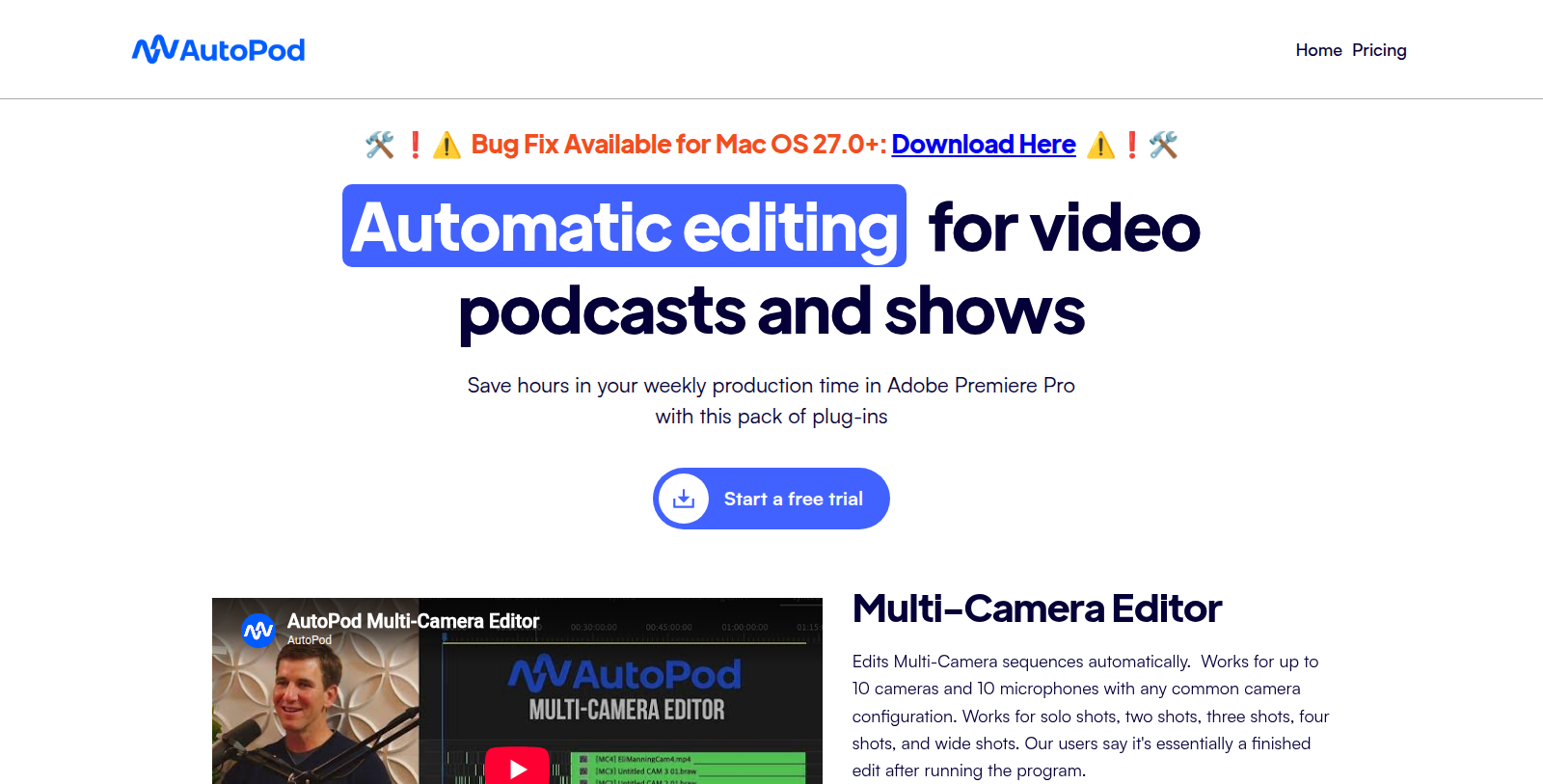
AutoPod is a set of plug-ins for Adobe Premiere Pro aimed at editors of video podcasts and shows. The Multi-Camera Editor edits multi-camera sequences automatically, working with up to 10 cameras and 10 microphones and with single, two, three, four and wide shots.
The Social Clip Creator builds new sequences from in and out points in 1920x1080, 1080x1350 and 1080x1920 sizes, with options for auto-reframe, watermarks and end pages, and supports batch export. The Jump Cut Editor creates jump cuts automatically in silent parts of footage.
AutoPod requires Premiere Pro 2023 or newer and separate audio tracks per speaker. A single license covers one computer. The Individual plan costs $29 per month per license and monthly subscriptions begin with a 30-day free trial.
Pros & Cons
Pros
- The Multi-Camera Editor handles up to 10 cameras and 10 microphones.
- The Social Clip Creator exports 1080x1350 and 1080x1920 clips with batch export.
- The Jump Cut Editor adds jump cuts automatically in silent footage.
Cons
- Requires Premiere Pro 2023 or newer, so older versions are not supported.
- Needs separate audio tracks for each speaker in the recording.
- A single license covers only one computer.
Frequently Asked Questions
AutoPod costs 29 to 0 USD per month.
According to our latest information, this tool does not seem to have a lifetime deal at the moment, unfortunately.
The Multi-Camera Editor edits multi-camera sequences automatically. It works with up to 10 cameras and 10 microphones and uses single, two, three, four and wide shots. It is built for video podcasts and shows, where several cameras record the same conversation.
Yes. The Social Clip Creator builds new sequences from in and out points in 1920x1080, 1080x1350 and 1080x1920 sizes. You can add auto-reframe, watermarks and end pages, and export several clips at once with batch export. The output sizes are 1920x1080 for landscape and 1080x1920 for vertical video.
The Jump Cut Editor creates jump cuts automatically in silent parts of your footage. This removes dead air without manual cutting. It is one of the AutoPod plug-ins for Adobe Premiere Pro, so editing stays in your existing project. The plug-in is designed for video podcasts and shows, as described on the official site.
AutoPod requires Adobe Premiere Pro 2023 or newer. Your podcast audio should also be recorded on separate audio tracks for each speaker. A single license covers one computer. The official website has the full requirements. The plug-ins are aimed at editors of video podcasts and shows who work in Premiere Pro.