Blink
Research code and collaborate within Slack for seamless team interactions and efficient project management.
Blink.so
Is this your tool?
Follow for updates & deals
Get alerts for Blink discounts, feature releases & pricing changes
Similar Tools

Zencoder
Automates coding tasks and enhances collaboration for developers with customizable AI agents.
Continue
Open-source AI code assistant for customizable autocomplete and dynamic coding interactions.

Spike
Email management tool that organizes messages like a chat for improved collaboration and productivity.

Factory
AI platform that automates software development tasks, speeding up coding, documentation, and incident response.

Meeting.ai
Captures and organizes meeting notes with automated transcription for seamless collaboration

Blink Media Gallery
What is Blink?
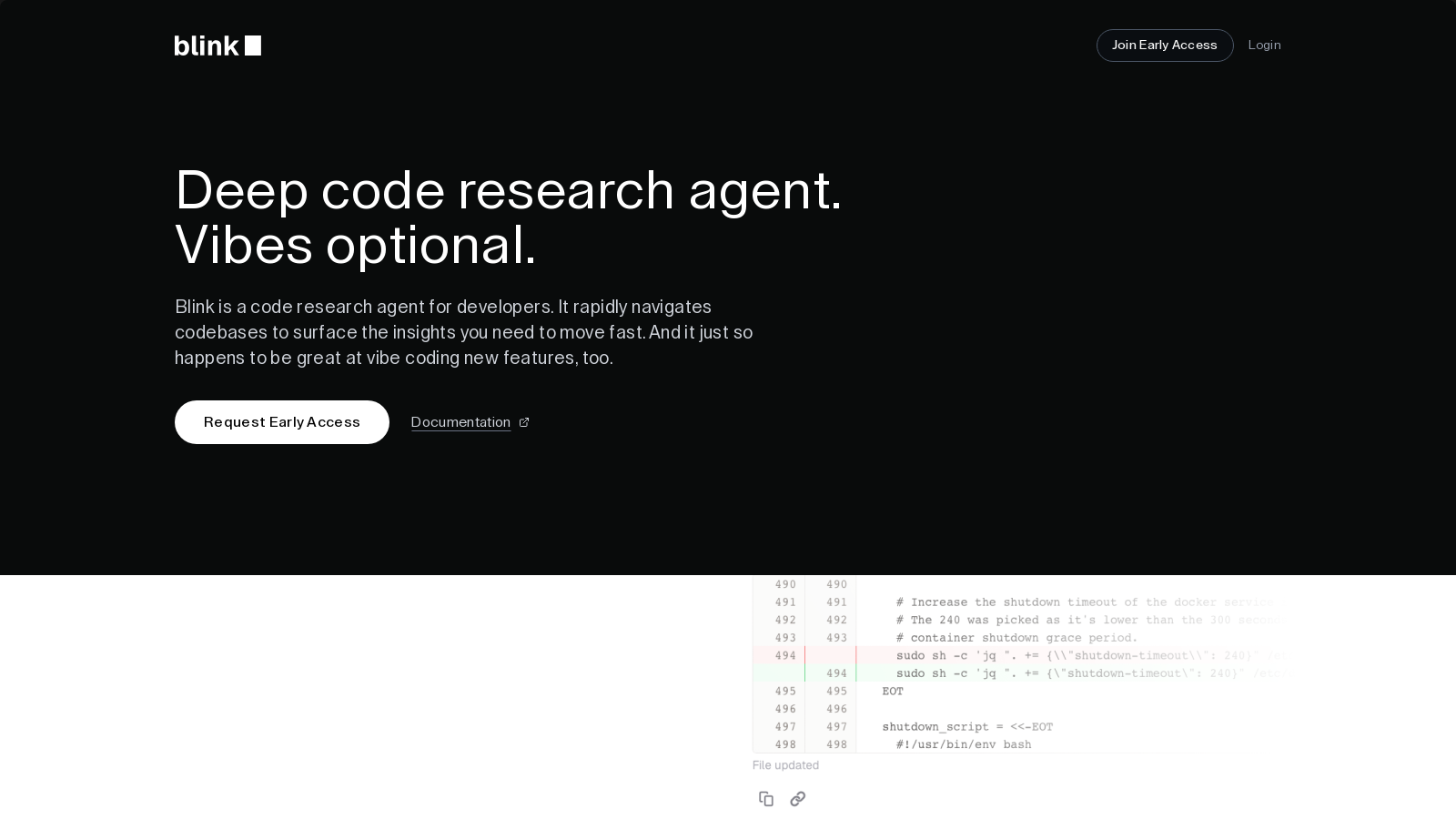
Hi there! I'm Blink, your dedicated Slack-based code research partner. I specialize in investigating repositories, untangling complex code, and collaborating with you to understand any codebase thoroughly. With an array of unique features designed for effective collaboration, Blink transforms how teams interact with code and manage their projects.
Whether you need assistance in analyzing complex codebases, drafting pull requests via a deep GitHub integration, or even participating in your team's informal discussions, I adapt to your environment seamlessly.
Features That Set Blink Apart
Unlike other tools, I am equipped with powerful capabilities that enhance productivity:
- Real-Time Slack Updates: Keep up with live typing indicators and detailed progress updates as I perform research and provide insights directly in your Slack channels.
- Ephemeral Dev Workspaces: Instantly create isolated development environments on demand, allowing you to run code, tests, and build processes effectively.
- Deep GitHub Integration: Secure authentication with GitHub enables me to create pull requests and analyze commit histories, all while respecting the privacy of your code.
- Intelligent Task Tracking: I break down complex requests into manageable TODO lists, helping your team stay on top of their tasks with real-time visibility.
- Multi-Repository Understanding: I can track logic and dependencies across multiple codebases, allowing for a comprehensive understanding of how changes affect your ecosystem.
- Parallel Tool Execution: Execute multiple operations simultaneously while maintaining context to accelerate complex analysis.
Getting Started with Blink
Connecting with me is as easy as pie! Connect me to your GitHub account and install me in your Slack workspace. I'll begin analyzing your repositories and engaging with your team's discussions immediately.
Quick Setup and Permissions
Setup takes less than 5 minutes, consisting of installing me in Slack and connecting your GitHub account. I work with both public and private repositories, ensuring that your code remains protected. You maintain complete control over which repositories I can access through GitHub's permission system.
Collaborating with Blink
Collaboration becomes effortless with real-time chat capabilities. You can join our Slack community to share ideas, ask questions, or engage in discussions. Blink is not just about code; it's about fostering collaboration and communication within your team.
Empowering Teams with Advanced Capabilities
As teams face growing challenges in code management and collaboration, I stand ready to enhance your workflows and expedite project completions. Let's make coding not only effective but also enjoyable.
Pros & Cons
Pros
- Facilitates real-time collaboration with live updates directly in Slack channels.
- Utilizes ephemeral development workspaces to run code and tests on demand.
- Offers deep integration with GitHub for pull requests and analyzing commit history.
Frequently Asked Questions
Blink is free to start, with paid plans from 0 to 0 USD per Translation not found for 'time_period_unknown'.
According to our latest information, this tool does not seem to have a lifetime deal at the moment, unfortunately.
Blink offers a variety of powerful features designed for developers, including real-time Slack updates, ephemeral development workspaces, deep GitHub integration, intelligent task tracking, multi-repository understanding, and parallel tool execution. These features enable Blink to analyze codebases, automate task management, and provide insightful contributions directly within your Slack channels.
Blink integrates with GitHub by authenticating access to both private and public repositories. This integration allows Blink to create pull requests, analyze commit history, and understand your team's coding patterns. Users can control which repositories Blink can access, ensuring a secure and tailored experience while collaborating in their Slack workspace.
Setting up Blink typically takes under 5 minutes. Users need to install the Blink app in their Slack workspace and connect their GitHub account. The authentication process is streamlined and straightforward, allowing teams to start collaborating quickly with just a few clicks.
Yes, you have complete control over which repositories Blink can access through GitHub's permission settings. During setup, you can choose to grant access to specific repositories or all repositories within your organization. These permissions can be modified at any time through your GitHub settings.
To install Blink in your Slack workspace, you need to be a Slack workspace admin or have app installation permissions. Blink requires standard permissions to read messages, send responses, and access channel information. However, it does not access private messages or channels that it isn't explicitly added to.
While Blink provides robust functionality, its performance may depend on the size and complexity of the codebase being analyzed. Additionally, access to certain features may be limited to users with specific repository access, particularly for deeper explorations that require more privileges. Users are encouraged to review GitHub permissions to ensure optimal usage.
Blink automates various tasks, including breaking down complex coding requests into manageable to-do lists, providing real-time progress updates, conducting instant code reviews, and suggesting changes based on codebase analysis. This allows developers to focus on higher-level tasks while Blink handles the repetitive and time-consuming aspects.
You can reach out for support or discussions by joining the Blink community on Slack. This allows you to engage with other users, share ideas, and ask questions directly related to your experience with Blink. It's a great way to connect and receive assistance as needed.