Dex

Transform your Chrome browser into an integrated AI workspace for managing tasks and improving workflow.
Joindex.com
Is this your tool?
Follow for updates & deals
Get alerts for Dex discounts, feature releases & pricing changes
Similar Tools

Flot
AI writing and memory tool that integrates with apps to enhance writing and recall information.

Dia
An AI browser that acts as your writing partner and learning assistant while ensuring user privacy.

Nova
An adaptable workspace allowing users to organize ideas with customizable grids and privacy features.

Nodejam
An integrated office suite that merges documents, spreadsheets, and presentations for enhanced collaboration.

Saga
An AI workspace that combines notes, documents, and task management into a single streamlined interface.

Dex Media Gallery

Dex (review) video
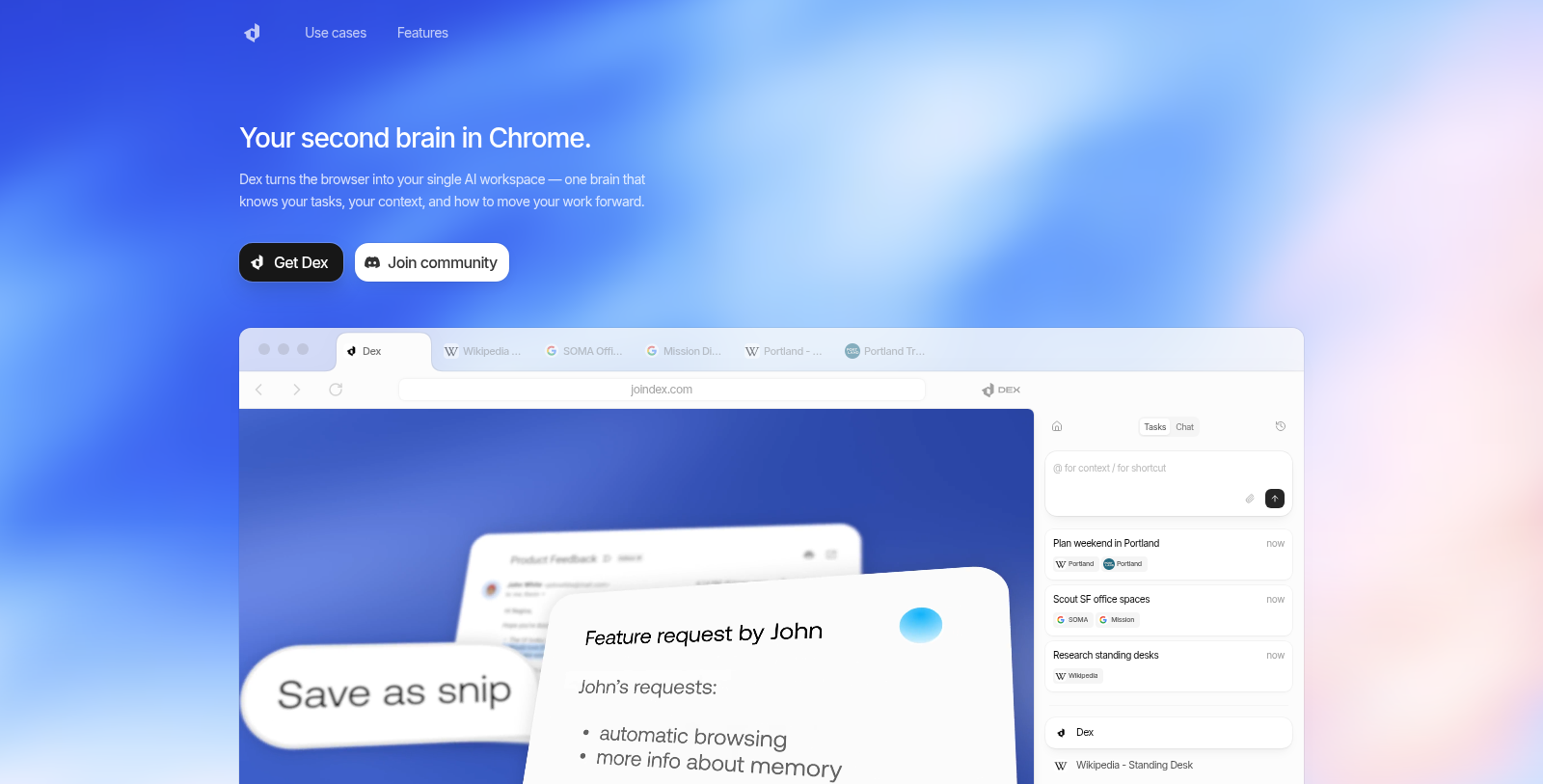
Screenshot of Dex
What is Dex?
Dex transforms your browser into a unified AI workspace, acting as your digital brain to enhance productivity and streamline your workflow. Whether you're managing tasks, communicating, or conducting research, Dex is designed to address the needs of knowledge workers and professionals who spend significant time online. This powerful Chrome extension integrates with over 14 applications to eliminate context switching, helping you maintain focus and efficiency.
With Dex, you can expect context-aware suggestions that help with task management directly within your browser. Imagine being able to handle tasks seamlessly across various tabs and applications without losing track of your priorities. Dex intelligently predicts your next steps and serves relevant information before you even have to ask. This proactive approach to workflow management is what sets Dex apart from traditional tools.
Key Features
One of the standout features of Dex is its smart inbox summary, which provides an overview of your key tasks and deadlines. It also remembers your preferences and activities, so you can easily retrieve AI-generated notes and to-dos with minimal friction. This memory visualization allows Dex to serve a personalized experience tailored to your working style.
Privacy and Control
Dex is meticulously designed with privacy in mind. You maintain control over your data with granular permission settings. The platform guarantees tour information remains secure, allowing you to disconnect or delete it at any time. This makes Dex not only a highly productive tool but also one that respects your privacy.
Integration with Other Applications
A notable advantage of Dex is its ability to integrate with commonly used applications such as Google Drive, Asana, Notion, and Slack. This capability simplifies task management by pulling information from these platforms directly into your browser. Whether it's scheduling meetings, building lead lists, or sending personalized email communications, Dex streamlines these processes to save you time.
For professionals looking to have a concise and clear meeting prep experience, Dex can read your calendar and extract relevant information before a meeting, helping you prepare in advance with talking points. The intelligent assistant streamlines your workflow across tabs, improving productivity in every aspect of your workday.
Scalable Plans
Dex starts with a free plan that lets users explore its core features. As your needs grow, you can scale up to Pro, Business, or Enterprise plans, each offering advanced features to enhance your productivity further. This flexible pricing model ensures that Tex can accommodate a wide range of users, regardless of their requirements.
Who Should Use Dex?
Dex is ideal for knowledge workers, professionals, and anyone deeply involved in research, communication, and task management online. Its focused design as a Chrome extension allows for seamless integration into your existing workflow, making it a preferred choice over standalone applications.
In conclusion, Dex is more than just a tool; it's a comprehensive assistant that enables you to work smarter. By combining advanced AI technologies with powerful integrations, Dex turns your Chrome browser into an intelligent workspace that not only keeps you organized but also anticipates your needs at every turn. Get started with Dex to experience this next-level productivity for yourself.
Pros & Cons
Pros
- Dex integrates seamlessly with 14+ apps to reduce context switching.
- It remembers user preferences to provide context-aware suggestions.
- The smart inbox summarizes your availability and predicts next steps.
Frequently Asked Questions
Dex is free to start, with paid plans from 0 to 0 USD per month.
According to our latest information, this tool does not seem to have a lifetime deal at the moment, unfortunately.
Dex transforms your browser into an intelligent AI workspace with features like context-aware suggestions, smart inbox summaries, AI notes and todos, and memory visualization. It integrates with over 14 apps, including Google Sheets, Asana, and Slack, to streamline tasks and minimize context switching. With Dex, you can schedule meetings, analyze data, and manage communications seamlessly, all while maintaining control over your privacy.
Dex enhances productivity for knowledge workers by providing tools that integrate seamlessly into their browser experience. It offers quick access to context-relevant information, organizes notes and tasks, and automates repetitive tasks like scheduling meetings or sending personalized emails. By minimizing context switching between applications, Dex allows professionals to focus on their work more effectively.
With Dex, you can automate a variety of tasks, including scheduling meetings, organizing emails, scraping data from LinkedIn profiles into Google Sheets, and sending personalized communications to multiple recipients. Dex can also read your calendar to prepare meeting summaries and provide immediate access to pertinent information across tabs, significantly streamlining your workflow.
Dex integrates with over 14 popular productivity apps, including Google Drive, Asana, Notion, Google Sheets, Slack, and Google Calendar. This extensive integration enables Dex to act on context across tabs and applications, providing a holistic approach to managing tasks and information in a single, streamlined interface.
Yes, Dex is designed with maximum privacy in mind. It allows users to maintain control over their data with granular permission settings. You can disconnect or delete your data at any time, ensuring that no one else can access your information. This focus on privacy makes Dex a secure choice for users concerned about data protection.
Getting started with Dex is easy! You can download the Chrome extension from the official website. Once installed, sign up for a free plan to explore its features. The intuitive interface guides you through setup, letting you connect your favorite productivity apps and begin customizing your AI workspace to suit your workflow.
Dex operates as a Chrome extension, making it compatible with any platform that supports the Chrome browser, including Windows, macOS, and Linux. This versatility allows users across different operating systems to enjoy the benefits of Dex's intelligent AI features, enhancing their productivity regardless of their device.
Dex differentiates itself from tools like Dia and Comet by being specifically designed as a Chrome extension that enhances existing workflows rather than functioning as a standalone application. This focus allows it to offer seamless integration with the browser, providing context-aware assistance and automation that fits directly into users' day-to-day tasks.