Nova

An adaptable workspace allowing users to organize ideas with customizable grids and privacy features.
Lightmode.io
Is this your tool?
Follow for updates & deals
Get alerts for Nova discounts, feature releases & pricing changes
Similar Tools

Dia
An AI browser that acts as your writing partner and learning assistant while ensuring user privacy.

remio
Automates data capture and knowledge management for personalized productivity support.

Everyday
Automates tasks like email drafting and meeting scheduling to enhance your workflow efficiency.

Extra Thursday
AI assistant that uses voice commands to manage email and plan daily tasks seamlessly.

Superhuman
An email app designed to enhance productivity with AI tools for efficient inbox management.

Nova Media Gallery
What is Nova?
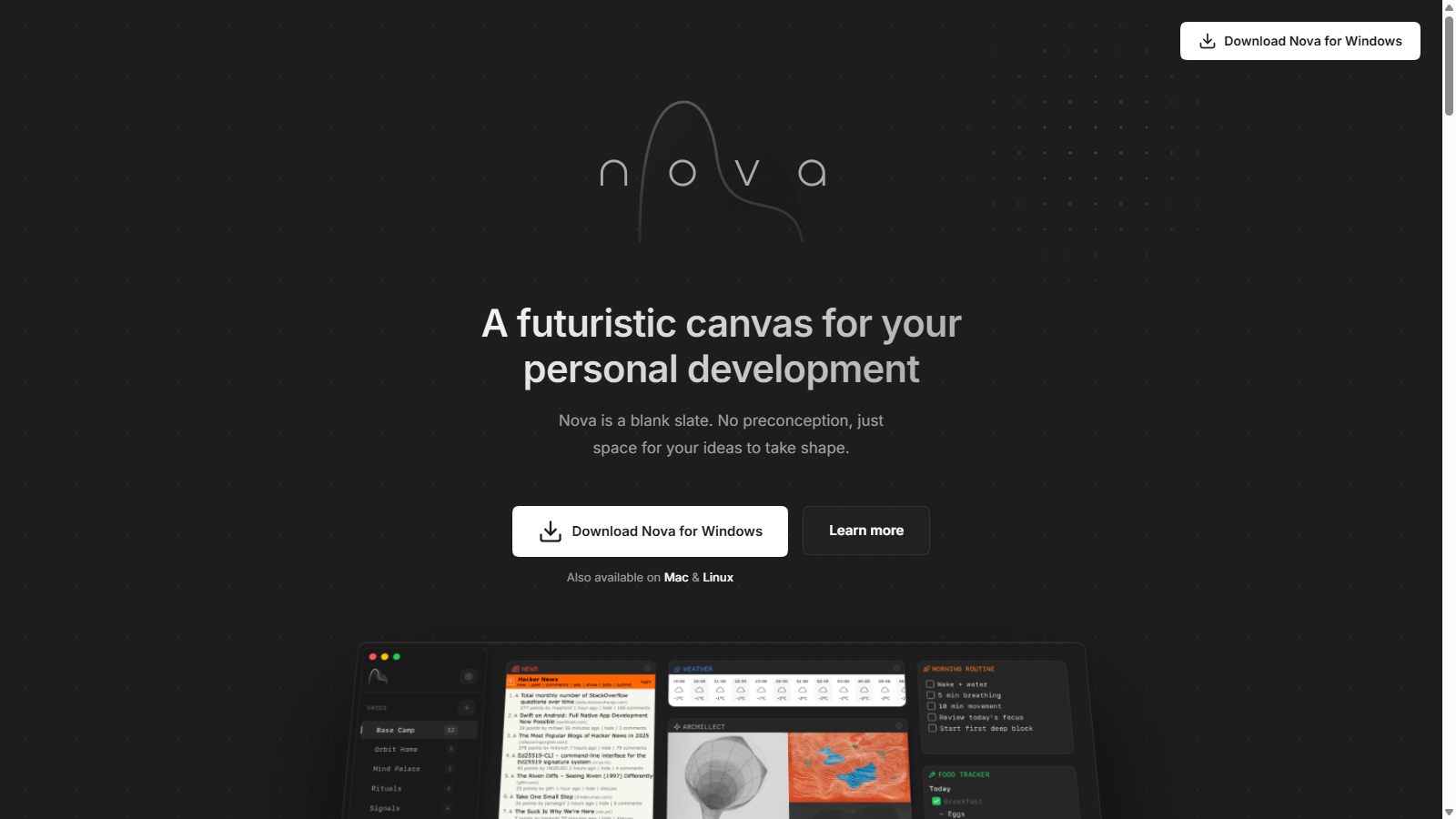
Nova is not just another productivity tool; it represents a shift in how we approach digital organization. As a blank canvas designed for personal development, Nova gives users a space where ideas can flourish without the constraints of traditional folders or hierarchies.
At the core of its functionality are multiple grids allowing you to place anything anywhere. The absence of a rigid framework empowers you to create and manage your thoughts in a way that makes the most sense for you. Switch between different grids instantly, adapting your workspace to various contexts, whether you're brainstorming ideas, tracking tasks, or archiving notes.
Unique Features of Nova
With Nova, each grid acts as an expansive canvas, complemented by customizable cards that serve as containers for your thoughts. These cards can be resized and repositioned to reflect the priority of your ideas. The flexibility to design your workspace lets you create an environment that caters to your cognitive style.
Privacy at the Forefront
Nova is built with privacy in mind. Your data is stored locally on your device, and you can sync it via secure methods such as iCloud or Google Drive. This ensures that your personal information remains protected while you organize your workflow.
Introducing Nova X
The Nova X upgrade expands upon the already powerful features of Nova. With Nova X, users can integrate AI capabilities via AI cards that leverage context injection to deliver dynamic, relevant data tailored to their thought processes. This integration allows for greater efficiency and intelligence in your organizing efforts.
AI and Compatibility
With support for several notable AI models such as Anthropic, OpenAI, Gemini, Grok, and Mistral, users can leverage advanced AI tools to enhance their productivity.
Stay Updated with Website Cards
Nova X also introduces website cards that allow users to follow snippets of their favorite websites. This feature lets you keep critical information at your fingertips without constantly refreshing, helping you stay informed and organized.
Themed Customization
To enhance user experience, Nova offers theme customization. Whether you prefer a light, dark, or even a mix of both, you can personalize the look of your workspace to match your mood or preference.
Community Feedback
The feedback from Nova users speaks volumes about its effectiveness. Many have praised its clean interface and thoughtful design, calling it an essential part of their daily workflow. Whether you're a creative looking to organize ideas or a professional seeking task management solutions, Nova resonates with a diverse group of users.
Flexible Pricing Options
For those looking to experience its full capabilities, Nova is available for free, while Nova X comes at a competitive subscription rate. Users can subscribe monthly, but also benefit from a lifetime access option, locking in their rate forever—an attractive choice for longtime users.
In conclusion, Nova and Nova X together represent a modern approach to productivity and personal development, focusing on flexibility, customization, and privacy. Download Nova today to unlock your potential!
Pros & Cons
Pros
- Offers a unique grid layout for flexible organization without hierarchies.
- AI cards provide dynamic data tailored to user context and thought patterns.
- Prioritizes user privacy by storing data locally or syncing with trusted cloud services.
Cons
- Some advanced features are only available in the paid Nova X version.
Frequently Asked Questions
Nova is free to start, with paid plans from 0 to 5.99 USD per month.
This tool offers a lifetime deal.
Nova offers a comprehensive set of features designed to enhance your digital experience. These include real-time collaboration tools, customizable widgets, integrated analytics, and seamless export options. Users can create and manage projects efficiently, collaborate with team members in real-time, and gather insights through powerful analytics capabilities, making it an ideal choice for teams looking to enhance productivity.
Getting started with Nova is user-friendly. Simply visit their website, sign up for an account, and follow the onboarding tutorial that guides you through the basic functionalities. This will include setting up your first project, inviting team members, and customizing your workspace according to your needs.
Nova supports a wide range of integrations with popular tools such as Slack, Google Drive, and Trello. These integrations enhance productivity by allowing users to streamline their workflow, manage tasks efficiently, and access important documents directly from Nova's interface. For a complete list of supported integrations, please check the official documentation or the integrations section on the Nova website.
While Nova provides many powerful features, there may be limitations depending on your subscription plan. For example, some plans might restrict the number of projects you can create or limit access to advanced analytics tools. It's recommended to review the specific features and limitations associated with your chosen plan on the Nova website to fully understand what is included.
Nova is versatile and can be used for various types of projects, including software development, marketing campaigns, and content creation. Its customizable features cater to different team needs, allowing users to manage tasks, set deadlines, and collaborate effectively, regardless of the project focus, making it suitable for diverse industries.
Nova offers several support options, including a comprehensive knowledge base with articles and guides, live chat support during business hours, and a community forum for user discussions. If you encounter any issues or need assistance, the support team is readily available to help you troubleshoot or explore features.
Yes, Nova is designed to be mobile-friendly, allowing users to access and manage their projects from smartphones and tablets. While some features may be limited on mobile devices due to screen size, the core functionality remains accessible and maintains a user-friendly interface, ensuring you can stay productive on the go.
To maximize your experience with Nova, take advantage of its collaboration features by regularly communicating with your team through the platform. Utilize customizable templates to save time on project setups, and make use of the analytics tools to track project progress and adjust your strategies effectively. Finally, explore community resources and forums for tips shared by other users.