







Draw3D

AI-powered
Turn sketches and 3D blockouts into photorealistic renders and cinematic video
Draw3d.onlineOpens in new tabIs this your tool? Claim this page
Claim Your Tool Page
Free to claim • Premium features available
- Verified Badge – Show users your tool is legitimate with a verified checkmark that builds instant credibility.
- Edit Your Profile – Update descriptions, screenshots, pricing, and keep your listing accurate and up-to-date.
- Boost Visibility – Get featured placements, priority listing in categories, and promotional badges to stand out.
- Respond to Reviews – Engage with your users by responding to feedback and building trust with potential customers.
Follow for updates & deals
Get alerts for Draw3D discounts, feature releases & pricing changes
Similar Tools

Adobe Firefly
Adobe's AI creative studio for generating images, video and audio from one place

Designs.ai
AI creative workspace where agents produce branding, images, video, audio, copy and slides
Zawa AI
Generate logos and branding materials quickly with AI tools designed for small businesses.

Lucent
Create studio-quality images and videos by voice command using diverse AI models and customizable templates.

AdpexAI
AI platform for generating and editing images and videos, including face swap features and content enhancements.

Lovart
Automates the design process to create visuals, videos, audio content, and 3D designs from user prompts.

Magic Light
Generate engaging videos from text, maintaining character consistency and diverse visual styles.
vivago
Generate AI-driven images and videos from text prompts with customizable editing tools.
New Tools

Text Generator
OpenAI-compatible API giving access to many AI text, vision and speech models through one endpoint

RambleFix
Turns spoken voice notes into polished emails, notes and summaries on web, iPhone and Mac

QuickCreator
AI content team of agents that researches, writes and optimizes SEO articles in your brand voice

Linfo.ai
Summarizes articles, YouTube videos and documents into takeaways, outlines and mind maps

Brain Pod AI
AI platform for writing, images and chat, now evolving into Charigent with AI characters and workflows

AutoBlogging.Pro
Generates SEO-optimized blog articles with GPT models and publishes them to WordPress automatically

Vsub
Turns a script or voiceover into narrated, illustrated faceless videos using your own style template

VideoToPage
Turns YouTube videos, uploads and recordings into blog posts, articles and social posts

Draw3D Media Gallery
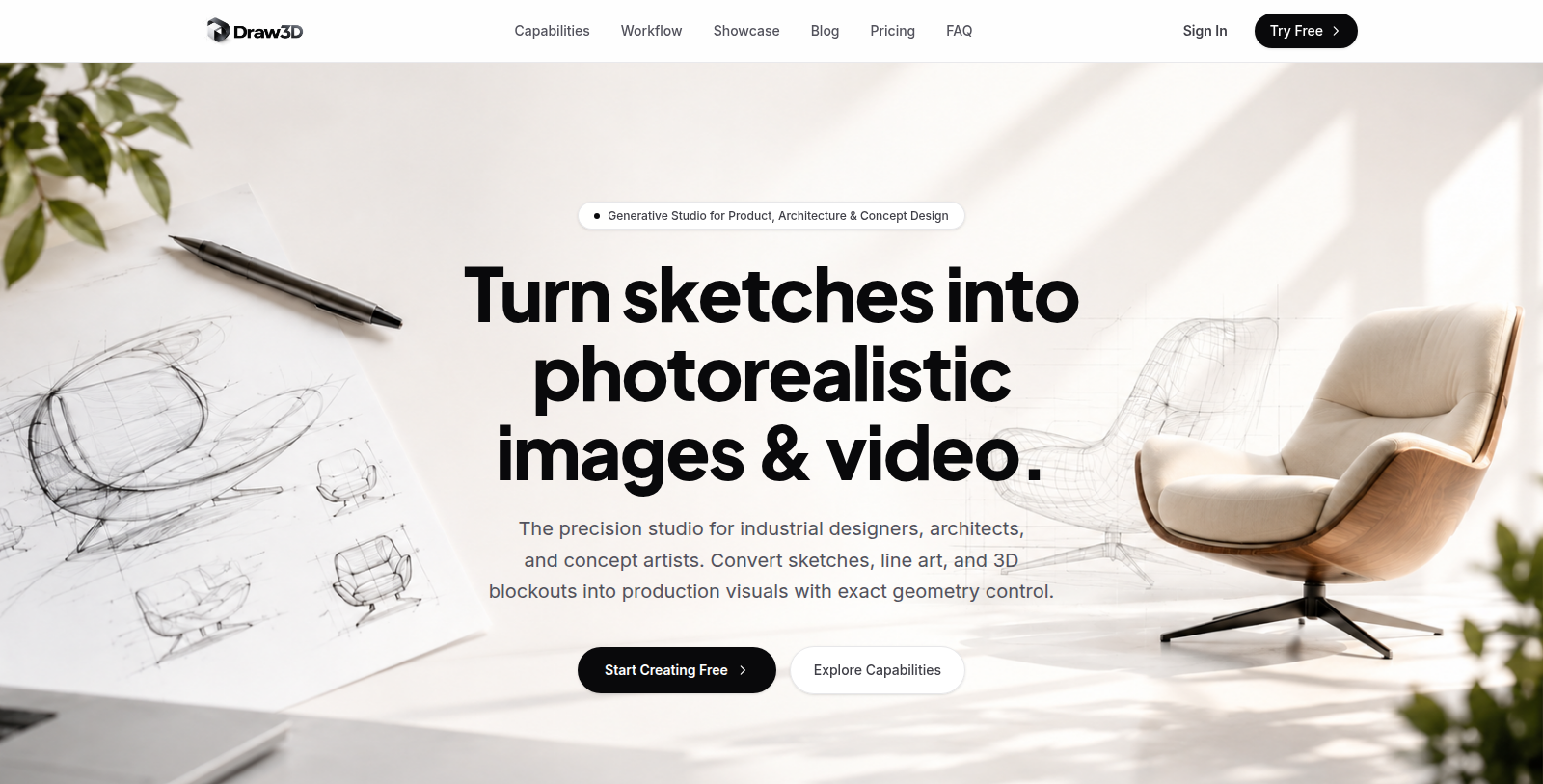
Screenshot of Draw3D
What is Draw3D?
Draw3D is a browser-based generative studio for product, architecture and concept design. It turns rough sketches, line drawings and 3D blockouts into photorealistic renders while keeping the original geometry.
The site lists sketch-to-photoreal rendering, rendering of blockouts imported from Blender, SketchUp, Maya or CAD, storyboard-to-video motion with camera movement, and upscaling of renders to 8K.
Users can control style, materials, lighting and camera perspective. It is intended for industrial designers, architects and concept artists who want production visuals without modeling every detail. A free start is offered; a blog is available on the site.
The studio is designed to fit existing production pipelines, so concept work can move toward client deliverables with fewer manual rendering steps.
Pros & Cons
Pros
- Keeps the original geometry of sketches and blockouts in renders.
- Imports blockouts from Blender, SketchUp, Maya and CAD tools.
- Adds camera movement to storyboard-to-video output.
Cons
- Usage limits and file size rules are not described in the listing.
Frequently Asked Questions
How much does Draw3D cost?
Draw3D offers a freemium model with free features available and premium options for advanced functionality.
Does Draw3D have a lifetime deal?
According to our latest information, this tool does not seem to have a lifetime deal at the moment, unfortunately.
Which inputs can Draw3D turn into finished images?
Draw3D works from rough sketches, line drawings and 3D blockouts. The site says blockouts can come from Blender, SketchUp, Maya or CAD tools, and renders keep the original geometry. Industrial designers and architects can therefore start from work they already have, without modeling every detail first.
Can I adjust materials, lighting and camera angles?
Style, materials, lighting and camera perspective are all controllable, according to the site. Storyboard-to-video output adds camera movement, and renders can be upscaled to 8K when a client needs high-resolution files for review. Those controls let concept artists test several directions before a client review.
How does the studio fit into a production pipeline?
Draw3D is designed to fit existing production pipelines, so concept work can move toward client deliverables with fewer manual rendering steps. Teams that already model in familiar programs can bring those blockouts in as the starting point for their visuals.
Who should use Draw3D for concept visuals?
The studio targets industrial designers, architects and concept artists who want production visuals without modeling every detail. It is a browser-based generative studio for product, architecture and concept design. Its focus is on visuals rather than the full modeling process, and the site also hosts a blog.
Where can I check the current features and limits?
This listing does not state usage limits, file size rules or the complete feature list. Review the official Draw3D site at draw3d.online for current details before planning a project around them, since those points may change over time. Verify them before committing to a schedule.
Notice: This website uses affiliate links to earn commissions from sales. Please read their ToS when signing up somewhere.