EnhanceAI

Adds GPT-powered autocomplete to website forms, surveys and text inputs with a few lines of code
Enhanceai.dev
Is this your tool?
Follow for updates & deals
Get alerts for EnhanceAI discounts, feature releases & pricing changes
Similar Tools

AppWizzy
Empowers developers to quickly create scalable web applications using AI-driven architecture and templating.

Anything
Transforms your ideas into functional applications using AI to generate backend code from plain language descriptions.

Emergent
Build web and mobile applications using AI with natural language prompts and minimal coding required.

Replit
Simplify app and website development using AI, with support for collaboration and easy deployment.

Bubble
Build web and mobile applications visually without writing code using a drag-and-drop interface.

EnhanceAI Media Gallery
What is EnhanceAI?
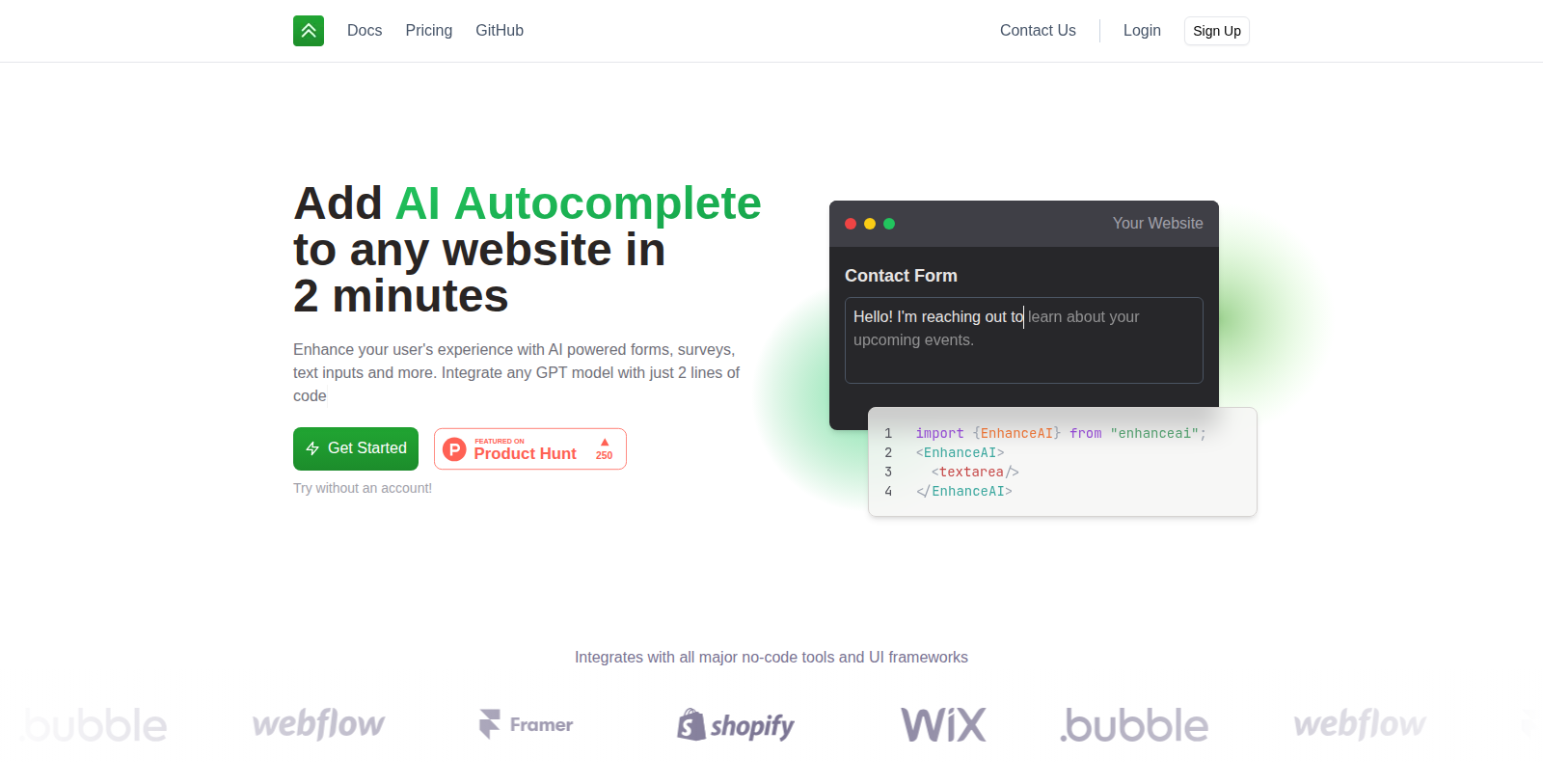
EnhanceAI is a developer tool for adding AI-powered autocomplete to any website. You wrap an input field, such as a textarea, with an EnhanceAI component, and users get suggestions as they type.
The site says you can integrate any GPT model with two lines of code and that it works with major no-code tools and UI frameworks. Example use cases shown include helping users write biographies and job applications, generating creative art prompts, and drafting sales copy for teams.
The site offers documentation, a try-without-an-account demo, login and sign-up, and a pricing page hosted on Notion. It is aimed at product teams and developers who want to improve text inputs in their own apps.
Pros & Cons
Pros
- Adds AI autocomplete to any website text input by wrapping it in a component.
- Supports any GPT model, according to the site, using about two lines of code.
Cons
- Described as aimed at developers and product teams rather than people without coding skills.
Frequently Asked Questions
We have no pricing information available now, so please check the EnhanceAI's website.
According to our latest information, this tool does not seem to have a lifetime deal at the moment, unfortunately.
You wrap an input field, such as a textarea, with an EnhanceAI component, and users then get suggestions as they type. The site says you can integrate any GPT model with two lines of code. Check the EnhanceAI documentation for the exact setup steps for your framework.
The site says EnhanceAI works with major no-code tools and popular UI frameworks. It is aimed at developers who want to add autocomplete to forms, surveys and text inputs in their own apps. For a specific framework or no-code platform, confirm support in the official documentation before you start.
EnhanceAI can add AI autocomplete to web forms, surveys and text inputs, including textareas. Because the component wraps an existing input field, it can be added to forms you already have. The site shows example uses such as helping users write biographies and job applications, generating creative art prompts and drafting sales copy for teams.
The site says you can integrate any GPT model into EnhanceAI with two lines of code, so the setup is described the same way regardless of model. The text does not list specific model versions, so check the official website for which models are supported and how they are configured.
Yes, the site offers a demo that you can try without an account. It also has documentation, login and sign-up pages, and a pricing page hosted on Notion. Use the demo to see how suggestions behave in a text field before you integrate the component into your own product.