FileFaker

Quickly generate various realistic test files for development and testing needs.
Filefaker.com
Is this your tool?
Follow for updates & deals
Get alerts for FileFaker discounts, feature releases & pricing changes
Similar Tools

Radial
Automate Repetitive Tasks on Mac

RED
Automates workflows and provides real-time assistance to enhance productivity across various roles.

Nova
An adaptable workspace allowing users to organize ideas with customizable grids and privacy features.

OneTab
Save memory and reduce tab clutter in browsers.

FocusPit
A customizable productivity dashboard for organizing tasks, events, and collaboration using smart widgets.

FileFaker Media Gallery
What is FileFaker?
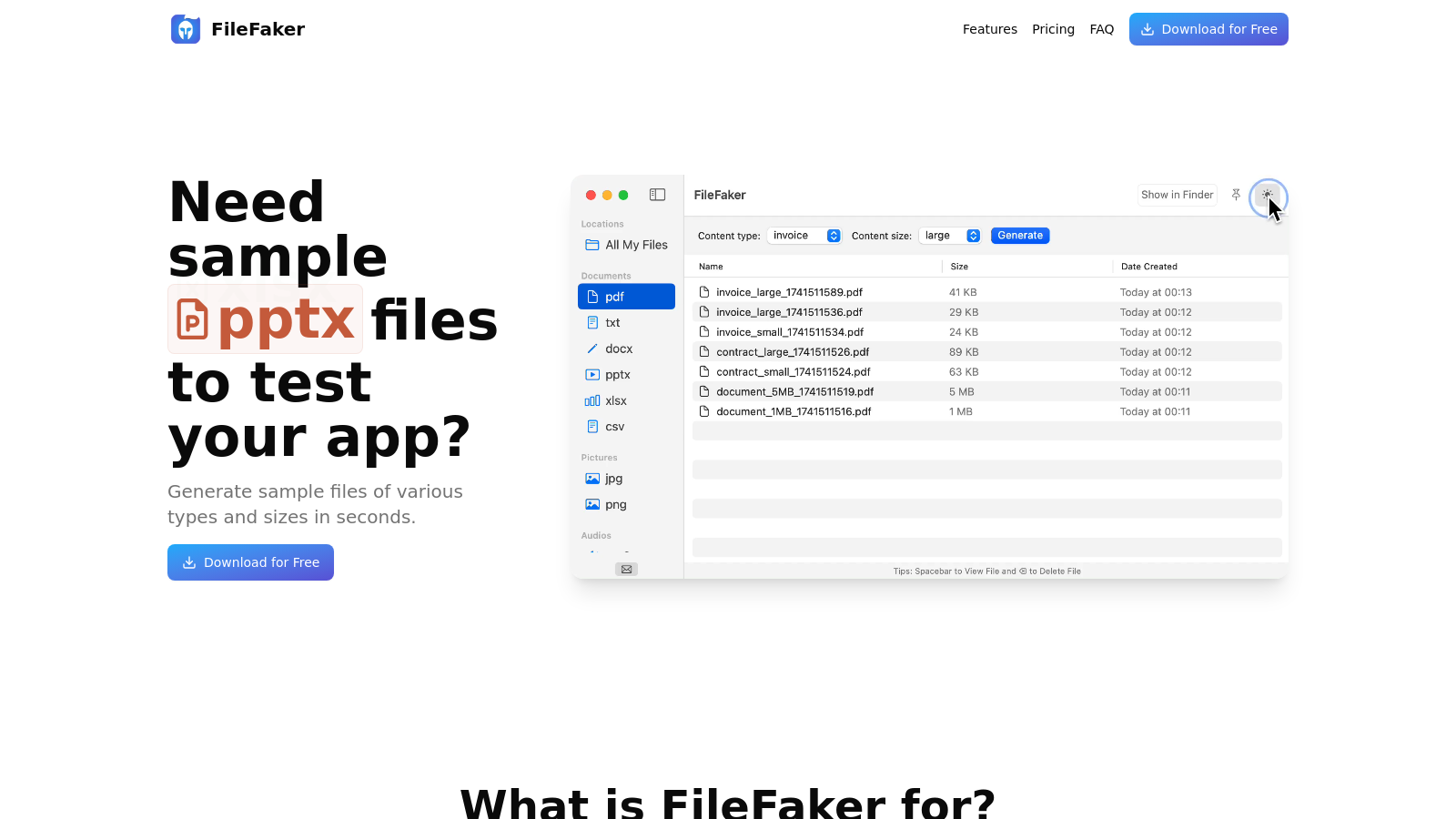
FileFaker is a powerful tool designed to help developers, testers, and product managers generate realistic test files on demand. With this application, you can create sample files of various types and sizes in seconds, which is invaluable for testing file upload validations, processing speeds, and load handling in your applications.
Whether you are a developer needing quick access to specific sample files for testing your code or a tester looking to validate complex scenarios without compromising sensitive data, FileFaker has you covered. It allows you to focus on the core functionality of your application without the hassle of searching for the right files.
What Can You Do with FileFaker?
One of the standout features of FileFaker is its support for over ten different file types. Users can generate documents, images, audio files, video files, and more with customized sizes. This flexibility is crucial for accurately testing how different file types interact with your app. For example, you can generate:
- Documents: JSON, PDF, TXT, DOCX, PPTX, XLSX, CSV
- Media: JPG, PNG, MP3, WAV, MP4
- Archives: ZIP, RAR
FileFaker allows for local generation of files on your device, ensuring that your data remains private and secure. Unlike online solutions, you can work entirely offline, generating files instantly and with no waiting time.
Why Choose FileFaker?
FileFaker stands out for several reasons:
- Offline Functionality: The application works completely offline, which is particularly beneficial for individuals concerned about privacy.
- Speed: Despite generating large files, FileFaker remains efficient, producing files quickly without internet dependency.
- User Interface: Designed specifically for macOS, FileFaker offers a native application experience that integrates seamlessly with your workflow.
The application supports Dark Mode and keyboard shortcuts, enhancing usability for power users.
Simple and Clear Pricing
FileFaker offers simple, transparent pricing to meet different user needs:
- Free Version: Ideal for individual developers, this version allows users to generate up to five files without any cost.
- Standard Plan: For a one-time payment of $37, users receive unlimited file generation for a single Mac and one year of updates.
- Pro Plan: For teams and power users, this plan costs $59 and supports unlimited generation across three macOS devices, with one year of updates included.
Whether you are just starting or need a tool that scales as your team grows, FileFaker has an option that fits your needs. You can download the free version to start generating files immediately, allowing you to understand the software's capabilities before making a purchase.
Conclusion
FileFaker helps streamline your testing process by making it easier to generate files that mimic real-world scenarios. By utilizing this tool, developers and testers can focus on building and validating their applications without the stress of managing real or sensitive data. The flexibility, security, and user-friendly interface of FileFaker make it an essential addition to any macOS developer's toolkit.
Pros & Cons
Pros
- Generates sample files quickly without needing an internet connection.
- Supports over 10 file types, catering to diverse testing needs.
- Files are created locally, ensuring privacy and data security.
Cons
- Currently available only for macOS, limiting cross-platform usability.
Frequently Asked Questions
FileFaker is free to start, with a paid plan for 59 USD as a one-time purchase.
According to our latest information, this tool does not seem to have a lifetime deal at the moment, unfortunately.
FileFaker is designed for various use cases, including testing file upload validations, speed testing for uploads and downloads, and performing load testing to handle multiple large files. It allows you to generate sample files quickly, enabling testers to validate file handling processes and developers to test their code and storage systems efficiently. Product managers can also use FileFaker to demo file-related features without exposing sensitive production data.
FileFaker supports a wide array of file types, including documents such as JSON, PDF, TXT, DOCX, XLSX, and CSV, as well as media files like JPG, PNG, MP3, WAV, and MP4. Additionally, it can generate archive files in formats like ZIP and RAR. This versatility allows users to create the specific file types they need for testing or demonstration purposes.
Yes, FileFaker can generate files of virtually any size, limited only by the available disk space on your machine. The application is optimized for efficient large file generation, making it ideal for testing scenarios that require substantial file sizes.
No, FileFaker works entirely offline. All file generation and processing occurs locally on your device, ensuring both privacy and security, as your data never leaves your computer during the file creation process.
You can easily transfer your FileFaker license by deactivating the software on your current Mac through the app's preferences menu. This will free up a license slot. After that, install FileFaker on your new Mac and activate it using your existing license key.
FileFaker is compatible with macOS 13.5 (Ventura) and newer versions. It has been optimized for both Apple Silicon and Intel Macs, providing a seamless experience for users across different Mac architectures.
Yes, FileFaker offers a free trial that allows you to generate up to five files at no cost. No credit card is required to access this trial version, making it an excellent way to explore the tool's capabilities before deciding to purchase.
To maximize the benefits of FileFaker, consider utilizing keyboard shortcuts for faster file generation and seamless integration into your workflow. Additionally, take advantage of the 'Pin App on Top' feature to keep FileFaker visible while working on other applications. This allows for quick access to generate files without disrupting your ongoing tasks.