Glif
Create AI agents and automate workflows using an intuitive low-code platform.
Glif.app
Is this your tool?
Follow for updates & deals
Get alerts for Glif discounts, feature releases & pricing changes
Similar Tools

Nova
An adaptable workspace allowing users to organize ideas with customizable grids and privacy features.

Zenflow
Automates software development workflows with AI-driven orchestration and built-in code verification.

remio
Automates data capture and knowledge management for personalized productivity support.
Caveduck
Design and interact with personalized AI characters based on traits and preferences.

Monica
Multifunctional AI assistant for chat, writing, searching, and programming across various platforms.

Glif Media Gallery

Glif (review) video
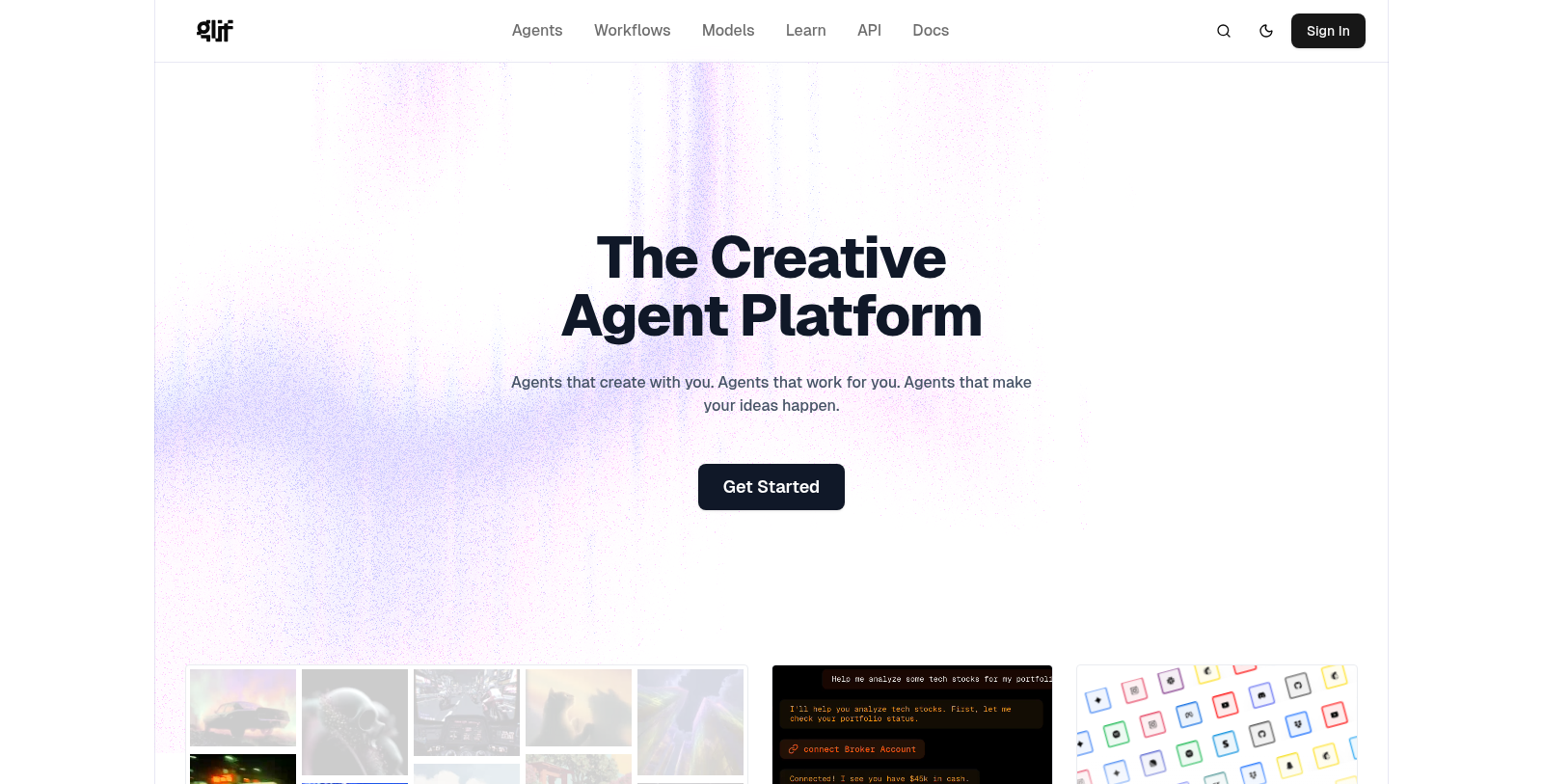
Screenshot of Glif
What is Glif?
Glif is the revolutionary creative agent platform designed to allow users to unlock their full creative potential through the power of AI agents and effortless workflow automation. With an innovative low-code interface, Glif is accessible to everyone, from tech enthusiasts to those with little to no coding experience. Users can create a wide variety of creative outputs, ranging from visually stunning videos to compelling social media posts and interactive experiences, all tailored to their unique vision.
At the core of Glif's offerings is the ability to input various forms of media—whether it's text, images, or even a simple click—and generate unique outputs using some of the most advanced AI models available. This wide-ranging capability fosters creativity and eliminates the barriers commonly associated with complex programming skills.
Creating Workflows
Building workflows in Glif is an intuitive process reminiscent of piecing together a creative puzzle. Users begin by giving their workflows a title and a brief description, then continue to add functional blocks to their design with an easy-to-navigate interface. Each block represents different processes—ranging from input types to various transformations—allowing users to fully customize their projects without the threat of being overwhelmed by complexity.
In the workflow builder, creators can experiment with different inputs and settings, testing their creations on-the-fly before finalizing their work. This testing area is not just a minor feature; it plays a pivotal role in the artistic process, encouraging users to refine their workflows according to real-time feedback. Notably, all workflows are public by default, promoting community engagement and sharing inspiration.
Integration and Advanced AI Models
Glif integrates seamlessly with some of the industry’s most advanced AI models, including OpenAI, Anthropic, Runway, and Flux, ensuring users consistently have access to top-tier technology. Continuous updates to Glif's platform keep it at the cutting edge, enabling users to explore various workflows and gain valuable insights on how to optimize different AI models for varied creative tasks.
Community Engagement and Support
The vibrant Glif community is a significant advantage for users, providing extensive resources such as detailed guides, informative video tutorials, and a dedicated glossary to inspire and enhance creative skills. Collaborating and connecting with fellow users through forums and feedback channels is encouraged, fostering a sense of camaraderie and shared learning. Recognizing the challenges that can accompany creative pursuits, Glif also hosts an in-depth FAQ section to assist users in navigating any questions or obstacles that may arise.
New Features and Tools
Recent updates have significantly enhanced Glif's capabilities, making it simpler than ever for users to create personalized themes and tailored workflows. Enhanced video generation options, including powerful tools like VEO3 and Kling, enable users to produce striking video content effortlessly. Moreover, new integrations with popular platforms such as Mailchimp, YouTube, and Discord streamline the distribution process of users’ creations, extending their outreach and impact across digital channels.
For developers interested in deeper customization, the Glif API is a crucial resource. Though still in its beta phase, it empowers developers to run workflows and integrate Glif’s functionalities into external applications. Glif encourages innovation and fresh ideas, welcoming developers eager to create applications that leverage its potent capabilities.
Conclusion
In essence, Glif transcends the role of a mere digital tool; it epitomizes a groundbreaking approach to democratizing creativity and automation. With its user-friendly interface and robust AI functionalities, Glif is the ideal solution for individuals and businesses alike seeking to amplify their creative outputs without extensive technical expertise. As the digital landscape continues to evolve, Glif emerges as a leader for creative professionals and enthusiasts alike, harmonizing imagination with state-of-the-art technology.
Pros & Cons
Pros
- Offers a low-code platform for creating diverse AI agents and workflows.
- Integrates seamlessly with multiple popular platforms like Discord, GitHub, and Spotify.
- Supports powerful AI models through intuitive workflows for creative outputs.
Cons
- Workflows created are public by default, which may raise privacy concerns.
Frequently Asked Questions
Glif offers a free plan with limited credits, with additional credits available.
According to our latest information, this tool does not seem to have a lifetime deal at the moment, unfortunately.
Glif allows you to create workflows that generate outputs such as text, images, or videos based on user input. Popular use cases include meme generators, AI selfie creators, and even interactive experiences such as games or tarot card readings. You can further customize workflows by integrating AI models such as OpenAI, Runway, or Anthropic.
Glif offers numerous integrations with popular platforms like Mailchimp, YouTube, Discord, Dropbox, and Slack. In your workflow, you can specify these integrations to streamline tasks and connect your generated content directly to these services. For detailed information on setting up specific integrations, refer to the integration section in Glif's official documentation.
To make the most of Glif's workflow builder, start by giving your workflow a clear title and description. Use the '+' symbol to strategically add blocks, combining user inputs and outputs to create cohesive workflows. Regularly test your workflow in the testing area, and be open to experimenting with different models and settings to refine outputs. Don't hesitate to review existing workflows for inspiration as well!
While Glif provides a powerful low-code platform for creating AI workflows, there are some limitations to consider. For instance, each workflow has a maximum execution time of two minutes. Moreover, newly created workflows are public by default, meaning they can be viewed by others unless changed. Understanding these limitations can help you plan and optimize your workflow effectively.
If you encounter a ComfyUI block error, ensure that your workflow aligns with the setup provided by Glif. You can check the available nodes and their configurations in the documentation. If the error persists, please share the link to your specific workflow with Glif support to help identify any missing nodes or issues.
Yes, you can use images created with Glif for commercial purposes, provided you have purchased a paid credit bundle. However, it's essential to adhere to each model's attribution guidelines, as required by its creator. Ensure you review the terms of service for the models used in your workflows to confirm compliance.
Blurred images or black rectangles usually indicate that third-party content moderation systems flagged them. Unfortunately, Glif cannot control how these systems are calibrated. If you frequently encounter these issues, consider adjusting your prompts to avoid triggering content moderation filters.
To create your first workflow on Glif, navigate to the 'Build' section of the site. Start by titling your workflow and adding a description. Use the '+' button to add input and output blocks, testing your workflow as you go. Once you're satisfied with the results, publish your workflow. Keep in mind that experimentation is key to discovering new creative possibilities!