Humata

Transform your documents into an interactive knowledge base for quick insights and answers.
Humata.ai
Is this your tool?
Follow for updates & deals
Get alerts for Humata discounts, feature releases & pricing changes
Similar Tools

ChatPDF
Interactively query PDF documents to extract information and insights using AI.

Exa
Search engine providing real-time data retrieval and complex query handling via powerful APIs.

DeepSeek
Access AI-driven insights and advanced reasoning capabilities through chat and API integration.

Firecrawl
An API for efficiently scraping and structuring web data tailored for AI applications.

Google DeepMind
Developing AI systems for scientific discovery, healthcare, and tackling societal challenges.

Humata Media Gallery

Humata (review) video
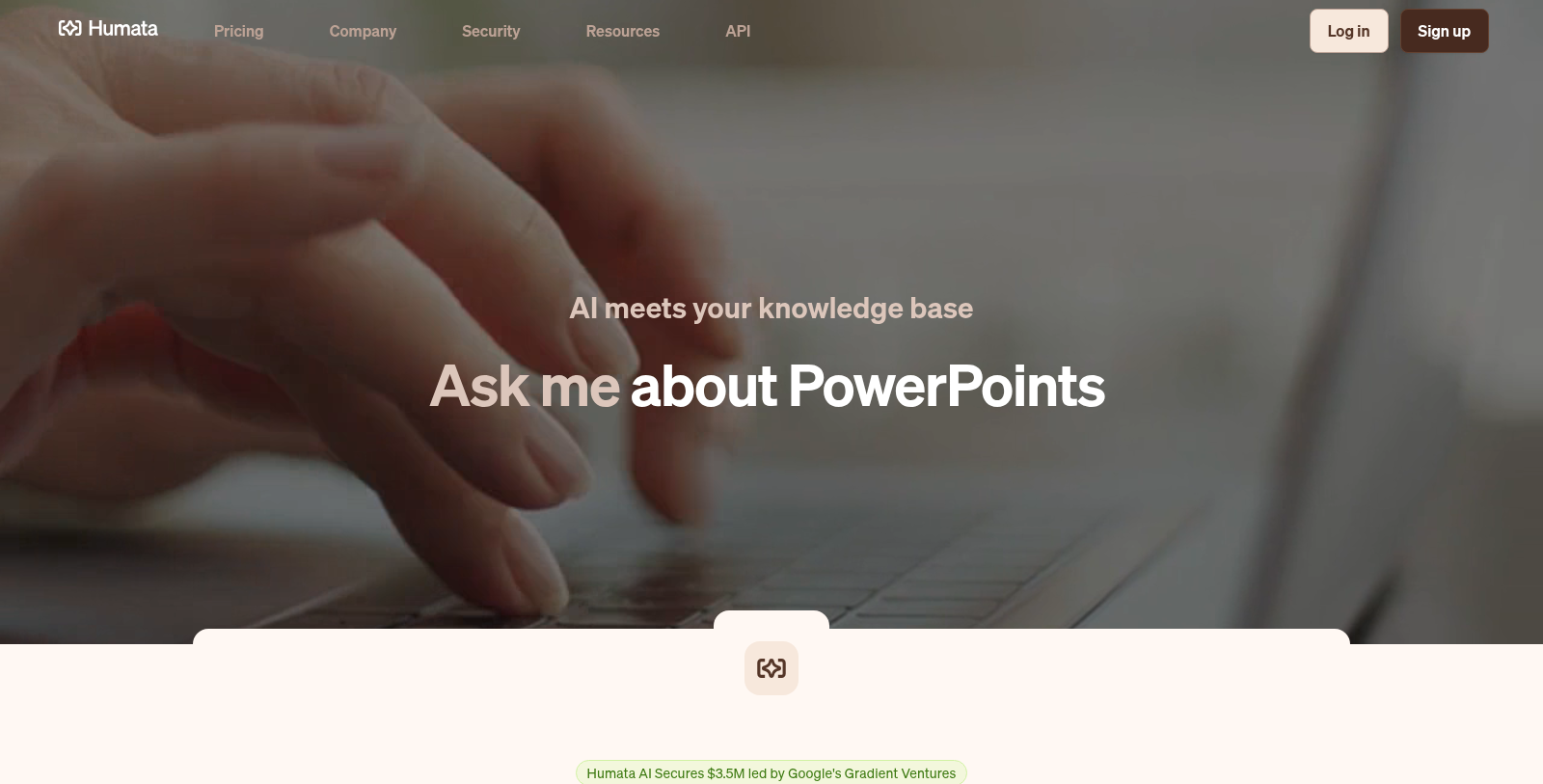
Screenshot of Humata
What is Humata?
Humata is a cutting-edge AI tool designed to revolutionize the way users interact with their documents. Whether you have a single PDF or thousands of files, Humata turns your documents into a fast, intelligent knowledge base that allows instant analysis, insights, and answers.
With Humata, you can ask questions across all of your files and get trusted answers quickly. This means that you can command our AI to summarize findings or compare documents effortlessly. We understand that research and data analysis can be overwhelming, especially with long, technical papers; that's where Humata excels. By utilizing AI technology, Humata enables users to bypass lengthy reading and instead focus on key information that truly matters.
One of Humata's standout features is its unlimited file upload capability, allowing users to annotate, highlight, and search through extensive documents seamlessly. The PDF AI can answer queries faster than you can read a sentence, making it an invaluable asset for anyone working with large amounts of data.
Key Features
Humata stands out from traditional AI chatbots due to its specialized capabilities tailored for document analysis:
Pricing Structure
Humata offers a flexible pricing model. You can start for free with basic features, which include access to up to 60 pages and the ability to answer up to 10 questions. For students, there's an affordable plan for just $1.99 per month, while professionals can opt for the popular Expert plan at $9.99 per month, which includes provisions for up to 500 pages with additional pages available for a small fee.
For teams looking for more robust capabilities, the Team plan is available at $49 per user per month, accommodating up to 5,000 pages and offering premium chat support, department-level permissions, and OCR functionality for scanned texts.
The ability to scale with your needs makes Humata not just an application, but a comprehensive solution for knowledge management.
Data Security
Humata understands the importance of security when it comes to sensitive documents. All files are encrypted at rest and in transit, and Humata is compliant with standards such as SOC 2, ensuring your data is handled securely.
In conclusion, Humata is designed for anyone who works with documents, from students studying for exams to corporate professionals analyzing business reports. Its AI capabilities not only streamline document interactions but also enable users to quickly and efficiently extract deep insights. With valuable features integrated into an intuitive platform, Humata is indeed transforming how experts access and utilize information.
Pros & Cons
Pros
- Allows instant analysis and insights from multiple PDFs with ease.
- Provides highlighted citations to ensure trust in the answers given.
- Supports unlimited document uploads and questions for enhanced user interaction.
Frequently Asked Questions
Humata is free to start, with paid plans from 0 to 49 USD per month.
According to our latest information, this tool does not seem to have a lifetime deal at the moment, unfortunately.
Humata is designed to streamline the analysis of complex documents across various sectors. Researchers can utilize it to quickly summarize academic papers and extract key insights, significantly enhancing their productivity. Legal professionals can use Humata to analyze contracts and legal documents, enabling precise data retrieval and interpretation. Moreover, businesses can use this tool to find answers in extensive documentation and make informed decisions quickly. Overall, Humata serves as a versatile assistant, streamlining document processing across multiple domains.
Humata prioritizes data security with enterprise-grade controls, implementing 256-bit SHA-2 encryption to protect files at rest and in transit. It adheres to industry compliance standards such as SOC 2 and ISO 27001, ensuring robust data protection. Additionally, Humata features role-based security, allowing administrators to control access by user role. With support for single sign-on (SSO) and limited privilege procedures, users can trust that their sensitive documents are well protected.
Yes, Humata offers a single-click option to embed its PDF AI on any webpage. This feature enables businesses to connect customers with instant answers from documents that may otherwise be hard to access. Integration is straightforward and improves user interaction by providing real-time insights from your document library. Users can enhance their websites or apps significantly by incorporating Humata's powerful document analysis capabilities.
Humata's free plan includes basic features but has limitations. Users on the free plan can analyze up to 60 pages of documents and receive up to 10 answers per month. This plan is ideal for casual users or those just starting. For more extensive use, including additional pages or enhanced features such as advanced chat support and personalized responses, users will need to consider upgrading to a subscription plan.
Humata provides varying levels of support based on the chosen subscription plan. Free users have access to basic chat support, while users on the Student plan benefit from enhanced support options. The Expert plan includes premium chat support, enabling faster resolution of any queries. The Team plan also offers premium support, ensuring organizations receive timely assistance whenever needed. For enterprise customers, personalized service is available to meet unique needs.
To make the most of Humata, it's essential to use its advanced features, such as summarization, document comparison, and unlimited question support. Engage with the AI by posing specific inquiries about your documents to refine the results. Regularly update and upload new files for analysis to keep your knowledge base current. Additionally, employing the citation feature can help build trust in the insights derived from your documents. Experimenting with different features can also enhance your experience with this powerful tool.
Yes, Humata provides an API that serves as a programmatic entry point for interacting with your documents, enabling developers to integrate Humata's capabilities into their applications. The API provides functionality for accessing conversations, extracting answers, and managing document queries programmatically. To get started with the API, developers can refer to the official Humata documentation, which provides detailed guidance on setting up and using API features.
Humata focuses on document analysis and provides tailored functionality for handling PDFs and large document libraries, whereas tools such as ChatGPT are more general-purpose conversational AIs. Humata excels in reading comprehension and responding with highlighted references directly derived from user-uploaded documents. This specialized approach allows Humata to deliver more accurate, context-rich answers, making it particularly valuable for sectors that require precise document insights, such as academia, legal, and corporate settings.