Julius

Analyze and visualize data using natural language for clear insights and reports.
Julius.ai
Is this your tool?
Follow for updates & deals
Get alerts for Julius discounts, feature releases & pricing changes
Similar Tools

Fundable
Access real-time insights and data on startups and investors for informed decision-making.

Validate Idea
Test and validate startup ideas by creating customizable landing pages for user feedback.

Compound
AI-driven financial analysis tool for quick modeling and trusted decision-making

CFO-X
Helps users create customized financial insights with visual tools and real-time updates.

Ravelin
AI-powered fraud prevention and payment solutions tailored for online merchants

Julius Media Gallery

Julius (review) video
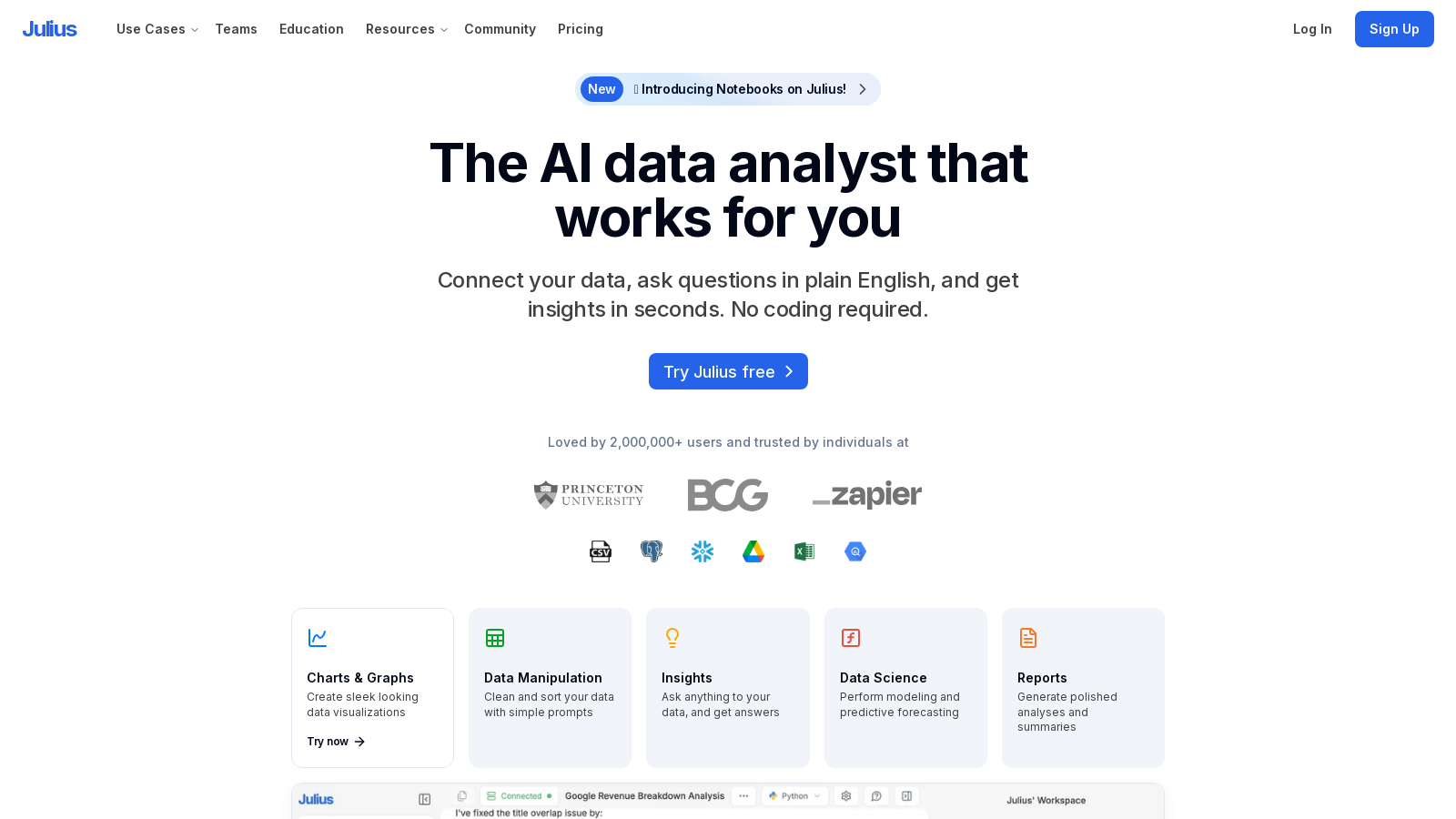
Screenshot of Julius
What is Julius?
What is Julius?
Julius is a pioneering AI data analyst that empowers users to efficiently analyze and visualize their data. By leveraging cutting-edge artificial intelligence (AI) and natural language processing (NLP), Julius enables users to engage with their data in a conversational manner, extracting expert-level insights in mere seconds. This versatile platform is trusted by over 2 million users in a range of sectors, including finance, marketing, academia, and scientific research.
Latest Innovations: Notebooks and Enhanced AI Features
The recent introduction of the Notebooks feature brings a substantial upgrade to Julius's analytical functionalities. Notebooks allow users to create, customize, and share detailed analytical workflows, integrated with structured guidance and AI-driven prompts. This enhancement not only makes the analytical process more intuitive but also enhances collaborative efforts. Furthermore, advancements in predictive modeling and complex data manipulation have refined Julius’s AI capabilities, making it easier than ever to navigate intricate data challenges.
Key Features:
- Data Analysis: Julius supports multiple data formats including CSV, XLSX, and PDF. Users can interact with their data through natural language queries, leading to immediate analytical responses and enhanced decision-making.
- Data Manipulation: The platform streamlines essential tasks such as data cleaning, sorting, and merging with straightforward prompts, making it accessible for users without extensive technical skills.
- Data Visualization: Featuring robust tools for data visualization, Julius crafts professional-grade charts and graphs, empowering users to communicate their findings effectively.
- Predictive Modeling: Through advanced machine learning techniques, Julius allows users to create predictive models that greatly enhance accuracy, even for those with minimal data science experience.
- Real-time Collaboration: The Notebooks feature facilitates seamless collaboration among team members, enabling simultaneous exploratory data analysis and enriching the collective analytical experience.
- Instant Insights: With Julius, users can obtain analytical results almost instantaneously, significantly reducing response times and amplifying workflow efficiency.
- Exploration of Notebooks: Custom workbooks offer organizational advantages, allowing teams to concentrate on vital metrics and actionable insights.
Advanced Security and Compliance:
Julius prioritizes the security and management of user data. Recent updates have fortified its framework to meet industry standards, including customizable user roles, compliance with SOC 2 Type II and GDPR regulations, and advanced encryption methodologies. This guarantees robust data protection while optimizing reporting workflows.
User-Friendly Interface:
The intuitive design of Julius combines powerful analytical features with user-friendliness, making it an ideal choice for both beginners and seasoned analysts. This intentional design fosters productivity in both academic and commercial environments, enabling users to tackle significant data inquiries with confidence.
New Capabilities and Use Cases:
Recent innovations have brought sophisticated simulation and forecasting capabilities to Julius. The acceleration of its reporting functionalities has broadened the application of Julius across various sectors such as finance, marketing, and education. Its adaptable architecture accommodates a diverse user base, from individual analysts to large enterprises in search of comprehensive, scalable solutions.
Pricing Options:
- Free Plan: The foundational features are accessible at no cost, limited to 15 messages per month, making it perfect for small analytical projects.
- Plus Plan: Designed for professionals needing swift data-driven insights, this plan includes 250 messages per month, advanced reasoning tools, and customizable AI settings—priced competitively at ?.67/month when billed annually, facilitating rapid analysis without the necessity of specialized staff.
- Pro Plan: This package caters to organizations with substantial analytical needs, offering unlimited messaging and enhanced collaborative features for ?.50/month when billed annually, fostering interdepartmental teamwork.
- Enterprise Plan: Tailored solutions with dedicated support for larger enterprises requiring specific functionalities are available through direct consultation.
Conclusion:
Julius stands out as a premier data analytics tool, carefully structured to meet the diverse needs of users ranging from educators to corporate leaders. By simplifying intricate data interactions and analytical assignments, it enables users to conduct thorough analyses that lead to transformative insights and impactful results across both academic and professional landscapes.
Pros & Cons
Pros
- Integration of advanced AI models like GPT-4 and Claude enhances analysis capabilities.
- Users can manipulate data with simple prompts and receive instant insights.
- Versatile application for various industries, including finance, education, and research.
Cons
- Proper data formatting is required for accurate analysis, which may be a limitation for some users.
Frequently Asked Questions
Julius is free to start, with paid plans from 0 to 37.5 USD per month.
According to our latest information, this tool does not seem to have a lifetime deal at the moment, unfortunately.
Julius supports a wide variety of data sources, including but not limited to spreadsheet files (.xls, .xlsx, .csv), Google Sheets, images (.jpeg, .png), PDFs, and text-based files (.docx, .txt). You can drag and drop your data files into the platform for analysis, making it highly versatile for various file formats.
Yes, Julius can analyze spreadsheets with multiple tabs. When you upload your multi-tab spreadsheet, you can refer to the individual tab names in your prompts. Julius will perform the analysis based on the specified tab, allowing for a seamless transition between datasets within a single file.
To ensure optimal analysis, your data should be well-organized and structured. Use descriptive column headers in the first row, avoid empty rows or columns, and ensure there are no multiple tables within the same file. Following these guidelines will facilitate accurate data processing by Julius. For detailed formatting instructions, check Julius' data formatting guide.
Julius can provide expert-level insights by allowing you to ask questions about your data. You can receive answers in the form of summarized reports, graphs, and tables. It effectively facilitates predictive modeling and can even suggest actions based on your analysis, streamlining the decision-making process.
Julius is designed to aid educators and students by simplifying complex data analysis concepts. Teachers can create workflows for lessons, and students can interact with data using natural language commands. This functionality demystifies statistical processes, allowing students to focus more on insights rather than data syntax.
Absolutely! Julius is particularly beneficial for research environments where data analysis is complex and requires advanced tools. It allows researchers to extract p-values, run regression models, and automate data processing tasks with ease. Additionally, it offers detailed statistical explanations, making it easier to understand results and methodologies.
To maximize your results with Julius, interact with it like a research assistant by giving clear, step-by-step instructions. Ensure your data is correctly formatted as per our guidelines, and don't hesitate to refine your queries if you're not satisfied with the responses. Using the provided operational tips and visiting the guides section can also enhance your experience.
Julius places a strong emphasis on data privacy and security. Each user has access to their data through secure notebook storage, and once data is deleted, it is erased from the servers. The platform also employs strict access control measures, ensuring that even code execution environments are sandboxed for enhanced security.