Masonry

A collaborative platform for generating and customizing images and videos using AI models.
Masonry.so
Is this your tool?
Follow for updates & deals
Get alerts for Masonry discounts, feature releases & pricing changes
Similar Tools

DomoAI
Generate unique videos and images by transforming text prompts and static visuals with AI.

VisionFX
Generate images, videos, music, and voice using AI for creative content creation.

ImagineX
Generate custom videos and images from text prompts using advanced AI technology.

CLIP Interrogator
Generates optimized text prompts for text-to-image models based on input images.

DeepKolor
Generates custom images and videos for design projects through an intuitive chat interface.

Masonry Media Gallery
What is Masonry?
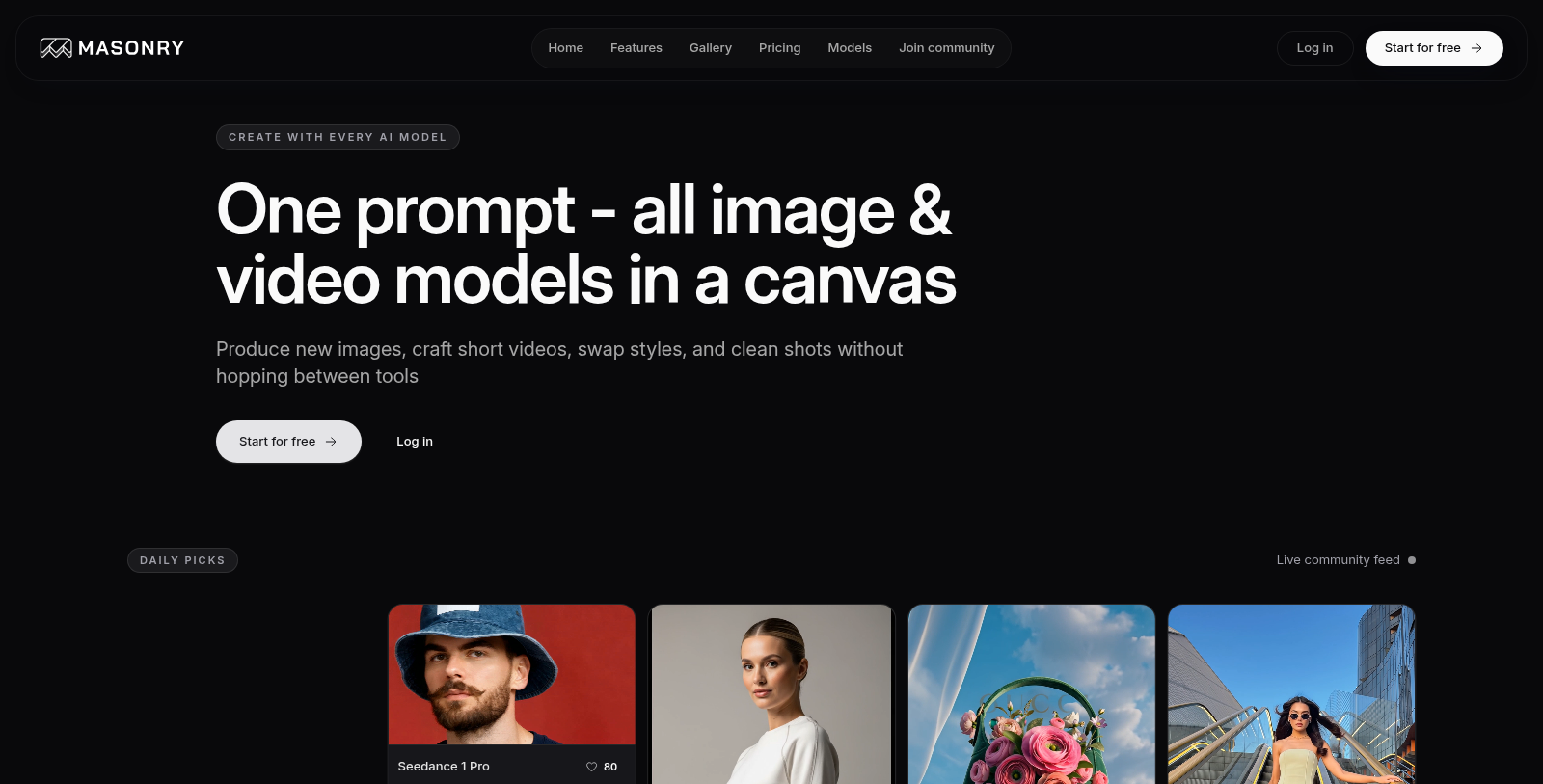
Masonry continues to shine as a premier platform meticulously designed for digital creators, offering a collaborative canvas where stunning images and videos can be generated through advanced AI technology. This innovative environment empowers artists and marketers to enhance their creative workflows, embarking on a journey that seamlessly transitions from initial inspiration to final publication.
With its latest upgrades, Masonry consolidates all image and video generation models into a unified workspace. Users can effortlessly produce original images, craft engaging short videos, swap styles, and clean shots without the frustration of switching between multiple platforms. This integration not only optimizes the creative process but also creates an atmosphere conducive to fresh artwork and swift production—perfectly tailored for creators needing rapid turnaround times.
New Features and Capabilities
The platform now highlights its ability to work with a range of advanced AI models all within a single interface. This includes cutting-edge offerings such as the Kling 3.0, which now supports native 4K quality at 60fps, allowing for high-definition, cinematic video production that can mesmerize viewers. Enhanced features like multi-shot sequences and synchronized audio generation position Masonry as a go-to solution for dynamic video creation.
Moreover, Masonry has enriched its capabilities with models like Google Imagen 3 and Recraft V3, which empower users to achieve stunning and photorealistic visuals tailored to specific artistic requirements.
Collaboration and Creative Freedom
Masonry's shared canvas access allows multiple collaborators to work concurrently on the same project. This function enhances productivity and creativity by simplifying interactions among team members and streamlining decision-making processes. Each subscription plan equips users with vital tools for monitoring credit usage and supports quick model selection—crucial for guiding users efficiently through their production journey.
Masonry’s freemium model provides users an enticing entry point, allowing a taste of the creative possibilities with 10 credits per month at no cost. Users can generate approximately 2 images each month—a perfect opportunity to explore the vast functionalities of Masonry without any financial obligations. It serves as a welcoming gateway for newcomers to experience the platform’s robust capabilities.
For those who wish to delve deeper into the creative realm, Masonry presents various subscription tiers that provide additional credits and premium features. The revamped Starter plan now starts at NULL.25 per member each month or NULL when billed annually. This plan includes 1,000 credits monthly, allowing for the creation of about 250 images, making it perfect for users who seek considerable production capacity while still gaining access to advanced models. This structure encourages experimentation and innovation, allowing creators to maximize their productivity and creative potential.
The newly enhanced Pro plan elevates the collaborative experience further, available for NULL per member monthly or NULL billed annually. This plan supports unlimited team members and offers priority support, ensuring a secure collaborative environment. Each subscription plan boasts advanced tools for tracking credit usage, managing model selections, and utilizing premium features such as advanced image upscaling and background removal.
AI Models and Technological Advancements
Masonry leverages cutting-edge technology, utilizing a variety of advanced AI models tailored for various tasks. Each upgrade within these models enhances users' creative production capabilities, empowering them to create cinematic images and tailor their artistic vision with precision. Notable features include BLIP Image Captioning and Bria Eraser, which serve to enhance creativity through practical functionalities optimized for artistic outcomes.
The platform also delivers a dynamic toolkit with offerings like the FLUX models, specifically engineered for high-quality image creation and editing. Users can execute intricate adjustments across a diverse range of 38 models, presenting unprecedented creativity and flexibility for digital content creators. The extensive selection empowers users to meticulously tailor their outputs to align with specific objectives and artistic visions.
In conclusion, Masonry embodies a forward-thinking platform dedicated to digital content creation. Its innovative features are integrated into a flexible environment that promotes effective collaboration and enduring creative expression. Whether you are an emerging creator or a seasoned professional, Masonry emerges as a transformative tool that empowers users to realize their artistic visions with unparalleled efficiency and precision.
Pros & Cons
Pros
- Integrates multiple AI models for image and video generation in a single workspace.
- Features an infinite canvas for organizing and visualizing creative ideas effectively.
- Supports real-time collaboration, allowing teams to iterate and publish faster.
Frequently Asked Questions
Masonry is free to start, with paid plans from 0 to 24 USD per month.
According to our latest information, this tool does not seem to have a lifetime deal at the moment, unfortunately.
Masonry boasts a wide range of AI models tailored for diverse creative needs. Users can access 38 different models for image and video generation, including 19 for image generation, 13 for animation, and 8 for enhancement. Notable models include Google's Imagen series, OpenAI's GPT-4o Image, and Recraft V3, each designed to produce high-quality visuals with capabilities such as text-to-image translation, style transfer, and enhanced editing.
Masonry offers a collaborative canvas designed for team projects. Users can share a workspace, manage team memberships, and pool credits for seamless collaboration. The platform enables real-time feedback and creativity by allowing multiple users to access and edit projects simultaneously, enhancing the workflow for teams working on visual storytelling and campaign creation.
Remixing images in Masonry is straightforward. Users can transform existing images with natural language commands, enabling rapid iterations until the desired visual effect is achieved. This user-friendly mechanism provides creative freedom and flexibility, allowing users to refine their artwork by modifying aspects such as styles, colors, and compositions with ease.
Masonry uses a credit system to generate images and videos. Users can earn credits through subscription plans, starting with a free plan that provides 10 credits per month, which covers about two images. Higher tiers, such as the Starter and Pro plans, provide 1,000 and 5,000 credits per member per month,, respectively, enabling extensiveimage-creationn capabilities tailored to user needs.
Yes, Masonry includes a daily picks feature that showcases a live community feed. This allows users to view and draw inspiration from other members' projects and creations. Sharing work not only fosters a sense of community but also provides users with opportunities to explore innovative ideas and techniques from their peers.
Absolutely! Masonry supports video generation with several models designed for creating short video clips. Users can generate videos using AI models such as Minimax with different output resolutions, including 720p and 1080p. The platform enables the transformation of images into video sequences, allowing users to produce dynamic visual content efficiently and creatively.
Masonry provides dedicated support options depending on your subscription plan. Free users can access standard email support, while paid plans, such as Plus and Team, include priority support with faster response times. This ensures users receive assistance when they encounter technical issues or have questions about their projects.
Masonry enhances the creative process through its extensive customization options. Users can select from various AI models to fit their project requirements, adjust image-quality settings, and use features such as image upscaling and background removal. Additionally, concept-based model selection allows users to tailor outputs to thematic or artistic preferences, ensuring personalized results.