Microsoft SAM TTS

Generate the classic Microsoft SAM voice from text with a simple web interface, no downloads required.
Samtts.com
Is this your tool?
Follow for updates & deals
Get alerts for Microsoft SAM TTS discounts, feature releases & pricing changes
Similar Tools

Resemble AI
Create lifelike AI-generated voices and detect deepfakes to ensure content authenticity.

Speechify
Convert text into natural-sounding audio across multiple languages and voices.

URL to Any
Convert any webpage into formats like PDF, Markdown, and HTML for easy saving and sharing.

Elai
Create AI videos effortlessly from text.

Revocalize AI
AI voice generation and voice conversion with licensed voice models and a DAW plugin

Microsoft SAM TTS Media Gallery
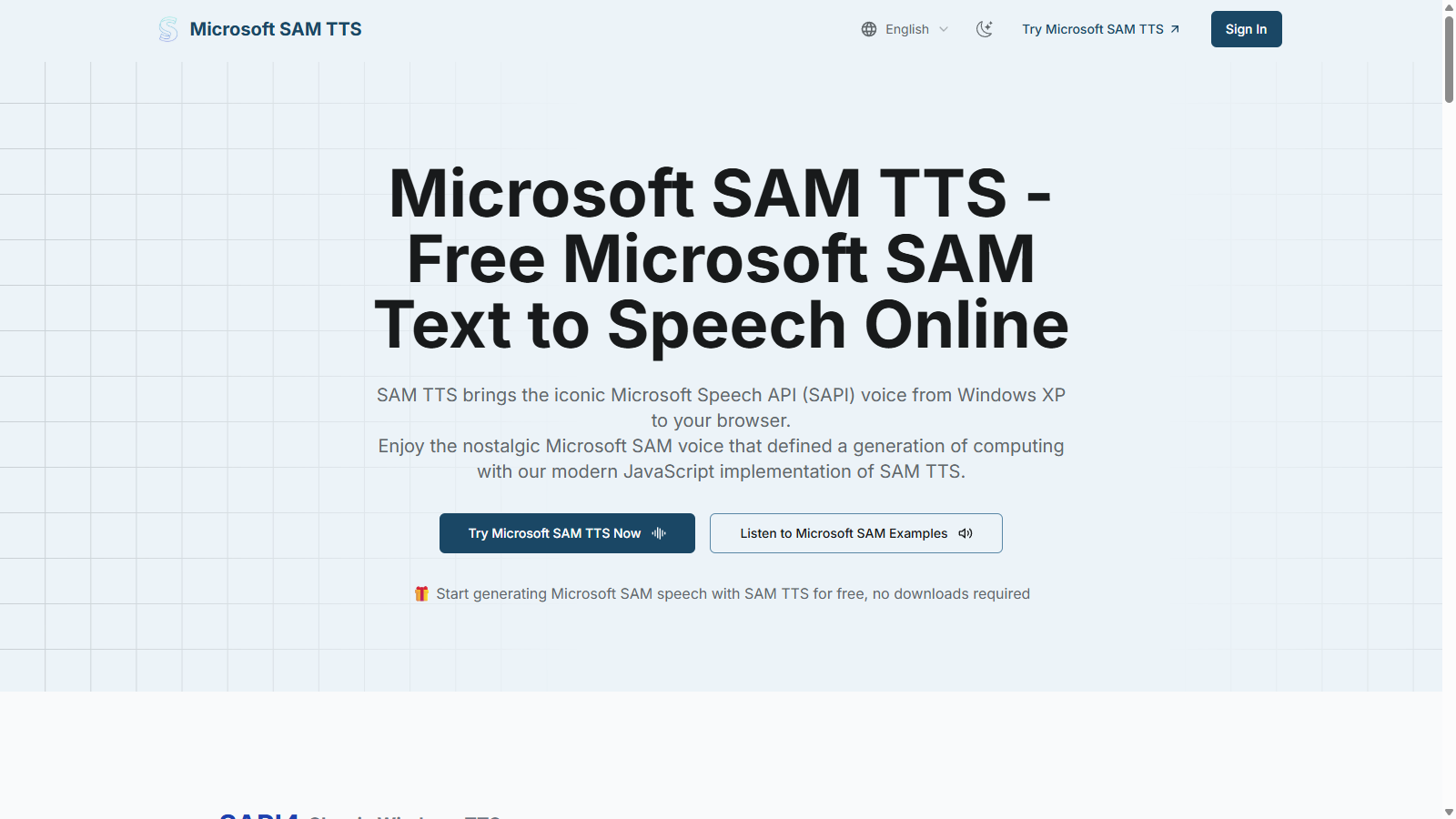
What is Microsoft SAM TTS?
Microsoft SAM TTS is a nostalgic text-to-speech tool that revitalizes the classic Microsoft Speech API voice from Windows XP, allowing users to generate the authentic Microsoft SAM voice through a modern web interface. This tool has a user-friendly design where generating speech online requires no downloads or installations, offering convenience and accessibility to users.
With the SAM TTS experience, you can relive the charm of early 2000s computing through a combination of nostalgic sound and modern technology. The platform allows you to input text, select from various voice types, and listen to audio outputs instantly, ensuring that you can create personalized voice outputs effortlessly.
Key Features of Microsoft SAM TTS
- Authentic Voice Synthesis: Experience the genuine, iconic SAM voice that defined a generation of computing with high-quality synthesis.
- Customizable Parameters: Adjust pitch, speed, mouth, and throat settings to craft unique character voices based on the classic SAM voice. This includes various presets such as the Little Robot and Extra-Terrestrial voices, adding even more customization options.
- Cross-Platform Compatibility: Use SAM TTS on any modern web browser, from desktop to mobile devices, ensuring maximum accessibility across platforms.
- Instant Audio Generation: Generate and download high-quality WAV audio files directly from your browser, perfect for multimedia projects, games, and educational presentations.
Experience the Classic SAM Voice
Microsoft SAM TTS embraces the nostalgia associated with early Windows voices while integrating current web technologies for efficiency. Users can easily recreate the speech synthesis through a simple interface that requires minimal input while yielding high-quality output.
How SAM TTS Works
- Input Your Text: Simply type or paste your desired text for conversion into speech.
- Select Voice Settings: Choose from a variety of SAPI4 voices including Microsoft SAM, Microsoft Mike, and others, enhancing the customization of the output voice.
- Generate and Download: After generating the speech, you can listen to it instantly or download it for further use in projects.
The service is completely free to use, providing access to all features without the need for sign-ups or hidden fees. This makes it ideal for content creators, nostalgic users, and developers looking for a reliable and accessible tool for generating voice output.
Implementation and Technology
Building on a modern JavaScript implementation of the classic Windows SAM voice, the tool runs entirely within the web browser, ensuring that all processing occurs locally with no server interaction. This means you can use the tool offline after your first load, adding to its convenience.
Why SAM TTS Is the Preferred Choice
Microsoft SAM TTS stands out due to its efficiency and nostalgic value. Many developers and content creators gravitate towards SAM TTS for its ability to produce genuine vintage speech synthesis that resonates deeply with audiences who remember early computing days. The lightweight design (under 100KB) ensures fast performance, with minimal loading times when generating voice outputs. Moreover, the tool can be easily integrated into web applications using its simple API, catering to developers who want to embed speech synthesis capabilities into their projects seamlessly.
Join countless developers and retro computing enthusiasts who are using Microsoft SAM Text-to-Speech for authentic Windows XP voice synthesis. Try it today and experience the unique combination of nostalgia and modern-day functionality!
Pros & Cons
Pros
- Runs entirely in the browser with no downloads required for fast access.
- Authentically recreates the iconic Microsoft SAM voice from Windows XP.
- Offers customizable voice parameters like pitch, speed, and tone for unique voices.
Frequently Asked Questions
Microsoft SAM TTS is available at no cost.
According to our latest information, this tool does not seem to have a lifetime deal at the moment, unfortunately.
Microsoft SAM TTS allows users to customize various voice parameters, including pitch, speed, mouth resonance, and throat tone. You can create unique voice variations by adjusting these settings, or you can choose from predefined voice profiles like Little Robot, Stuffy Guy, or Extra-Terrestrial for quick character voices.
Integrating Microsoft SAM TTS into your projects is straightforward. The tool provides a straightforward JavaScript API, allowing developers to incorporate text-to-speech features with just a few lines of code. You can utilize the API for audio playback, text-to-speech conversion, and generating WAV files, making it an ideal solution for web applications, games, or multimedia content.
Yes, Microsoft SAM TTS is fully compatible with modern web browsers, including Chrome, Firefox, and Safari, across all devices and platforms. This means you can generate and listen to speech from your phone, tablet, or desktop computer without any special software or installations.
Microsoft SAM TTS works best with standard English text and common words. It can handle short to medium-length sentences effectively. While it can process most everyday phrases, highly technical terms or unusual proper names might require phonetic input for optimal results.
Absolutely! Microsoft SAM TTS provides the option to download generated audio as WAV files. This feature is beneficial for those who want to use the audio in their projects, presentations, or videos, ensuring high-quality output with the nostalgic SAM voice.
Microsoft SAM TTS captures the authentic charm of early 2000s computing by faithfully recreating the iconic Windows XP SAM voice. The tool also includes a preset voice library with character voices like Little Robot and Extra-Terrestrial, alongside customizable parameters that allow users to generate unique and fun variations.
Yes, Microsoft SAM TTS is entirely free to use. Users can generate, customize, and download audio without any hidden fees or subscriptions. This makes it accessible for anyone looking to explore nostalgic text-to-speech options.
While Microsoft SAM TTS provides a wide range of customization and features, users may encounter character limits when entering text. Generally, it is best to keep input text concise to ensure clarity and quality of the generated speech. Specific lengths will vary according to the voice and settings used.