













Miro

A collaborative online platform that enhances teamwork and innovation through an interactive canvas and AI tools.
Miro.com
Is this your tool?
Follow for updates & deals
Get alerts for Miro discounts, feature releases & pricing changes
Similar Tools

Otter
Automates transcription and summarizes key points during meetings and conversations.

Spike
Email management tool that organizes messages like a chat for improved collaboration and productivity.
Troov
Connect with others through shared activities, from coffee meet-ups to outdoor adventures.

Atono
A comprehensive platform for product teams to collaboratively plan, build, and manage software development.

Filo
Organizes emails by summarizing threads and filtering low-priority messages for better productivity.

Miro Media Gallery

Miro (review) video
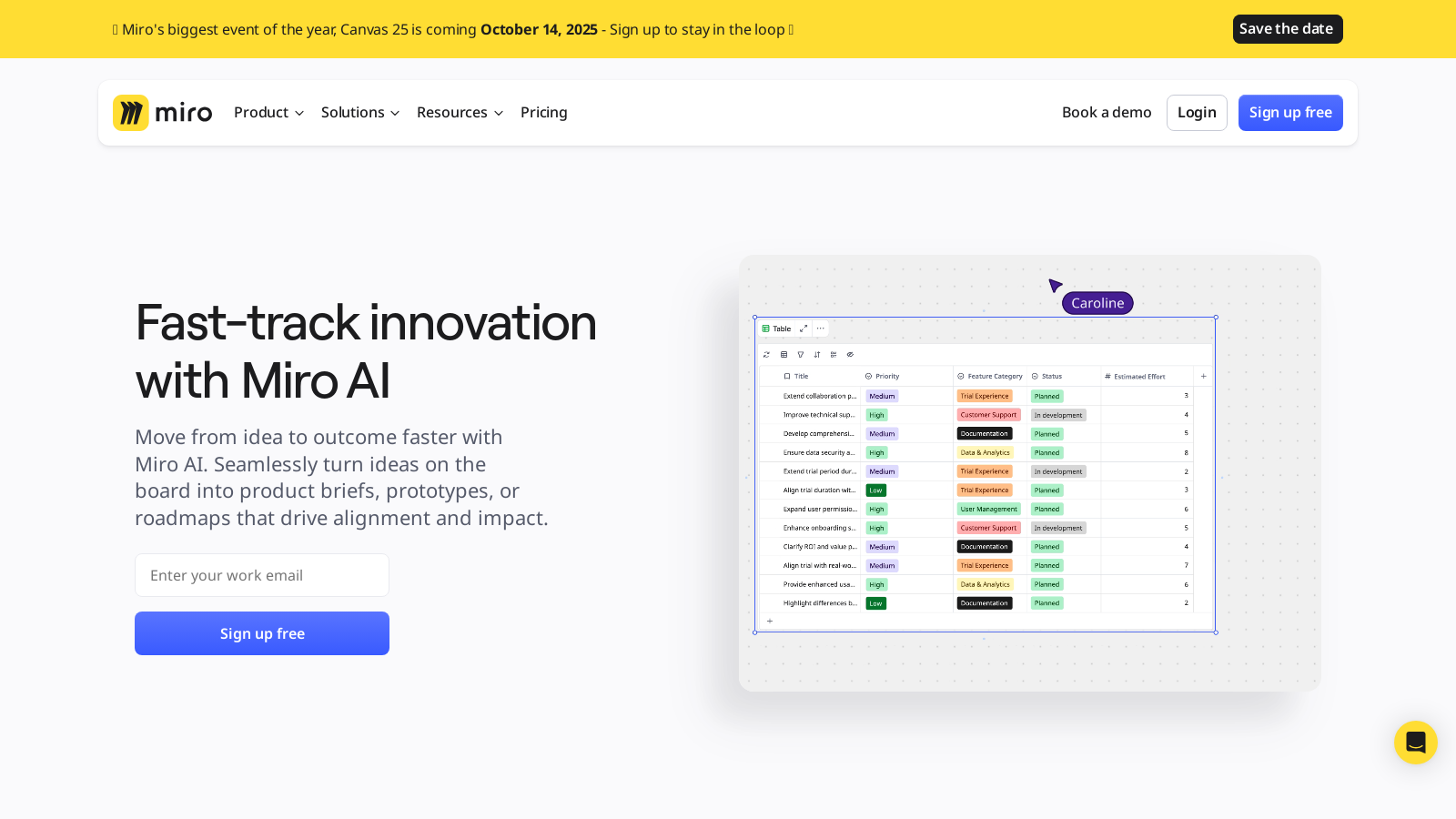
Screenshot of Miro
What is Miro?
Miro is a powerful online collaboration platform designed to help teams innovate and build together in a truly dynamic workspace. With over 100 million users and more than 250,000 organizations relying on it—including global giants such as Nike, IKEA, Deloitte, and Cisco—Miro has redefined how teams collaborate in real-time. It offers tools for visualizing projects, streamlining workflows, and seamlessly connecting distributed teams.
Accelerate Your Work with Miro AI
Fast-track your innovation projects with Miro AI, which empowers users to transform ideas into actionable outcomes faster than ever. Whether it’s creating product briefs, prototypes, or strategic roadmaps, Miro AI helps maintain momentum by converting brainstormed concepts into polished results in mere minutes. This powerful feature offers various AI capabilities, such as AI-powered text editing, automation of repetitive tasks, and AI shortcuts that help users streamline workflows with single-click actions.
How Miro AI Helps You Maintain Momentum
Recent enhancements with Miro AI, like AI Sidekicks and AI-powered prototyping tools, revolutionize how users interact with the platform. AI Sidekicks provide instant, context-aware assistance, guiding users through their projects with suggestions tailored to the task at hand. Whether you need insights from an Agile coach or help crafting a product brief, the AI Sidekicks act like a hybrid teammate.
Flexible and Intuitive Canvas
The heart of Miro’s offering is its intelligent canvas—a limitless workspace that allows teams to collaborate freely without the constraints of traditional slides. In this expansive setting, users can sketch, input ideas, and visualize processes using a range of templates and tools that streamline project management and creativity.
Advanced Collaboration Features
Miro caters to every stage of the innovation lifecycle with its customizable templates, ranging from product development roadmaps to strategic planning tools. Built-in collaboration features like voting, timers, and video calls are integrated directly into the workflow, ensuring stakeholder engagement flows naturally and efficiently.
Templates and Integrations
Miro provides access to over 5,000 templates made by the community, allowing users to kickstart their projects with frameworks tailored to various needs. The platform integrates seamlessly with over 160 applications, including Google Drive, Slack, and Microsoft Teams, enabling users to consolidate their tools and significantly streamline their workflows.
Robust Security Measures
In today’s digital landscape, data security is paramount. Miro takes this seriously by implementing stringent enterprise-level security practices. Features like Single Sign-On (SSO), comprehensive admin controls, and advanced governance ensure teams can collaborate safely, even with sensitive data, while remaining compliant with regulatory requirements.
Learning and Support
Miro is dedicated not only to providing an excellent collaboration tool but also to supporting users in maximizing its potential. Miro Academy offers a variety of courses from basic onboarding to advanced use case development, ensuring every team member can harness the platform's full capabilities. Community support through forums and user groups promotes sharing of knowledge and best practices among users.
The Miro Community and Its Impact
The Miro community significantly contributes to enriching the user experience. Users can submit templates, participate in discussions, and engage in innovation challenges that enhance individual productivity while fostering a culture of collaboration and shared input. Miro is more than just a digital whiteboard; it is a comprehensive innovation platform that empowers teams to organize thoughts, enhance collaboration, and bring ideas to fruition.
In conclusion, Miro stands out as a leading visual collaboration platform, adapting to the needs of innovative teams worldwide. By combining user-driven design with powerful AI tools, flexible collaboration features, and a strong focus on security, Miro continues to shape the future of teamwork.
Pros & Cons
Pros
- AI features accelerate innovation by turning ideas into prototypes and project briefs swiftly.
- Allows seamless collaboration with over 160 integrations for popular productivity and design tools.
- Miroverse offers 5000+ community-created templates, enhancing workflow efficiency for users.
Frequently Asked Questions
Miro is free to start, with paid plans from 0 to 16 USD per month.
According to our latest information, this tool does not seem to have a lifetime deal at the moment, unfortunately.
Miro AI offers several innovative features designed to enhance productivity. Users can quickly transform ideas into polished outputs, such as diagrams and product briefs, in minutes. AI-powered prototyping allows for automatic conversion of screenshots into editable prototypes. The AI Sidekick feature offers contextual advice from virtual coaches within the workspace, while AI text editing tools enhance communication by refining text clarity and tone. Additionally, Miro AI incorporates shortcuts that automate repetitive tasks, making collaboration more efficient.
Miro supports seamless integration with over 160 applications, including popular tools like Google Drive, Slack, and Jira. This allows users to connect their existing workflows and utilize Miro alongside their preferred project management, design, and communication tools. To initiate an integration, go to the 'Integrations' section in Miro and follow the prompts to set up connections with the applications you use most frequently.
Yes, the free version of Miro has some limitations. Users can invite an unlimited number of members and create an unlimited number of boards, but are restricted to a maximum of three editable boards at any given time. Collaboration and functionality features are also limited compared to paid plans, which offer additional credits for Miro AI, unlimited high-resolution board exports, and advanced integrations. For more robust needs, users may want to consider upgrading to one of the paid plans.
New users can access a wealth of resources to help them get started with Miro. These include free online courses through Miro Academy that cover the basics, a comprehensive Help Center for quick questions, and an extensive blog with tips and best practices. Additionally, Miro offers pre-made templates to simplify initial project setup and ongoing collaborative efforts.
Miro takes security seriously and offers multiple layers of protection for configurations based on the chosen plan. Features such as Single Sign-On (SSO), data residency in specified regions, two-factor authentication, and customizable security policies ensure compliance with enterprise security standards. Miro's Enterprise Guard feature also supports legal compliance and internal security protocols, helping organizations manage sensitive information effectively.
Miro provides a dedicated Agile Retrospective template that structures retrospectives into five manageable steps. This template helps teams focus on gathering insights, identifying challenges, and generating actionable tasks for improvement. Throughout the session, participants can easily visualize data and perspectives on their performance over a defined period, fostering a collaborative and constructive environment.
Miro is designed with remote and distributed teams in mind. Its intuitive interface and collaborative features allow colleagues to connect and work together in real-time from any location. The platform supports asynchronous collaboration, interactive presentations, and a dynamic canvas that adapts to team needs, enabling people to share ideas and feedback instantly, regardless of time zones or physical locations.
Miro primarily operates as an online collaborative platform; therefore, offline capabilities are limited. Users can edit content offline in the Miro mobile app, which enables some functionality without an internet connection. However, collaborative features, such as real-time editing, will only be available once you are reconnected to the internet. For full functionality, including integrations and most collaborative features, a stable internet connection is recommended.



