







NaturalReader

AI-powered
Text-to-speech app that reads documents, webpages and images aloud with AI voices
Naturalreaders.comOpens in new tabIs this your tool? Claim this page
Claim Your Tool Page
Free to claim • Premium features available
- Verified Badge – Show users your tool is legitimate with a verified checkmark that builds instant credibility.
- Edit Your Profile – Update descriptions, screenshots, pricing, and keep your listing accurate and up-to-date.
- Boost Visibility – Get featured placements, priority listing in categories, and promotional badges to stand out.
- Respond to Reviews – Engage with your users by responding to feedback and building trust with potential customers.
Follow for updates & deals
Get alerts for NaturalReader discounts, feature releases & pricing changes
Similar Tools
Voxify
AI text-to-speech generator with 450+ voices and pitch, speed and emotion controls

Narration Box
AI voice platform for text-to-speech, voice cloning and audiobook creation in many languages

Lazybird
AI voiceover generator for videos, podcasts, audiobooks and courses with 200+ voices

Audo
Online AI audio tools to clean up voices, remove noise, transcribe and generate speech
Audimee
AI vocal tool that converts vocals into 200+ voices, trains custom voices and splits stems

Wondercraft
AI video and audio studio with an editor, voice cloning, podcasts and an AI creative agent

WowTo
Create step-by-step support and training videos with AI voiceovers from screen recordings

Brain Pod AI
AI platform for writing, images and chat, now evolving into Charigent with AI characters and workflows
New Tools

Text Generator
OpenAI-compatible API giving access to many AI text, vision and speech models through one endpoint

RambleFix
Turns spoken voice notes into polished emails, notes and summaries on web, iPhone and Mac

QuickCreator
AI content team of agents that researches, writes and optimizes SEO articles in your brand voice

Linfo.ai
Summarizes articles, YouTube videos and documents into takeaways, outlines and mind maps

AutoBlogging.Pro
Generates SEO-optimized blog articles with GPT models and publishes them to WordPress automatically

Vsub
Turns a script or voiceover into narrated, illustrated faceless videos using your own style template

VideoToPage
Turns YouTube videos, uploads and recordings into blog posts, articles and social posts

NaturalReader Media Gallery
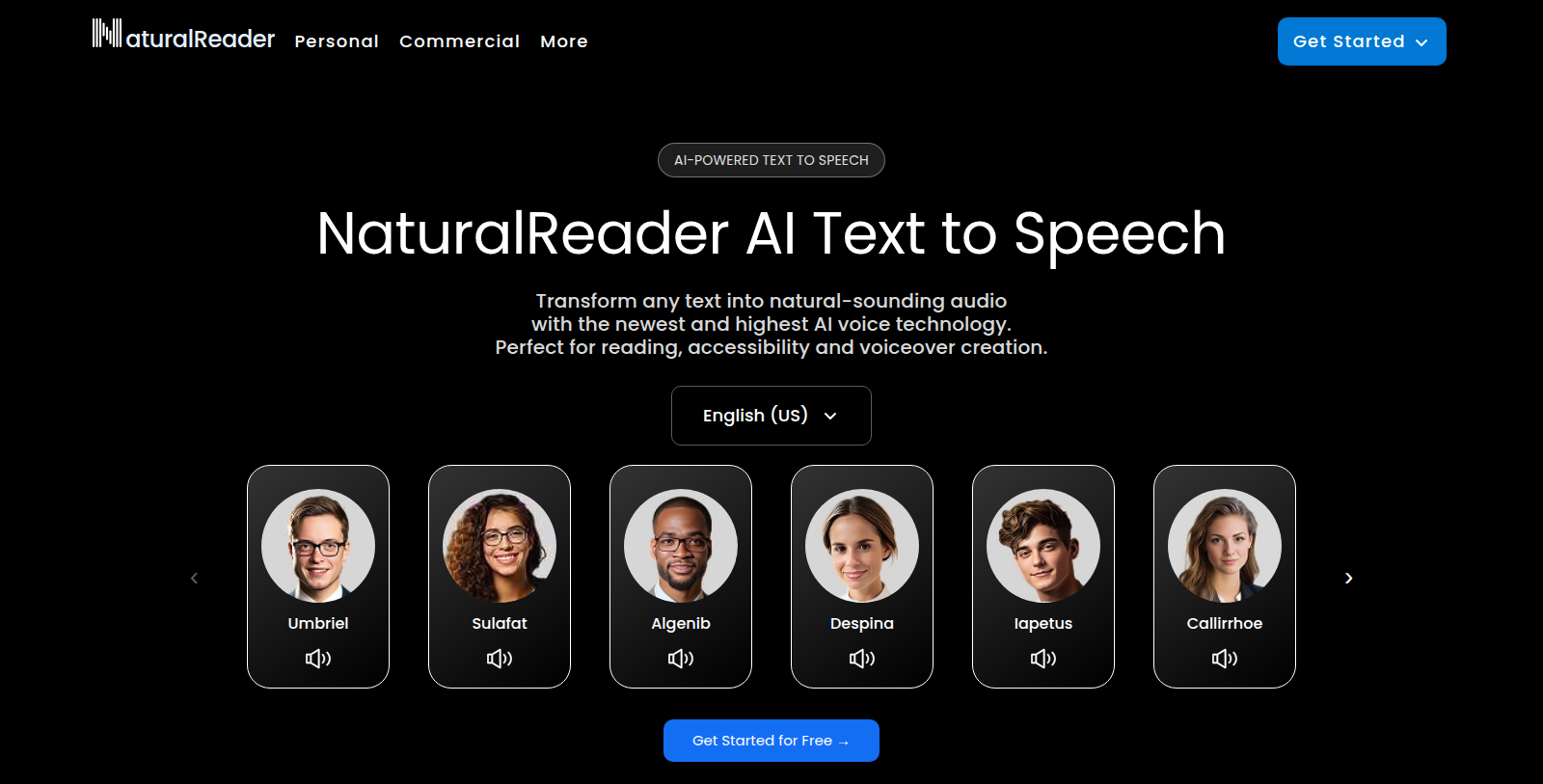
Screenshot of NaturalReader
What is NaturalReader?
NaturalReader converts text, PDFs, images, webpages and scanned books into spoken audio using AI voices. It is aimed at reading, accessibility and voiceover creation.
The product line has a Personal plan for listening to documents, a Commercial plan for professional voiceovers such as videos, eLearning and podcasts, and an EDU plan with group and school licenses. Mobile apps for Android and iOS and a Chrome extension for listening to webpages are also offered.
The site states a free start is available and that it has over 10 million users. Specific prices were not readable.
It suits students, professionals, people who prefer listening to reading, and content creators who need narration. The site lists a voice library with multiple languages and describes its data handling as encrypted.
Pros & Cons
Pros
- Converts documents, PDFs, images, webpages and scanned books into spoken audio.
- Offers Android and iOS apps plus a Chrome extension for listening to webpages.
Cons
- Separate Personal, Commercial and EDU options mean the right one depends on your use.
Frequently Asked Questions
How much does NaturalReader cost?
NaturalReader offers a freemium model with free features available and premium options for advanced functionality.
Does NaturalReader have a lifetime deal?
According to our latest information, this tool does not seem to have a lifetime deal at the moment, unfortunately.
What types of content can NaturalReader read aloud?
NaturalReader converts text, PDFs, images, webpages and scanned books into spoken audio using AI voices. That covers documents you upload as well as material you open in the browser. Images and scanned pages can be read too, which helps with printed material. The site says its voice library supports multiple languages. Check the official website for the full list of supported file formats.
Which NaturalReader tier fits someone who wants to listen to documents?
The site describes a Personal option for listening to documents, a Commercial option for professional voiceovers such as videos, eLearning and podcasts, and an EDU option with group and school licenses. People who mainly want to listen to their own reading material would look at the Personal option. Creators who need narration for projects would look at the Commercial option. Compare the current details on the official website before choosing one.
Can I use NaturalReader on my phone or in the browser?
Yes. NaturalReader offers mobile apps for Android and iOS, along with a Chrome extension for listening to webpages. These options let you hear content on the go or while you browse. The site does not describe every platform in detail, so check the official website to confirm which devices and browsers are supported right now.
Who is NaturalReader best suited for?
The site positions NaturalReader for students, professionals, people who prefer listening to reading, and content creators who need narration. It is aimed at reading, accessibility and voiceover creation. Teachers and school teams can look at the EDU option, which includes group and school licenses. For specific accessibility needs, the listing does not describe particular features, so review the official website first.
How does NaturalReader handle my data?
The site describes its data handling as encrypted. The listing text does not go into detail about storage or retention periods. Before uploading sensitive documents, read the privacy policy on the official website so you know exactly how your files are processed.
Notice: This website uses affiliate links to earn commissions from sales. Please read their ToS when signing up somewhere.