













Opal
Create and share custom AI workflows using natural language without coding.
Withgoogle.com
Is this your tool?
Follow for updates & deals
Get alerts for Opal discounts, feature releases & pricing changes
Similar Tools

JustCopy.ai
Create web applications by describing your idea in plain English, with code generated by AI.

Autosana
AI-driven QA automation for mobile apps, adapting to UI changes and streamlining testing processes.

BridgeMind
Utilize natural language to generate software code and streamline development workflows with AI support.

Dynamiq
Platform for developing and managing on-premise Generative AI applications with streamlined tools and compliance.

cubic
Automates code reviews and provides instant feedback on pull requests to enhance coding efficiency.

Opal Media Gallery

Opal (review) video
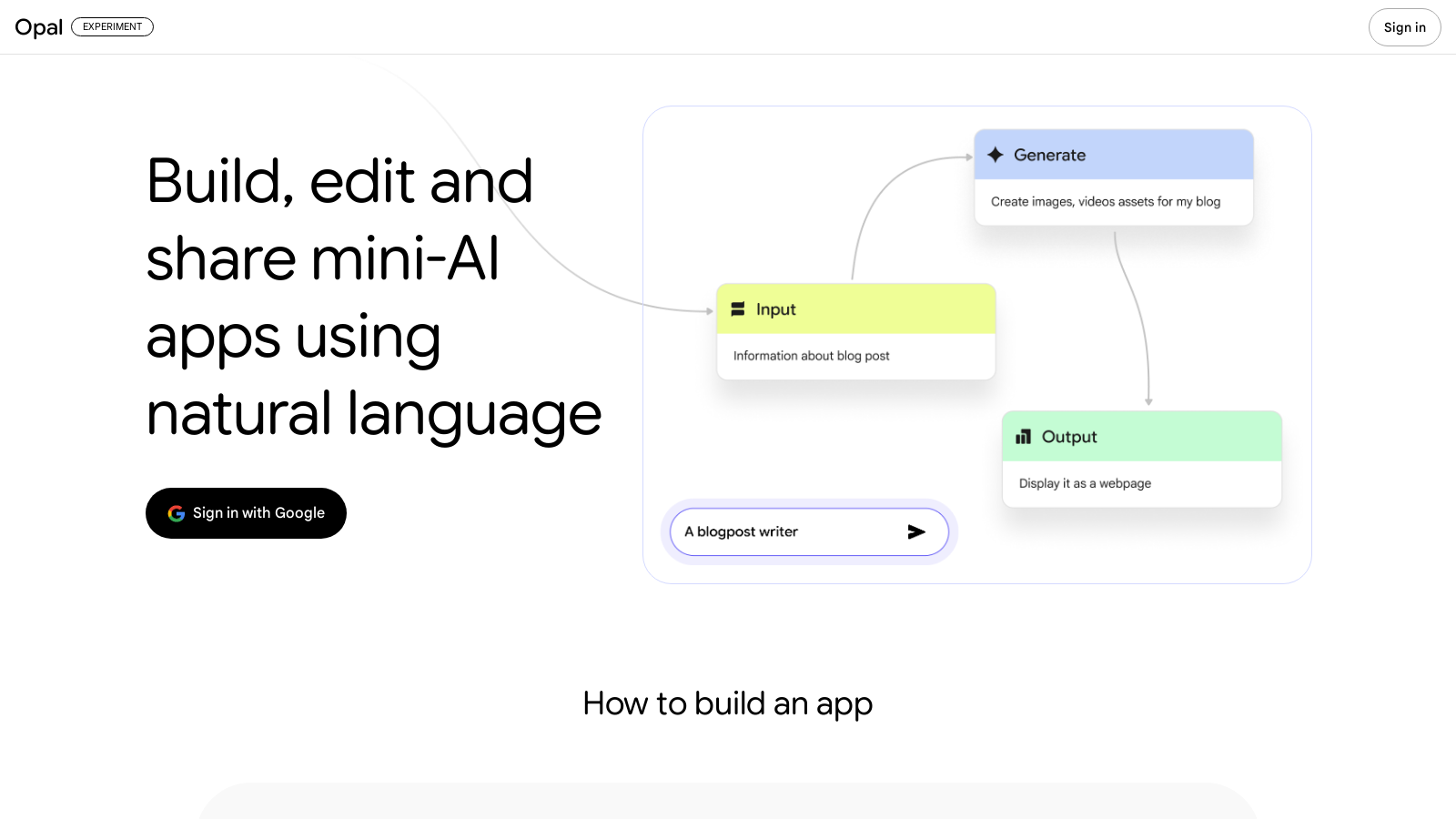
Screenshot of Opal
What is Opal?
Opal is a cutting-edge experimental tool developed by Google Labs that enables users to construct and share powerful AI mini-apps using natural language. The platform is designed for creators, innovators, and professionals who want to harness the power of AI without needing to write any code. Its intuitive interface and innovative features make it easier than ever to prototype and develop AI-driven applications.
With Opal, building a mini-app starts from simple descriptions. Users can create workflows that organize the steps required to achieve a specific goal. This process is vital in software development; however, Opal simplifies and visualizes these workflows, allowing users to focus on the logic rather than the coding aspect. Users can describe what they want, and Opal takes care of creating the visual workflow.
Key Features of Opal
1. Create Workflows: Opal enables users to build multi-step apps by chaining together prompts, AI model calls, and various tools. By simply describing the desired sequence of actions, users can create complex workflows without any previous coding knowledge.
2. Make Edits Easily: Opal's visual editor is designed to empower users with fine control over their applications. Users can tweak existing prompts, add new features or tools, and remix their mini-apps through conversational commands or by making visual adjustments.
3. Share Your Apps: Once an app is built, users can easily share it with others, enabling them to use the app with their Google accounts. This feature enables quick collaboration and feedback, thereby enhancing the overall creative process.
4. Demo Gallery: To assist users in getting started, Opal features a gallery of starter templates. These pre-built applications are available for immediate use, or users may opt to remix them to fit their specific requirements better. This provides a great way to jumpstart projects and explore various potential applications of the tool.
The Future of AI App Development
As an experimental tool in public beta, Opal represents Google's commitment to fostering community collaboration in product development. The feedback and creative use cases generated by users during this beta phase are invaluable. They will help shape the evolution of Opal and its features in the future.
In conclusion, Opal signifies a remarkable step forward in AI application development, making it accessible to a broader audience. Whether you are a business professional looking to streamline workflows or a developer prototyping a new idea, Opal provides the tools necessary to bring your vision to life. Embrace the future of app development with Opal, where your imagination can become reality.
Pros & Cons
Pros
- Allows users to create AI mini-apps using natural language with no coding required.
- Empowers users to visualize and edit workflows intuitively through a visual editor.
- Provides a demo gallery with starter templates for quick setup and customization.
Cons
- Currently available only in public beta for US users, limiting accessibility.
Frequently Asked Questions
Opal offers a freemium model with free features available and premium options for advanced functionality.
According to our latest information, this tool does not seem to have a lifetime deal at the moment, unfortunately.
Opal provides several powerful features that let users create AI mini-apps without writing code. Users can create workflows by chaining together prompts, AI model calls, and tools in a visual format. The tool translates natural-language commands into a visual workflow, enabling detailed customization. Users can easily edit prompts and app features using a conversational interface or the visual editor, making it accessible for both technical and non-technical users.
Once you've built your mini-app in Opal, sharing it is straightforward. You can publish the app for others to use, and they can access it using their own Google accounts. This feature fosters collaboration and allows users to easily share their creations with a broader audience.
Opal includes a demo gallery featuring starter templates that serve as foundational examples for users to build their mini-apps. These templates can be used as is or modified to suit specific needs. This resource is invaluable for newcomers, making it easier to grasp the functionalities and get a head start on app development.
As Opal is currently in a public beta phase, users may encounter limitations in features and functionality as Google continues to experiment and refine the tool. Additionally, it is only available in the US at this time, which may restrict access for users in other regions. Keeping an eye on updates from Google Labs is advised for the latest developments.
With Opal, you can create various workflows that automate tasks and chain together different AI functionalities. For example, you can design a workflow that collects user input via prompts, processes it with AI models, and outputs results via integration with other tools. These multi-step apps can be utilized for diverse applications ranging from data analysis to personal productivity enhancements.
Yes, Opal allows users to remix existing templates from its gallery. You can modify any aspect of a template, whether it's changing prompts, adding new features, or tweaking the visual layout. This flexibility helps you tailor the mini-apps to your specific needs and offers an excellent opportunity to experiment with AI functionality.
Absolutely! Opal is designed to cater to users of all skill levels, including beginners. Its intuitive natural language interface and visual workflow capabilities mean that even those without coding experience can effectively create and share AI mini-apps. The accessible templates and the ability to make changes through simple conversations make it a great starting point for anyone interested in app development.
While specific integrations with other Google products haven't been detailed, Opal allows users to sign in with their Google accounts and leverage AI models and tools that may be part of the broader Google ecosystem. Users are encouraged to explore how their existing Google tools can enhance their mini-apps, leveraging Opal's capabilities to improve productivity and functionality.




