Otter

Automates transcription and summarizes key points during meetings and conversations.
Otter.ai
Is this your tool?
Follow for updates & deals
Get alerts for Otter discounts, feature releases & pricing changes
Similar Tools

Meeting.ai
Captures and organizes meeting notes with automated transcription for seamless collaboration

David AI
Provides curated audio datasets for training speech and conversational AI models.
Spike
Email management tool that organizes messages like a chat for improved collaboration and productivity.

Fellow
AI assistant that automates note-taking and action item tracking during team meetings.

Deepgram
Real-time voice AI agents for speech-to-text and text-to-speech integration in applications

Otter Media Gallery

Otter (review) video
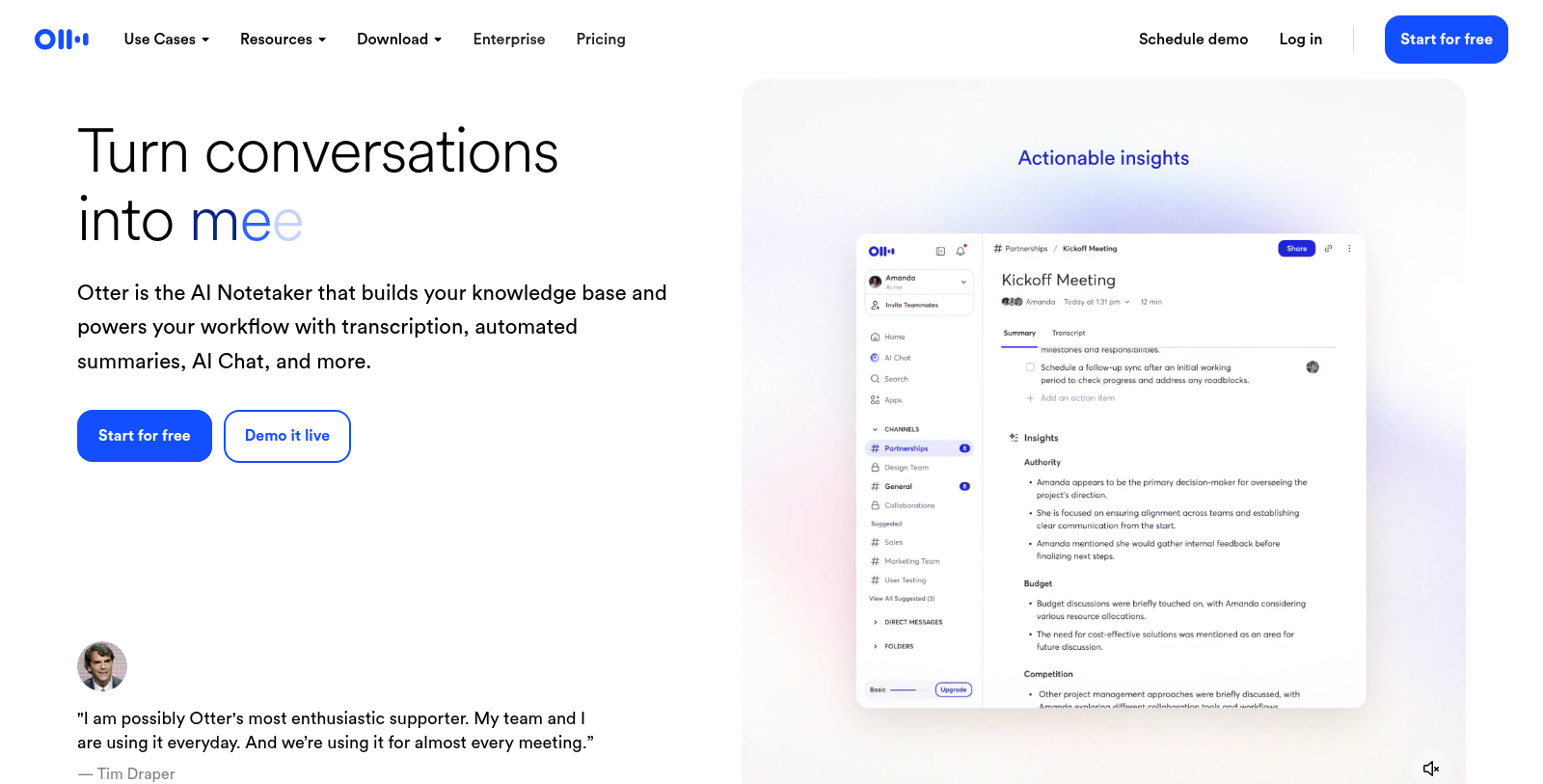
Screenshot of Otter
What is Otter?
Otter is an advanced AI-powered meeting assistant designed to simplify the complexities of meetings through automatic transcription, summarization, and organization of key takeaways. With its high accuracy in transcription, reaching up to 95%, Otter enables users to turn spoken communication into valuable written records effortlessly.
The functionality of Otter extends beyond simple note-taking. Users can invite Otter to meetings, where it acts as a virtual assistant, listening in and capturing important details without requiring any manual input. This not only improves productivity but also enhances team collaboration, ensuring everyone is on the same page.
Key Features of Otter
Otter allows real-time transcription and automated summaries, ensuring that no important point is overlooked. The AI Notetaker also highlights action items during discussions, making it easy for team members to keep track of responsibilities and deadlines. Users can interact with Otter via voice commands to request notes or clarifications on previous discussions, integrating seamlessly into daily workflows.
Integration Capabilities
Otter integrates with a variety of platforms such as Zoom, Google Meet, and Microsoft Teams, making it a versatile tool for any business environment. The ability to sync with these platforms streamlines scheduling and automatically joins meetings.
Benefits of Using Otter
Using Otter in your organization can lead to significant time savings. Many users report saving up to 33% of their time by automating note-taking. This means more time can be dedicated to strategic discussions rather than administrative tasks. Moreover, features such as AI Chat allow team members to reference previous summaries and action items, enabling more efficient follow-ups and ongoing conversation flow.
Otter's flexible plans cater to different user needs, ranging from individuals to large teams. The Basic plan is free forever but offers limited features. In contrast, the Business plan provides an extensive suite of capabilities for $19.99 per user per month, designed to support collaboration and deep integration into team workflows.
Conclusion
In today's fast-paced work environment, Otter stands out as a crucial tool for managing meetings effectively. It is not just about capturing what was said; it is also about ensuring those insights translate into actionable outcomes. By streamlining the meeting process, Otter contributes to overall productivity and helps teams focus on what truly matters.
Pros & Cons
Pros
- Voice-activated AI meeting agent actively participates in meetings, enhancing collaboration.
- Automated summaries and action items save users over four hours a week on average.
- Integrates seamlessly with popular tools like Zoom, Google Meet, and CRM systems for efficiency.
Cons
- Currently limited to Zoom for live interactions; broader integration rollout is pending.
Frequently Asked Questions
Otter is free to start, with paid plans from 0 to 19.99 USD per month.
According to our latest information, this tool does not seem to have a lifetime deal at the moment, unfortunately.
Otter is versatile and supports a range of meeting types through its specialized agents. For instance, the Sales Notetaker focuses on optimizing sales meetings, while the Education Notetaker automates lecture notes for educators. It can also handle media-related discussions, recruiting interviews, and more, making it suitable for a wide range of professional settings.
Otter boasts an impressive transcription accuracy rate of up to 95%, which is crucial for capturing details during meetings. This high accuracy is achieved through advanced AI algorithms designed for natural language processing. If you're concerned about specifics or want to see improvement tips, check out the Otter blog for best practices.
Otter integrates seamlessly with popular platforms such as Zoom, Google Meet, Microsoft Teams, Slack, and Dropbox, enabling live transcription and easy access to your meeting notes across these tools. This integration enhances its utility across various workflows, ensuring that your notes and insights are readily available whenever you need them.
Yes, Otter automatically identifies and assigns action items during meetings. This feature helps ensure that tasks are tracked and easy to follow up on after discussions. The AI Meeting Agent not only transcribes the conversation but also generates actionable next steps, making it a powerful tool for project management.
To maximize Otter's effectiveness, schedule your meetings in Google Calendar or another linked platform so Otter can join automatically. Use the meeting templates in Otter to keep discussions organized and focused. After meetings, leverage its action item tracking and summarization features to ensure everyone stays on the same page.
The Otter AI Chat feature acts as an in-meeting assistant, allowing team members to ask questions about discussion points or decisions in real time. It can provide context and clarification, ensuring participants have immediate access to relevant information without interrupting the meeting flow.
Absolutely! Otter is designed for both remote and hybrid team environments. Its integrations with virtual meeting platforms (such as Zoom and Microsoft Teams) ensure seamless capture of discussions, regardless of participants' locations. Plus, its collaborative features allow users to highlight and comment on notes in real time, fostering teamwork even in a dispersed setting.
If you encounter any issues with Otter, you can visit the Help Center on their website for troubleshooting tips and best practices. Additionally, Otter offers customer support through email for more specific inquiries or issues that require further assistance.