Pod
Provides 24/7 AI phone support with natural conversations and seamless system integration.
Callpod.ai
Is this your tool?
Follow for updates & deals
Get alerts for Pod discounts, feature releases & pricing changes
Similar Tools

MagickML
Deploy and scale AI agents and bots effortlessly with a no-code visual builder platform.

Zhipu
Develops AI models that replicate human cognitive processes for improved machine interaction.

Vibecode
Streamline mobile app development by turning your ideas into native apps in seconds with AI.

OpenClaw
Seamlessly integrates across platforms to automate tasks and provide personalized assistance.

Cline
AI assistant for VS Code that plans and implements complex coding tasks while enhancing productivity.

Pod Media Gallery
What is Pod?
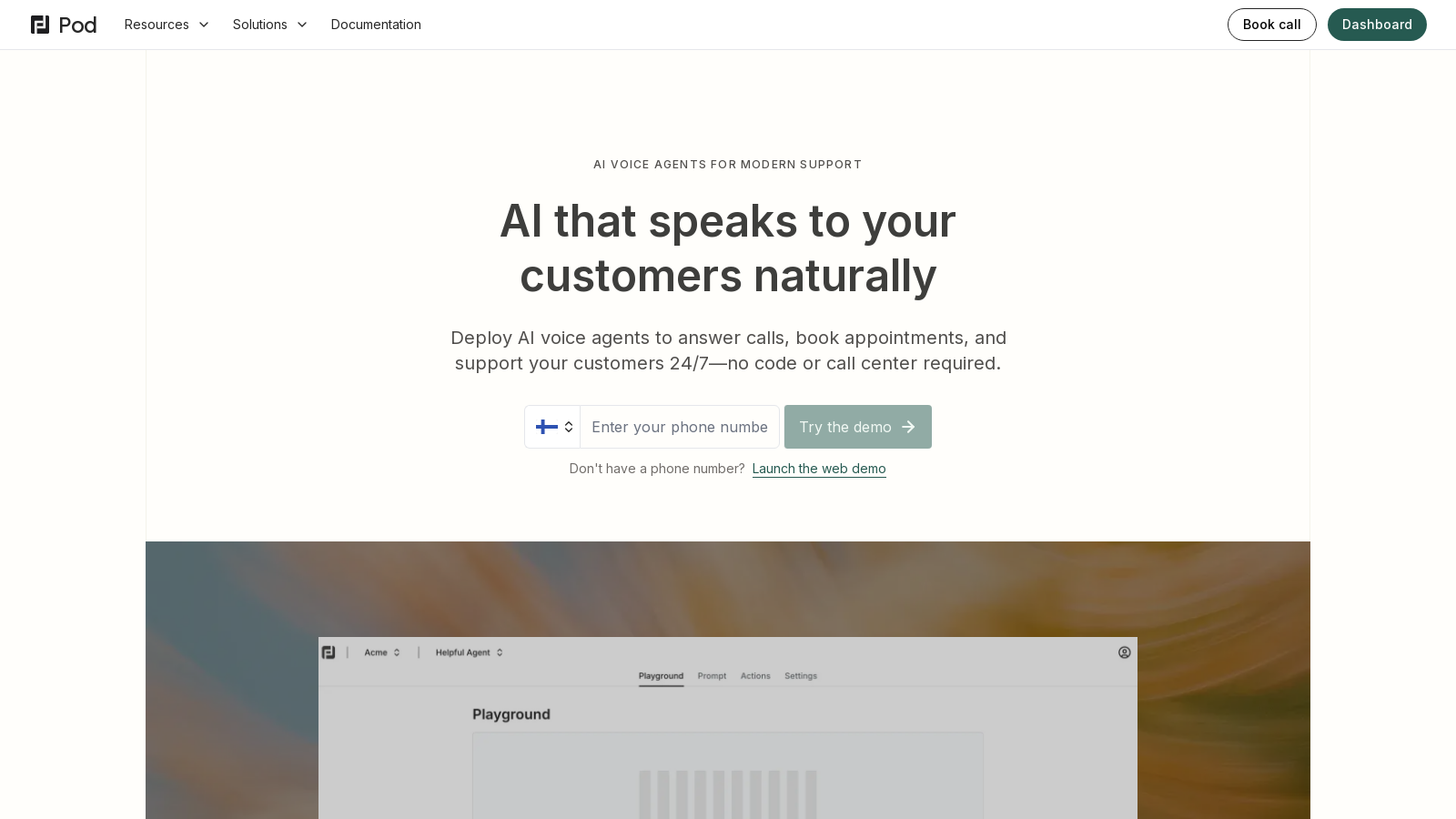
Pod is a revolutionary AI phone agent platform designed to modernize customer service interactions by eliminating traditional support barriers such as confusing phone trees and missed calls. By employing advanced AI technology, Pod offers human-like conversations that engage customers effectively, providing 24/7 availability for all inquiries. This means businesses can ensure that they never miss a call or a potential lead, allowing them to operate around the clock without the constraints of typical call center structures.
Key Features of Pod
- 24/7 Customer Support: Pod's AI agents are always on duty, ready to greet customers and handle inquiries at any hour. This unceasing availability drastically improves customer satisfaction and reduces frustration.
- Multi-Language Support: With support for over 30 languages, Pod ensures that diverse customer bases are catered to, promoting inclusivity and enhancing user experience.
- Seamless Integration: Pod connects effortlessly with existing systems including CRMs, calendars, and databases. This ensures that your AI agent has real-time access to crucial information, which facilitates intelligent interactions.
- Natural Conversations: The AI agents are designed to engage in natural and meaningful dialogues with customers, steering away from robotic menu systems that often perplex users.
- Smart Escalation: In scenarios requiring human intervention, Pod smartly hands off calls to real team members, ensuring that complex issues are handled efficiently.
- Automated Support: Pod automates common inquiries, manages routine requests, and elevates urgent calls directly to human support when necessary, allowing your team to focus on more complex tasks.
- Outbound Calling: Pod allows instantaneous connections to warm leads through automated outbound calls, enhancing lead qualification, running surveys, appointment confirmations, and follow-ups without manual dialing.
- AI-Driven Updates: The platform constantly learns and improves interactions based on analytics, enabling businesses to refine the AI agent’s responses and service delivery continuously.
How Pod Works
Getting started with Pod is intuitive:
- Setup & Deploy: Users can quickly configure their AI agents using the Pod dashboard, determining what actions the agents can perform and which systems they should connect with.
- Handle Calls: Once deployed, the AI agent takes over, managing customer inquiries according to the configured settings, ensuring that calls lead to productive outcomes.
- Refine & Optimize: Businesses can monitor their AI agents' performance through comprehensive analytics, allowing for continuous improvements in response generation and overall service delivery.
Security & Compliance:
Pod takes data security seriously by implementing bank-level encryption and adhering to industry standards to ensure that customer conversations remain private and secure. Businesses maintain full control over conversation data, defining retention policies and managing access permissions efficiently.
In a world where customer service can make or break business relations, Pod offers an innovative solution that combines advanced AI technology with an easy-to-use interface. Organizations can enhance their customer interactions while saving invaluable time and resources. Whether for customer support, lead qualification, or appointment scheduling, Pod’s full-service capabilities ensure that no opportunity is missed.
Pros & Cons
Pros
- AI voice agents provide 24/7 customer support without the need for a human operator.
- Seamless integration with existing systems enhances operational efficiency.
- Natural-sounding conversations eliminate frustrating IVR menus for callers.
Cons
- Complex issues still require manual escalation to human agents, limiting full automation.
Frequently Asked Questions
Pod costs 4450 to 12450 USD per month.
According to our latest information, this tool does not seem to have a lifetime deal at the moment, unfortunately.
Pod is designed to automate customer interactions through AI voice agents. Its primary use cases include handling inbound and outbound calls, answering FAQs, booking appointments, tracking orders, handling returns, processing payments, and qualifying leads. Businesses can leverage Pod to provide 24/7 customer support without the need for a traditional call center, streamlining operations and enhancing customer experience.
Pod can connect seamlessly with various systems and tools through its integration capabilities. Users can link Pod to their CRM, calendar, knowledge bases, and communication software using APIs. This enables the AI agent to access real-time customer data, automate workflows, and enhance the overall efficiency of customer interactions without the need for manual data entry or siloed information.
Creating your first agent in Pod involves a few simple steps. First, log in to the Pod dashboard, click 'New Agent', and provide a descriptive name for your agent. Then, choose whether it will handle inbound or outbound calls and write a concise prompt to guide its behavior. Finally, configure the agent's settings, connect it to your knowledge base, and link a phone number for call functionality.
Pod emphasizes data security with bank-level encryption and compliance with industry standards. All communications are secured through end-to-end encryption, ensuring that customer conversations and data remain confidential and private. Users also have complete control over their data, with transparent practices for data retention and the ability to manage permissions for team members accessing the Pod account.
Yes, Pod provides a 'Playground' feature that allows you to simulate conversations with your AI agent before it goes live. You can activate the agent within the Playground to test its responses and functionality. Additionally, you can make real test calls to your connected phone number to hear how the agent performs in a real call environment, ensuring everything is configured correctly.
To enable multilingual support for your Pod agent, navigate to the Setup tab of the agent and select the Language section. From there, you can choose a primary language and also enable multilingual capabilities, allowing the agent to respond in the caller's native language automatically. Pod supports over 30 languages, and you can configure the agent to provide natural-sounding responses in each supported language.
Pod allows you to enhance your agent's functionality by adding various actions through the Actions tab in the dashboard. Everyday actions include booking meetings (integrating with your calendar), transferring calls to live agents, sending messages to communication platforms like Slack, and logging call data into CRM systems. You can customize these actions to fit your business workflows and improve client interactions.
Pod allows a variety of knowledge sources to be connected to an agent, including text-based inputs, file uploads in formats such as PDF and DOC, websites, and manual Q&A pairs. However, the effectiveness of the agent's responses will depend on the quality and relevance of the connected knowledge. It's recommended to ensure that the knowledge base is up-to-date and accurate to enhance the agent's performance.