ProfilePicture.AI

Free profile picture maker with background removal, circle crop and borders
Profilepicture.ai
Is this your tool?
Follow for updates & deals
Get alerts for ProfilePicture.AI discounts, feature releases & pricing changes
Similar Tools

Pixlr
Online AI photo editor and image generator with video, face swap and background removal
Pixlio AI
Create and edit professional images using advanced AI models and intuitive editing tools.

PixNova AI
Generate and edit images with AI, including headshots, face swaps, and baby predictions.

Malloy
Generate custom animations by typing prompts without needing prior animation skills.

Hocha
Generate high-quality images with AI using preset prompts and advanced editing tools, no login required.

ProfilePicture.AI Media Gallery
What is ProfilePicture.AI?
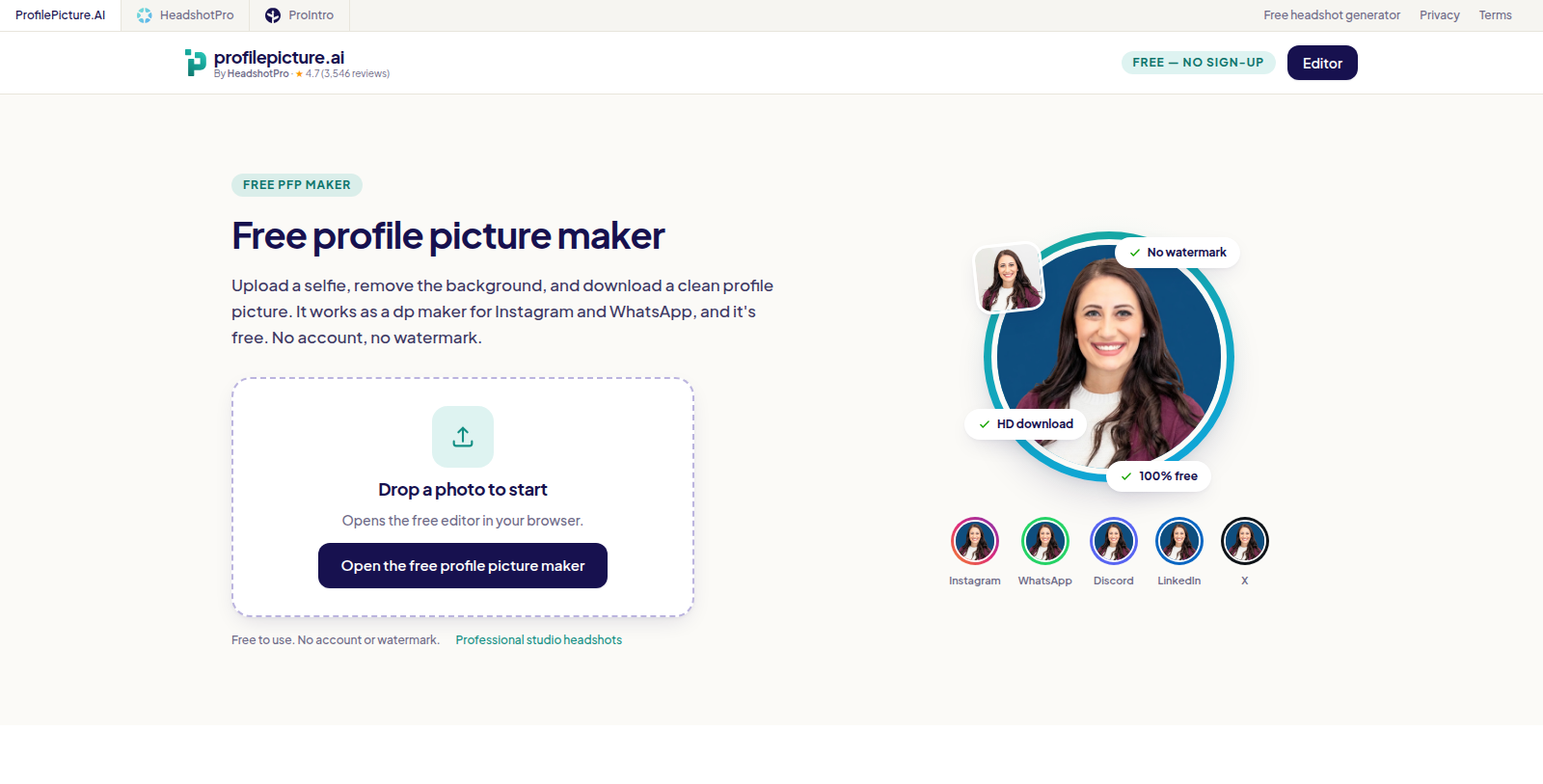
ProfilePicture.AI is a web-based editor for making profile pictures. You upload a photo, remove its background, apply a circle crop or a border, and download the result in HD.
The site states that no sign-up and no watermark are required. It positions the tool for social profile pictures and display pictures such as those used on Instagram and WhatsApp.
The tool is made by HeadshotPro, which also offers a separate paid headshot generator. ProfilePicture.AI itself is presented as free to use. The page shows a user rating of 4.7 from more than 3,500 reviews, which relates to the HeadshotPro brand listed on the site. Settings available in the editor include the background removal, circle crop and border options, so the tool suits quick edits rather than full image design work.
Pros & Cons
Pros
- Removes backgrounds, adds circle crops or borders, and downloads HD images in the browser.
- No sign-up and no watermark are required, according to the site.
Cons
- The editor suits quick profile picture edits rather than full image design work.
Frequently Asked Questions
ProfilePicture.AI is available at no cost.
According to our latest information, this tool does not seem to have a lifetime deal at the moment, unfortunately.
You upload a photo, remove its background, and then apply a circle crop or a border. When you are done, you download the result in HD. The tool is built for profile pictures used on social platforms and messaging apps, such as Instagram and WhatsApp display pictures.
According to the site, no sign-up is required. You can make and download your picture directly in the browser. If you want to confirm how the tool handles your uploads or any account options, please check the official ProfilePicture.AI website.
The site states that the downloaded HD image has no watermark. That makes the tool a quick option for social profile pictures. For the exact export settings and file formats available, check the official ProfilePicture.AI website. Because the tool is designed for quick social profile pictures, the output is ready to use as soon as it is downloaded.
It is best suited to quick edits. The editor covers background removal, circle crop and border options, which are the tasks most people need for a profile picture. It is not designed for full image design work, so use a dedicated photo editor if you need more control.
The tool is made by HeadshotPro, which also offers a separate paid headshot generator. The site shows a user rating from more than 3,500 reviews, which relates to the HeadshotPro brand. Visit the official ProfilePicture.AI website for more information about the company behind it.