Sketchflow

Generate web and app designs with AI-powered code from your ideas and input images.
Sketchflow.ai
Is this your tool?
Follow for updates & deals
Get alerts for Sketchflow discounts, feature releases & pricing changes
Similar Tools

Uizard
Simplifies UI design by generating components from text descriptions for quick prototyping.

Motiff
Generate custom user interfaces using text prompts or reference images for efficient design workflows.
Synthoframe
Transforms text and images into interactive user interfaces for efficient prototyping.
Visily
Create wireframes and prototypes with AI-assisted design tools for collaborative user interface projects.

Dora
Easily design customizable websites using AI with a drag-and-connect layout system.

Sketchflow Media Gallery

Sketchflow (review) video
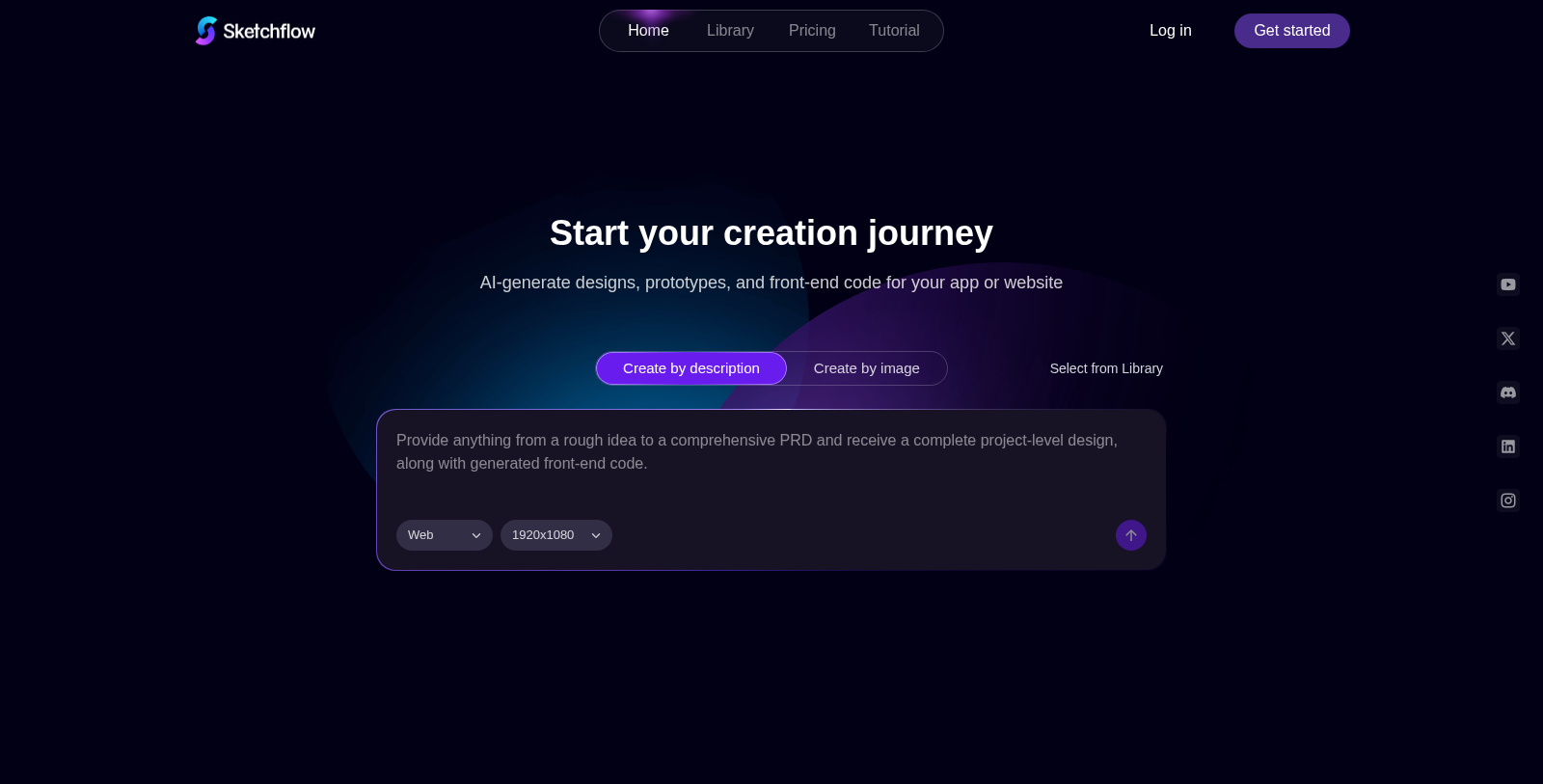
Screenshot of Sketchflow
What is Sketchflow?
Sketchflow is an innovative AI design tool that streamlines the process of turning ideas into live web and app products. With a user-friendly interface and powerful AI capabilities, it enables users to quickly and efficiently generate stunning designs and front-end code. Whether you are an entrepreneur, product manager, or designer, Sketchflow acts as your intelligent co-creator, guiding you through various design methodologies.
Start Your Creation Journey
Sketchflow revolutionizes how you create by providing flexible workflows. Users can start from a blank slate or upload reference images. The AI technology analyzes your screenshots and tailors user flows, interface pages, and design elements to your web or app project.
Rich Functionality
One of the standout features of Sketchflow is its ability to generate and refine prototypes instantly. The tool offers a robust set of design solutions, including flexible UI tuning and template libraries with popular styles such as skeuomorphism and dark modes. This ensures you can create visually appealing, responsive designs across all devices.
A Seamless Workflow
Designing with Sketchflow feels effortless. Users can visualize the entire app journey with editable, high-quality workflows tailored to each project's features. This clarity helps in understanding and refining the product's logic and user experience from the outset. The AI-driven interface ensures your ideas are translated into polished visuals without manual sketching or dragging.
Convert Ideas to Code
Another key aspect of Sketchflow is its code generation capability. Users can export multi-platform code with a single click, enabling the development of native iOS and Android apps and web projects compatible with frameworks such as React.js. The ability to simulate and run the generated code in a cloud-hosted environment allows for seamless testing and validation before full-scale implementation.
Flexibility Across Platforms
Sketchflow supports design for every screen, helping you create stunning web, mobile, tablet, and desktop designs. Whether you're building responsive websites or native-grade apps, everything can be managed from within the tool with ease.
Collaboration and Sharing Made Easy
The platform also enables easy sharing and collaboration with team members. You can invite others to view and edit projects through shareable links, ensuring that everyone is on the same page without the hassle of exports or locked files.
Conclusion
Sketchflow empowers users to explore their creativity and unlock unlimited possibilities in design. From generating interactive prototypes to producing production-ready code, the tool simplifies the journey from concept to deployment. Embrace the future of design and coding with Sketchflow, where your product ideas can become reality in minutes, helping you stay ahead in the competitive digital product landscape.
Pros & Cons
Pros
- Generates interactive prototypes and production-ready code from design concepts in minutes.
- Supports multiple platforms, allowing for code generation compatible with iOS, Android, and web.
- Offers various intuitive creation methods, including descriptions, images, and template libraries.
Cons
- Some features, like native mobile app support, are still under development.
Frequently Asked Questions
Sketchflow is free to start, with paid plans from 0 to 60 USD per month.
According to our latest information, this tool does not seem to have a lifetime deal at the moment, unfortunately.
Sketchflow offers three unique ways to get started with your designs: Blueprint, SnapDesign, and the Template Library. With Blueprint, you describe your product idea, select a platform, and let Sketchflow generate key workflows and high-fidelity mockups. SnapDesign allows you to upload reference images to create new interface designs based on your inspirations. Lastly, the Template Library provides pre-designed templates that you can customize to kickstart your project efficiently.
Yes, Sketchflow can generate production-ready front-end code for various platforms in one click. This includes support for multi-platform code that is compatible with native iOS and Android apps (with those features currently in development) as well as web projects built with frameworks like React.js. The capability to export code is a significant time-saver, allowing your designs to move seamlessly into development.
Sketchflow operates on a credit system that allows you to use the platform for design generation and editing. Depending on your subscription plan, you'll receive a set number of credits each month and a daily allowance of free credits. These credits are consumed based on the complexity of your design tasks—such as generating pages or modifying elements. Unused credits roll over to the next billing cycle, giving you flexibility in managing your usage.
Sketchflow is versatile and allows the creation of a wide range of projects, including web applications, mobile apps (for both iOS and Android), and desktop applications. You can design for any screen size, from responsive websites to native mobile apps, making it a powerful tool for various product types across different industries. This means you can use Sketchflow to bring virtually any digital product idea to life.
Yes, the free version of Sketchflow is somewhat limited compared to the paid plans. With the free plan, users can create up to 5 projects and have access to 100 credits upon their first login, plus 40 daily credits. Users also have customization options but will not be able to export in multiple formats. For more extensive features, such as unlimited projects and enhanced export options, upgrading to a paid plan is necessary.
Sketchflow offers a comprehensive range of support resources, including step-by-step tutorials that cover everything from basics to advanced editing techniques. Users can access a beginner’s guide, learn about developing and running projects, and get information on managing subscriptions. There's also a built-in support feature for additional queries, ensuring users have ample resources to successfully navigate and utilize the platform.
Absolutely! Sketchflow enables seamless collaboration by allowing you to invite team members to your projects through shareable links or email. You can set permissions for collaborators, ensuring everyone has the right access to contribute. This collaboration feature eliminates the hassle of multiple exports and locked files, making it easier for teams to work together in real-time.
To get started with Sketchflow, simply sign up for an account—there's a free plan to explore the platform’s capabilities. Once you’re logged in, you can begin by describing your project idea or uploading reference images. Familiarize yourself with the various features and tools available, such as the AI-driven design generation, the workflow mapping, and the template library. Additionally, check out the tutorials provided to learn how to utilize the platform effectively, enabling you to bring your product ideas to life quickly.