Synthoframe
Transforms text and images into interactive user interfaces for efficient prototyping.
Synthoframe.com
Is this your tool?
Follow for updates & deals
Get alerts for Synthoframe discounts, feature releases & pricing changes
Similar Tools
Visily
Create wireframes and prototypes with AI-assisted design tools for collaborative user interface projects.
Motiff
Generate custom user interfaces using text prompts or reference images for efficient design workflows.
N8ked
Transform images by undressing them with advanced AI technology.

Leonardo.Ai
Create high-quality images, art, and videos using a versatile generative AI platform.

PixNova AI
Generate and edit images with AI, including headshots, face swaps, and baby predictions.

Synthoframe Media Gallery

Synthoframe (review) video
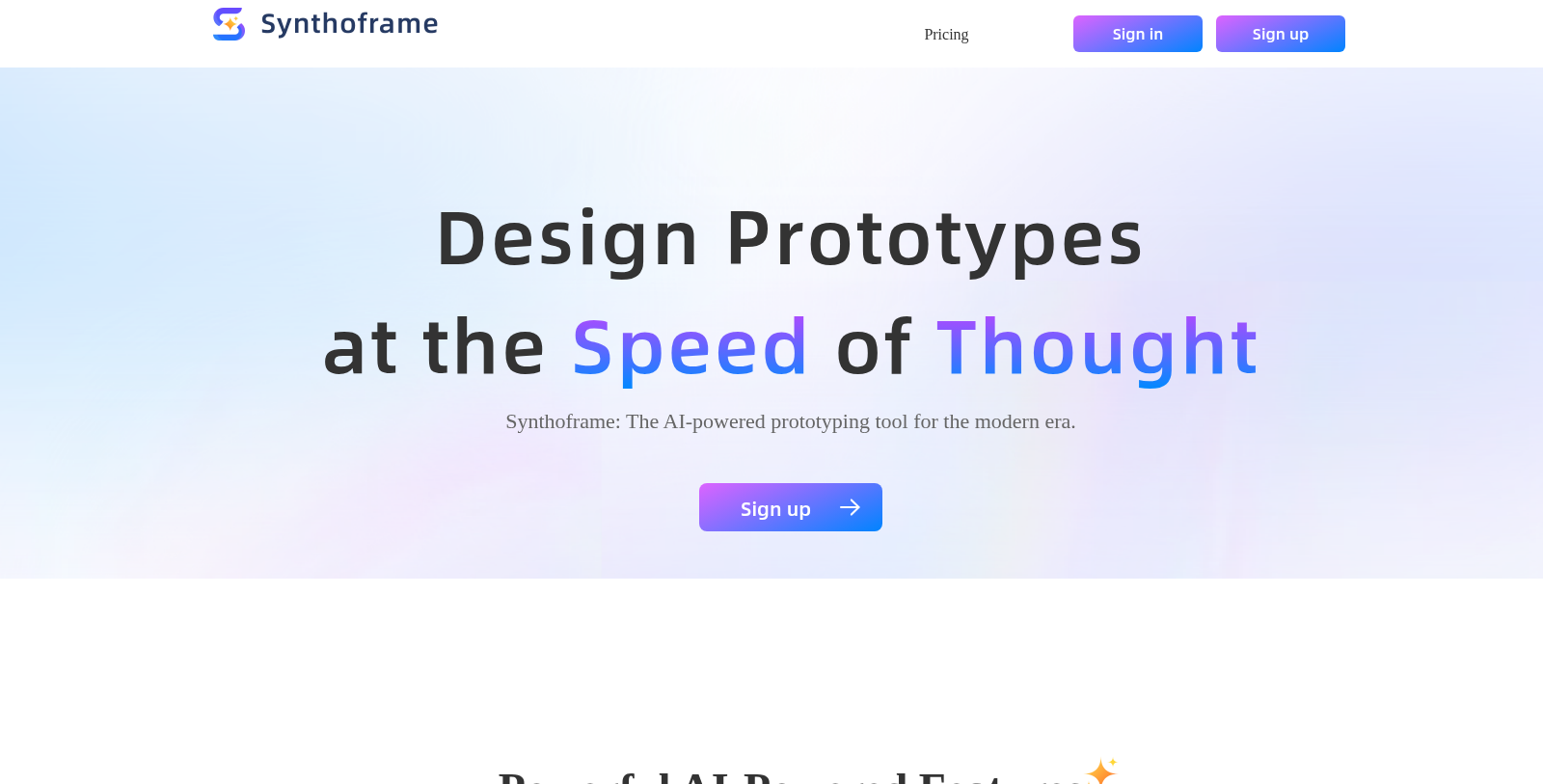
Screenshot of Synthoframe
What is Synthoframe?
Synthoframe is an innovative AI-powered prototyping tool that transforms your ideas into beautiful interfaces in minutes. This powerful platform leverages cutting-edge technology to streamline the design process, allowing users to generate user interfaces effortlessly. If you've ever felt overwhelmed by traditional design software, Synthoframe offers a refreshing alternative. Here, we delve into the core features that make Synthoframe a must-have tool for modern designers.
Generate UIs from Text
One of the standout features of Synthoframe is its ability to convert text descriptions into professional-looking user interfaces. By simply describing your ideas in text, you can receive visually appealing UIs that reflect your vision. This eliminates the steep learning curve associated with conventional design applications, making it accessible to both designers and non-designers alike.
Generate UIs from Images
Not everyone is comfortable with writing out descriptions, which is why Synthoframe allows you to generate designs from images. You can upload sketches or reference images, and the tool will intelligently analyze them, converting them into polished user interfaces in just minutes. This feature caters to those who prefer a more visual design approach.
Interactive Prototypes
Create interactive, high-fidelity prototypes with a singular command. Synthoframe turns your static designs into interactive experiences, providing a more realistic user experience. This capability is invaluable for testing designs and gathering feedback before moving on to development.
Flexible Editing Options
Customization is key in design, and Synthoframe does not fall short. Users can opt for intelligent optimization for quick adjustments or dive into edit mode for meticulous tweaking of every detail. This flexibility ensures that your final product aligns perfectly with your vision.
Consistent Style Across Projects
Maintaining a unified design language across an application is essential for any project. With Synthoframe, you can ensure consistency by referencing pages or reusing content blocks as needed. This capability allows for efficiency and coherence throughout the design process, enhancing the overall quality of the finished product.
Why Choose Synthoframe?
Join the community of innovators and experience how AI can elevate your design process with Synthoframe.
Pros & Cons
Pros
- AI technology enables rapid UI generation from text descriptions or images.
- Instantly create interactive prototypes from static designs with a single command.
- Maintains design consistency with reusable content blocks and reference pages.
Cons
- Users must manage design credits, which can limit actions when depleted.
Frequently Asked Questions
Synthoframe is free to start, with paid plans from 0 to 20 USD per month.
According to our latest information, this tool does not seem to have a lifetime deal at the moment, unfortunately.
Synthoframe provides several powerful features to streamline UI design. Users can generate UIs from simple text descriptions, making it easy to bring ideas to life without extensive design skills. Additionally, you can upload images or sketches to convert them into polished UIs. Synthoframe also allows users to create interactive prototypes with a single command, ensuring an engaging user experience. For further customization, flexible editing options enable adjustments to 1designs while maintaining a consistent style throughout the application.
Synthoframe offers several innovative AI-powered features, including the ability to generate UIs from text, where users can describe their ideas and receive a professional UI in minutes. Users can also upload sketches or images, allowing Synthoframe to analyze and convert them into polished UIs. Additionally, it provides tools for creating interactive prototypes with a single command, ensuring a realistic user experience.
Credits are integral to using Synthoframe, with specific design actions requiring a set amount. Generally, each design action or edit costs 25 credits. The free plan includes 200 credits monthly, but you can earn more through paid subscriptions. It's essential to manage your credits effectively; if you exhaust them, you won't be able to perform additional design actions until your credits reset or you upgrade your plan to get more.
Creating interactive prototypes in Synthoframe is straightforward. Once you have your static design ready, you can issue a single command to transform it into a high-fidelity interactive prototype. This feature significantly enhances the user experience, allowing designers to demonstrate usability and flow without additional effort.
The free plan in Synthoframe allows users to work on unlimited projects and pages, but it limits monthly credits to 200. Each design action or edit typically costs 25 credits. Once users exhaust their credits, they will need to upgrade their subscription to continue accessing design features, as they won't be able to create or edit further until credits are replenished.
To get started with Synthoframe, first, sign up for a free account on their website. Once registered, explore the intuitive interface and familiarize yourself with the features, such as UI generation from text and images. Start by describing your design idea or uploading a reference image to see Synthoframe in action. Use the provided credits to experiment with prototyping and refine your designs in real time.
Absolutely! Synthoframe is designed to help you maintain a consistent design style throughout your various projects. You can reference existing pages, reuse content blocks, and duplicate pages to ensure a unified design language. This feature is particularly beneficial for teams or individuals working on branding that requires visual continuity across different applications.
Yes, Synthoframe allows exporting designs to Figma, which is beneficial for users who need to transition their projects into more comprehensive design suites. This integration helps streamline workflows, making it easier to collaborate with teams that rely on other design tools.
If you run out of credits in Synthoframe, you will not be able to perform any design actions that require credits. To continue working, you can either upgrade your subscription plan to obtain more credits or wait for your monthly credits to reset. It's essential to manage your usage to avoid interruptions in your design workflow.
If you run out of credits on Synthoframe, you won't be able to perform specific actions like designing or editing until you acquire more credits. You can choose to upgrade your subscription plan to receive additional credits immediately, or wait until your monthly credits are reset. Keep an eye on your credit usage to plan your design activities effectively.
Absolutely! Synthoframe offers flexible editing options: users can let the AI optimize designs or manually adjust every detail in edit mode. This allows designers to ensure that the final output meets their specific requirements and preferences.
Synthoframe offers multiple export options for your projects. Users can export designs as images, Axure demo files, or even generate a requirements document. For those on the Pro-20 plan, you can also export directly to Figma, enabling seamless integration with other design workflows. This flexibility allows designers to share their work in various formats that suit their project needs.
Synthoframe helps users maintain a consistent style by allowing them to reference existing pages, reuse content blocks, and duplicate pages efficiently. This feature ensures that design elements are consistent throughout an application, making it easier to create a cohesive, professional look.
Yes, Synthoframe provides support for its users. You can reach out to their support team via the email provided on their website. Additionally, the site offers a comprehensive documentation section that can guide you through common issues and questions. Utilizing these resources can help you maximize your experience with the tool.
Creating interactive prototypes with Synthoframe is exceptionally quick, as the tool lets you turn static designs into high-fidelity prototypes with a single command. This feature is particularly beneficial for designers looking to streamline their workflow and produce realistic user experiences without spending excessive time on manual adjustments.
Yes, users can reach out for support by emailing support@synthoframe.com. They also have access to documentation and updates through the Synthoframe website, where they can find answers to common questions or guidance on using the tool effectively.