Follow for updates & deals
Get alerts for TurboStyle discounts, feature releases & pricing changes
Similar Tools

Motiff
Generate custom user interfaces using text prompts or reference images for efficient design workflows.

Uizard
Simplifies UI design by generating components from text descriptions for quick prototyping.
CreateMyBanner
Generate optimized social media banners with AI to enhance engagement and visual appeal.

Framer
Easily design and launch custom websites with no coding required.

Sketchflow
Generate web and app designs with AI-powered code from your ideas and input images.

TurboStyle Media Gallery
What is TurboStyle?
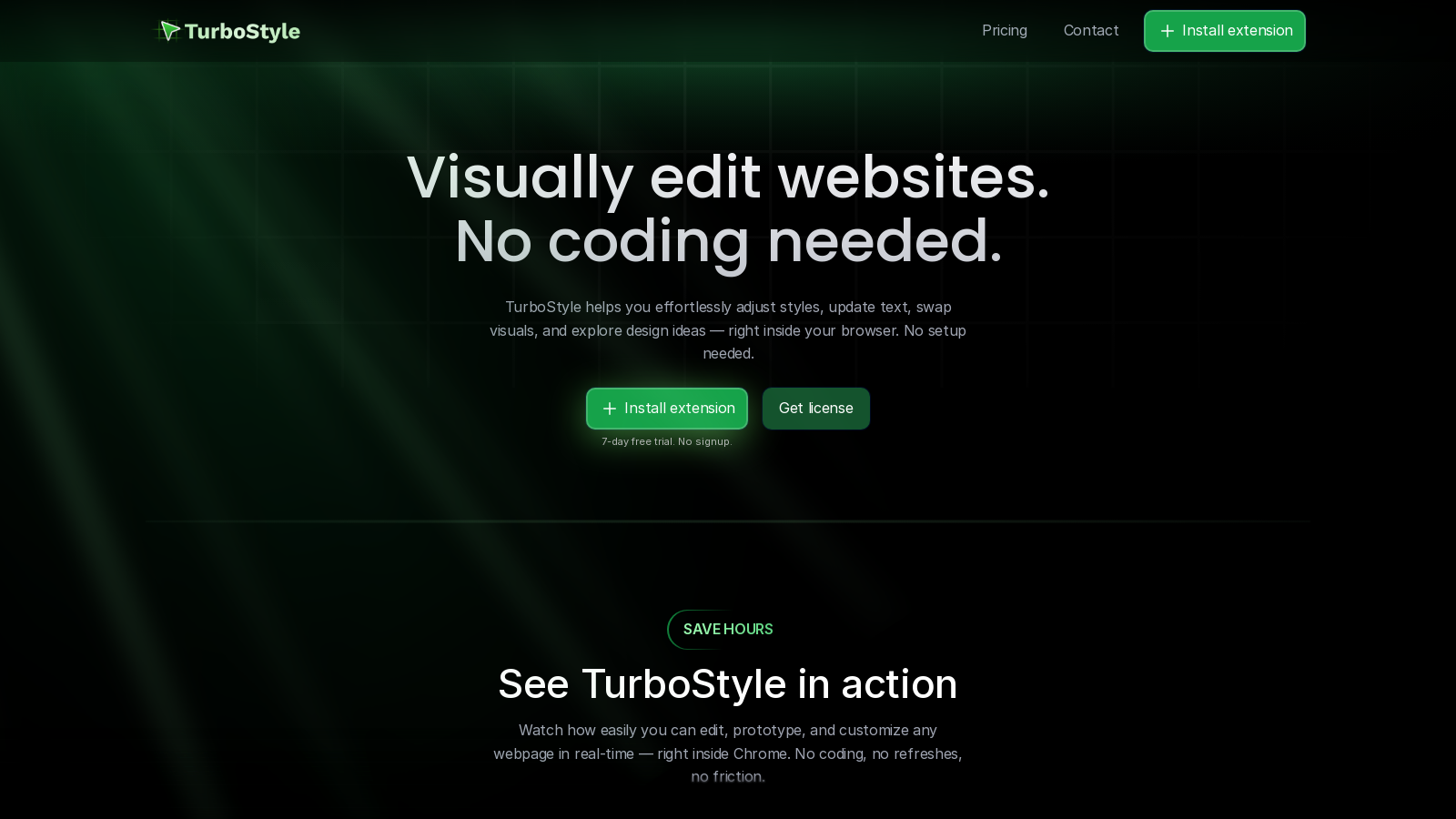
TurboStyle is an advanced Chrome extension that revolutionizes web design by allowing users to visually edit and customize any webpage without any coding requirements. It is specifically crafted for designers, developers, and product teams who wish to rapidly iterate on their website designs and prototypes. With TurboStyle, you can seamlessly adjust styles, update text, swap visuals, and explore design ideas directly within your browser, eliminating the typical setup hurdles associated with web development.
The intuitive interface of TurboStyle stands out as a key feature, enabling users to make edits quickly and efficiently. With just a right-click, users can select elements on the page and modify them instantly. Whether it’s changing text, swapping images, or replacing videos, all actions can be completed in mere seconds. This real-time editing experience keeps your workflow smooth and uninterrupted, as TurboStyle allows multiple changes without requiring constant refreshing of the webpage.
Another exciting feature is the Instant Style Presets functionality. Users can create their own presets or select from a curated list of colors, backgrounds, shadows, animations, and more. This feature is designed to enhance the design process by speeding up modifications and fostering creativity, as diverse styling options can be applied instantaneously.
TurboStyle also offers a responsive preview feature, which allows designers to transition seamlessly between mobile, tablet, desktop, or custom screen sizes for testing their adjustments. This capability is essential for ensuring modifications appear correctly on all devices without needing separate tools or workflows. The before-and-after comparison tool ensures that design integrity is maintained, allowing users to effectively track changes and revert to the original states if necessary.
Designed with speed and efficiency in mind, TurboStyle streamlines the design process. Unlike traditional methods that often require manual coding and tedious CSS tweaks, TurboStyle facilitates rapid prototyping in minutes rather than hours, significantly reducing friction in the creative workflow. The lightweight nature of this extension ensures that it operates smoothly within Chrome, preventing performance issues or browser slowdowns.
Daniel Fulop, the founder of TurboStyle, developed this tool from a desire for a more flexible and agile web design solution. His vision was to empower users to enhance productivity and edit websites directly, effectively bridging the gap between concept and execution without unnecessary delays. TurboStyle encapsulates this vision, offering a robust design toolkit aimed at accelerating the web creation process.
For users hesitant about adopting a new tool, TurboStyle provides a 7-day free trial without the need for signup or credit card details. After the trial period, users can choose to purchase a one-time license, ensuring that there are no recurring fees or hidden costs. This pricing model encourages users to invest in their productivity without being tied to ongoing financial obligations. All these features combined within an easy-to-use interface position TurboStyle as a transformative tool for individuals and teams tackling web design challenges.
In addition to its core functionalities, TurboStyle includes several other powerful tools that enrich the user experience. You can effortlessly export your custom changes in clean, ready-to-use CSS with just one click, making it easier to implement adjustments across projects. Each feature is designed to support a seamless in-browser workflow, allowing you to prototype ideas faster than ever.
TurboStyle is not just another design tool; it’s a comprehensive solution aimed at maximizing your creativity and efficiency. It eliminates the barriers posed by traditional web development, offering a simplified approach to make real-time edits, prototype designs, and conduct responsive testing, all in a hassle-free manner.
Pros & Cons
Pros
- Allows real-time visual editing of any webpage directly in the browser.
- No coding skills are required, making it accessible for designers and teams.
- Instant style presets and clean CSS export streamline the design process.
Cons
- Currently only available as a Chrome extension, limiting browser compatibility.
Frequently Asked Questions
TurboStyle uses a credit-based system with credits priced from 49 to 49 USD.
This tool offers a lifetime deal.
TurboStyle offers a variety of powerful features designed for quick and easy website edits without any coding. Key features include the ability to edit text and media instantly, choose from a selection of style presets for colors and animations, and preview your changes across different screen sizes. Additionally, TurboStyle offers a before-and-after comparison tool, enabling you to view your edits alongside the original design for more precise control over your adjustments.
Getting started with TurboStyle is simple! You can begin by installing the TurboStyle Chrome extension, which is available for a 7-day free trial with no signup required. After installation, you can immediately start editing any webpage in real-time. Explore the intuitive interface, and you can prototype ideas and make adjustments straight away, benefiting from instant visual feedback as you work.
Yes, TurboStyle is designed to function on any website. You can edit and prototype directly on live sites, landing pages, and any other web content. This flexibility enables users, ranging from designers to developers, to experiment with and refine ideas quickly without the need for extensive setup or coding knowledge.
TurboStyle offers a range of support options for its users. You can reach out to us via email at hello@turbostyle.io with any questions, feature requests, or bug reports. The team is committed to responding within 24 hours. Additionally, users are encouraged to consult the FAQ section on the TurboStyle website for quick answers to common inquiries.
During the 7-day free trial of TurboStyle, users can enjoy full access to its features without any limitations or credit card input requirements. This trial allows you to explore all functionalities before deciding to purchase a license key. However, once the trial period expires, you will need to buy a license to continue using the service uninterrupted.
If you encounter any issues while using TurboStyle, please report them by emailing hello@turbostyle.io. Please provide detailed information about the problem you encountered to facilitate a more efficient resolution. The support team is dedicated to providing assistance and addressing any concerns within 24 hours of your communication.
Yes, TurboStyle allows you to export all your adjustments in clean, ready-to-use CSS with just one click. This feature is handy for developers and designers who want to implement changes made during their editing directly into their codebase without any hassle.
To get the most out of TurboStyle, familiarize yourself with the right-click context menu for instant element selection. Utilize the instant style presets for quick design adjustments, and frequently use the responsive preview feature to check how your changes appear on various devices. Experimenting with prototypes within the 7-day trial will also help streamline your workflow before committing to a license.