







VidStats

AI-powered
YouTube analytics dashboard with realtime views plus AI tools for titles, SEO, thumbnails and uploads
Vidstats.proOpens in new tabIs this your tool? Claim this page
Claim Your Tool Page
Free to claim • Premium features available
- Verified Badge – Show users your tool is legitimate with a verified checkmark that builds instant credibility.
- Edit Your Profile – Update descriptions, screenshots, pricing, and keep your listing accurate and up-to-date.
- Boost Visibility – Get featured placements, priority listing in categories, and promotional badges to stand out.
- Respond to Reviews – Engage with your users by responding to feedback and building trust with potential customers.
Follow for updates & deals
Get alerts for VidStats discounts, feature releases & pricing changes
Similar Tools

Profound
AI marketing platform that tracks brand visibility in AI search and deploys agents to act on it

OpenLink Structured Data Sniffer
Discover structured metadata in HTML documents.

GTmetrix
Analyze and optimize website speed with detailed performance reports and actionable recommendations.

QuickCreator
AI content team of agents that researches, writes and optimizes SEO articles in your brand voice

Yahini
AI content agents for keyword research, briefs and drafts in one content operations workspace

RivalFlow
Content optimization tool by SpyFu that suggests page improvements to rank in search and AI answers

ReSO
AI search visibility service that tracks and improves brand mentions in LLM answers

WordAi
AI text rewriter that restructures sentences and aims to pass AI detection
New Tools

Text Generator
OpenAI-compatible API giving access to many AI text, vision and speech models through one endpoint

RambleFix
Turns spoken voice notes into polished emails, notes and summaries on web, iPhone and Mac

Linfo.ai
Summarizes articles, YouTube videos and documents into takeaways, outlines and mind maps

Brain Pod AI
AI platform for writing, images and chat, now evolving into Charigent with AI characters and workflows

AutoBlogging.Pro
Generates SEO-optimized blog articles with GPT models and publishes them to WordPress automatically

Vsub
Turns a script or voiceover into narrated, illustrated faceless videos using your own style template

VideoToPage
Turns YouTube videos, uploads and recordings into blog posts, articles and social posts

VidStats Media Gallery
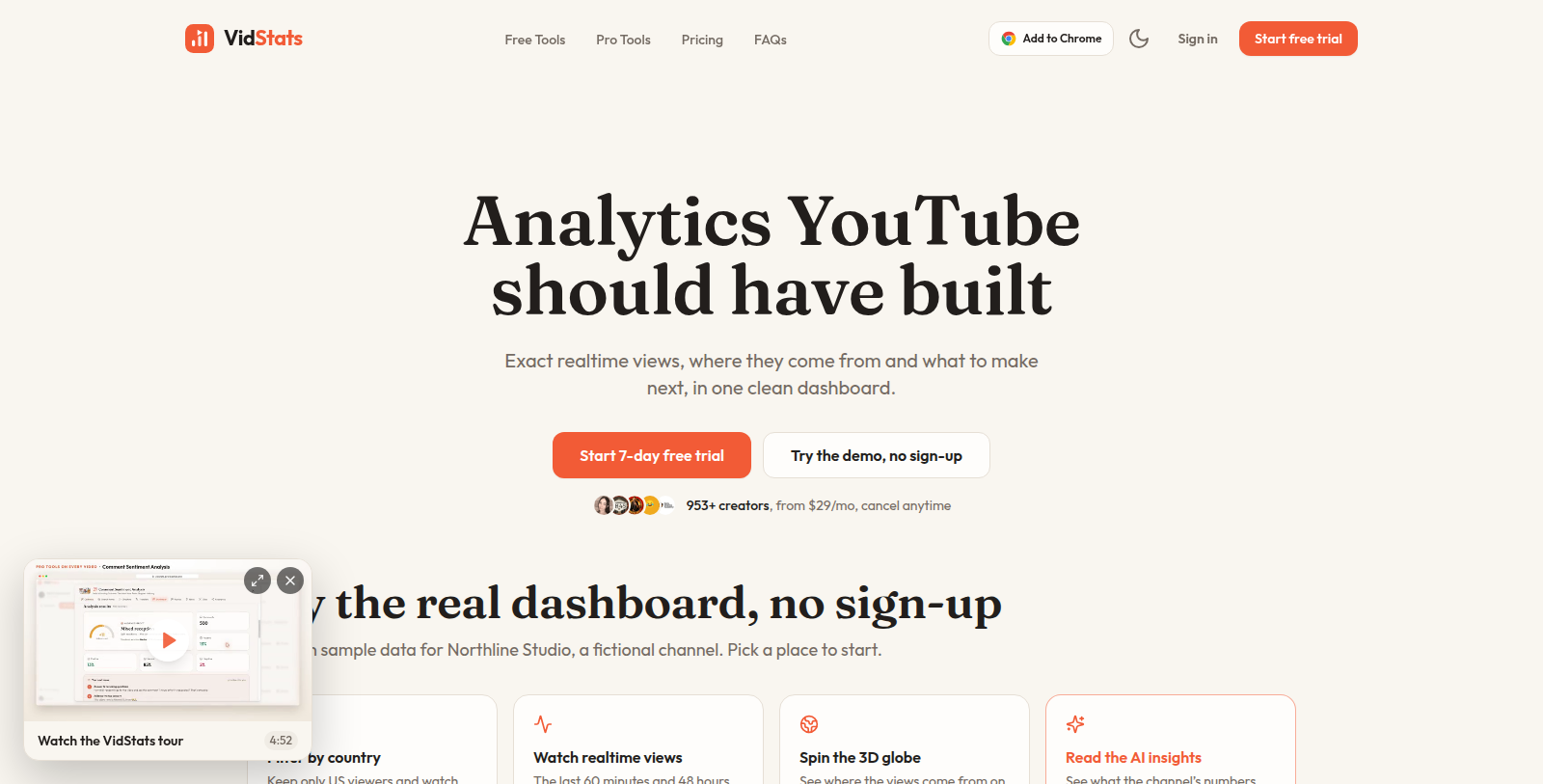
Screenshot of VidStats
What is VidStats?
VidStats combines a realtime YouTube analytics dashboard with AI tools for creators. The dashboard shows views for the last 60 minutes and 48 hours, top videos, traffic sources, audience, revenue and live stream viewers, synced from YouTube Studio by a Chrome extension.
The pro tools include keyword research, AI-written titles, descriptions, tags, chapters and translations, a live SEO score, a thumbnail studio, a Shorts clip finder and a comment reply assistant, plus a smart uploader and scheduler. A dashboard can also be shared through a public link.
Plans start with a 7-day free trial. Pro costs $29 per month ($249 per year) for one channel and includes 100 AI credits monthly; Agency costs $39 per month ($349 per year) for up to three channels with 500 credits. Free tools are also offered.
Pros & Cons
Pros
- Realtime dashboard shows views for the last 60 minutes and 48 hours
- Includes a live SEO score, thumbnail studio and Shorts clip finder
- Dashboards can be shared through a public link
Cons
- Realtime figures depend on a Chrome extension that syncs data from YouTube Studio
Frequently Asked Questions
How much does VidStats cost?
VidStats is a paid service. Check their website for pricing.
Does VidStats have a lifetime deal?
According to our latest information, this tool does not seem to have a lifetime deal at the moment, unfortunately.
What does the VidStats realtime dashboard show?
The dashboard shows views for the last 60 minutes and the last 48 hours. It also lists top videos, traffic sources, audience, revenue and live stream viewers. A Chrome extension syncs this data from YouTube Studio, so the figures come straight from your channel.
Which AI tools are part of the VidStats pro set?
The pro tools include keyword research, AI-written titles, descriptions, tags, chapters and translations. A live SEO score, a thumbnail studio, a Shorts clip finder and a comment reply assistant are included too. A smart uploader and scheduler handle the publishing side.
Can I share my VidStats dashboard with someone?
A dashboard can be shared through a public link, which lets a manager, client or collaborator view the numbers without needing a separate report. The link is a practical way to show progress in a meeting. Because the dashboard is realtime, the shared view reflects the latest figures each time it is opened.
Who is VidStats designed for?
VidStats suits YouTube creators and channel managers who want analytics and AI editing tools in one place. Pro tools help with search and packaging, while the realtime dashboard covers day-to-day tracking. Free tools are also offered, so you can test some features before using the paid set.
Notice: This website uses affiliate links to earn commissions from sales. Please read their ToS when signing up somewhere.