













Wan

Create animated character videos and dynamic images from audio and prompts using this open-source tool.
Wan.video
Is this your tool?
Follow for updates & deals
Get alerts for Wan discounts, feature releases & pricing changes
Similar Tools

VisionFX
Generate images, videos, music, and voice using AI for creative content creation.
Civitai
A community-driven platform for creating and sharing generative AI art and models.

Vizard
Automate the conversion of long videos into engaging short clips for social media platforms.

JoggAI
Generate professional videos using customizable AI avatars and text prompts in multiple languages.

Masonry
A collaborative platform for generating and customizing images and videos using AI models.

Wan Media Gallery

Wan (review) video
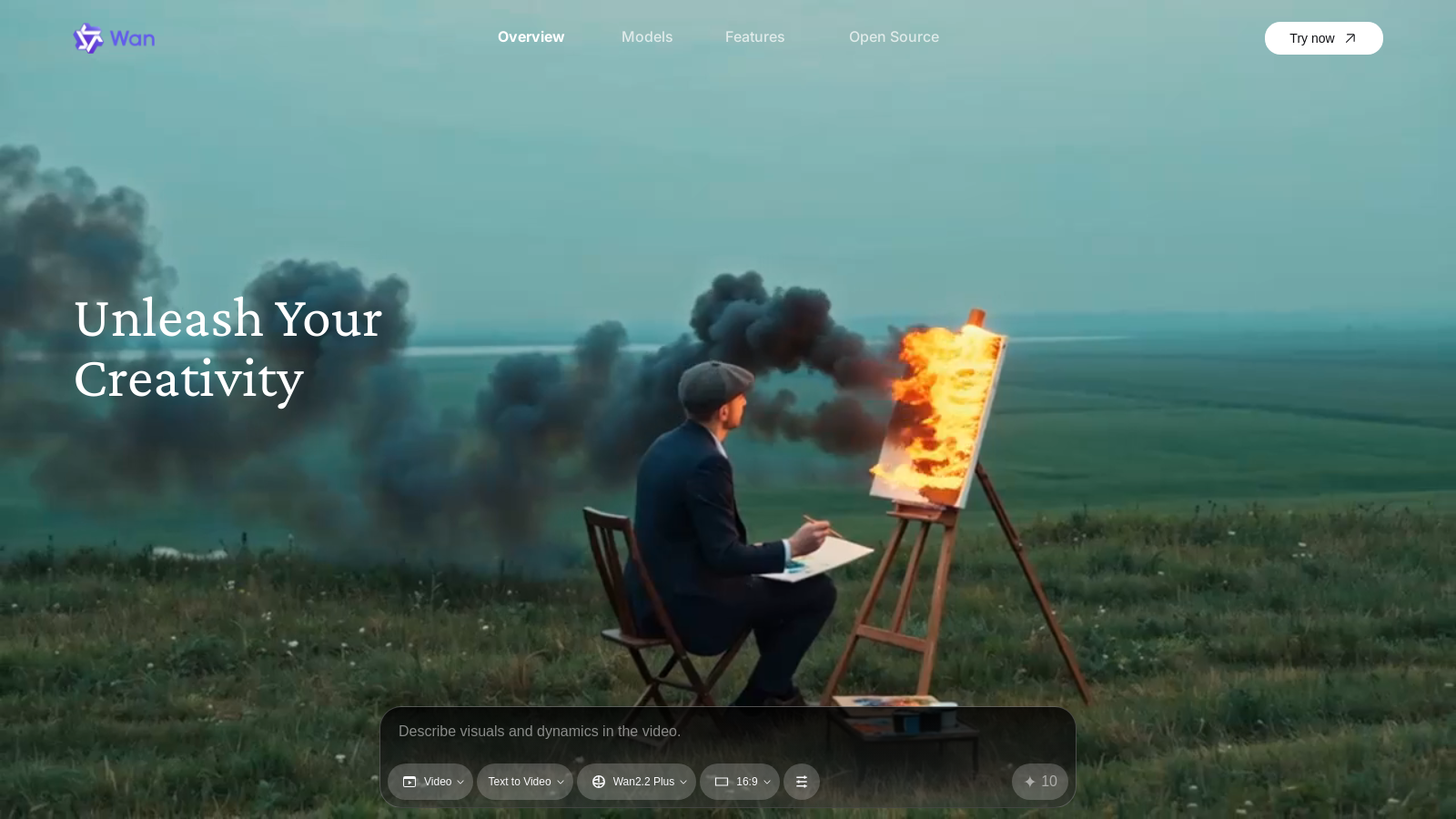
Screenshot of Wan
What is Wan?
Wan is a groundbreaking open-source tool designed for video and image generation, leveraging advanced machine learning techniques to transform your creative ideas into stunning visual representations. The platform is built on the innovative Wan2.2 model, which incorporates a Mixture-of-Experts (MoE) architecture for enhanced performance and quality.
The fascinating capabilities of Wan allow users to generate high-quality, expressive character videos from audio clips and images with remarkable detail. Among the highlights of this tool is the Speech to Video (S2V) feature, which applies lifelike facial expressions and body movements to characters using sophisticated audio synchronization techniques. This enables the creation of animated sequences that captivate audiences, whether they are simple cartoons or complex narratives.
The Image to Video (I2V) functionality ensures that motion dynamics are both stable and natural. Users can expect excellent adherence to prompts and consistent output that aligns closely with the source images, making it easier to visualize ideas in a dynamic format.
For those looking to push the boundaries of traditional video production, the Text to Video (T2V) feature provides precise cinematic control. Users can recreate sophisticated movements and apply optimized prompt interpretation for a seamless experience. Whether generating 5-second clips for social media or longer videos for academic presentations, Wan stands out as an efficient tool focused on creative expression.
Open Source Features
With the introduction of Wan2.2, the tool presents numerous compelling innovations and improvements. The open-source nature of this update enables developers and researchers to explore the workings of the models thoroughly. The model's data scaling is impressive, with a significant increase in the dataset used for training, ensuring a broader generalization across various dimensions – including aesthetics and scene motion.
Technical Innovations
Key innovations include the integration of cinematic aesthetics into the model, which supports customizable visual styles, allowing users to create content that aligns perfectly with their artistic vision. The architecture also leverages MoE to enhance model capacity while maintaining computational efficiency.
Ease of Use
Wan offers intuitive tools for users to create and edit various media formats. The user-friendly interface enables seamless video editing through a timeline feature that allows for clip splicing and additional generative options. This functionality facilitates creativity from concept to final output without requiring specialized technical skills, making it accessible to a broader audience.
Applications and Potential
Whether you are an artist, educator, or content creator, Wan opens up a myriad of possibilities. The potential applications range from producing engaging educational videos to developing intricate storytelling animations. By harnessing this technology, users can effectively engage their audiences, sparking interest and imagination through visual storytelling.
In conclusion, Wan represents a significant advance in the field of video and image generation, offering powerful tools that empower creators to bring their ideas to life. With the support of open-source development and community engagement, it is poised to remain at the forefront of innovation in visual media.
Pros & Cons
Pros
- Generates high-quality, expressive videos driven by audio and visual prompts.
- Open-source model with advanced Mixture-of-Experts architecture enhancing performance.
- Supports versatile applications such as text-to-video and image-to-video generation.
Frequently Asked Questions
Wan is available at no cost.
According to our latest information, this tool does not seem to have a lifetime deal at the moment, unfortunately.
Wan offers several types of video generation capabilities, including Speech-to-Video (S2V), Image-to-Video (I2V), Text-to-Video (T2V), and Text-to-Image (T2I). This enables users to create expressive character videos from images and audio, generate dynamic videos from static images, and produce high-quality videos from text prompts. These versatile features cater to a diverse range of creative projects, helping users bring their ideas to life with unique visuals.
The Mixture-of-Experts (MoE) architecture enhances Wan2.2 by enabling the model to utilize specialized experts for various stages of the video generation process. This means that during the initial stages, a high-noise expert focuses on shaping the overall layout of the video, while a low-noise expert refines the details in later stages. This dual expertise enhances the model's capacity without increasing computational costs, resulting in more efficient and higher-quality video outputs.
To run Wan2.2 effectively, a consumer-grade GPU such as an Nvidia 4090 is recommended. This hardware can support high-definition video generation at 720P resolution with 24 frames per second. Users should also ensure they have sufficient memory and processing power to handle the computational demands of the Mixture-of-Experts model architecture, thereby achieving optimal performance.
Yes, Wan can be integrated with other software tools. For instance, it is now natively supported in ComfyUI, which enhances its usability for creating cinematic-quality videos. This integration enables audio-driven video generation and streamlines the workflow for users seeking to integrate Wan's capabilities with their existing digital tools.
While Wan offers powerful video and image generation capabilities, users should be aware of potential limitations regarding video length and resolution. For example, certain models support video generation at specific resolutions (e.g., 480P and 720P) and may have constraints on the length of videos produced (e.g., 5-second clips). It's essential to manage expectations based on the specific model used within Wan for different creative projects.
To enhance your video creation experience with Wan, start by clearly defining your prompts to maximize the model's output quality. Use specific descriptions for visuals and dynamics, as detailed input leads to more effective results. Experiment with different model types to suit your needs for speech, text, or image generation, and utilize the timeline feature in WanBox for efficient video editing and seamless mixing of clips.
For support or documentation related to Wan, users can visit the official Wan website. The site provides access to resources, guides, and updates related to the software. If you require more specific assistance, consider visiting their GitHub page, where the community may also provide help and share insights on using Wan's features effectively.
Yes, there are several alternatives to DALL-E in the space of video and image generation, such as OpenAI's systems for various creative tasks. However, Wan leverages an innovative MoE architecture, which may offer distinct advantages in specific applications. It's beneficial to explore these alternatives to determine which tool best aligns with your particular goals and creative needs.



