Wudpecker

AI meeting assistant that writes personalized notes for Zoom, Google Meet and Teams calls
Wudpecker.io
Is this your tool?
Follow for updates & deals
Get alerts for Wudpecker discounts, feature releases & pricing changes
Similar Tools

Wispr Flow
Transcribes speech into text for seamless communication across various applications

Otter
Automates transcription and summarizes key points during meetings and conversations.

Fireflies
AI-powered tool that transcribes and summarizes meeting discussions for enhanced collaboration.
Adobe Speech Enhancer
Enhances voice recordings to achieve clear, studio-quality sound for podcasts and voiceovers.

VEED
AI-driven video editor that simplifies video creation and enhances content with automatic features.

Wudpecker Media Gallery
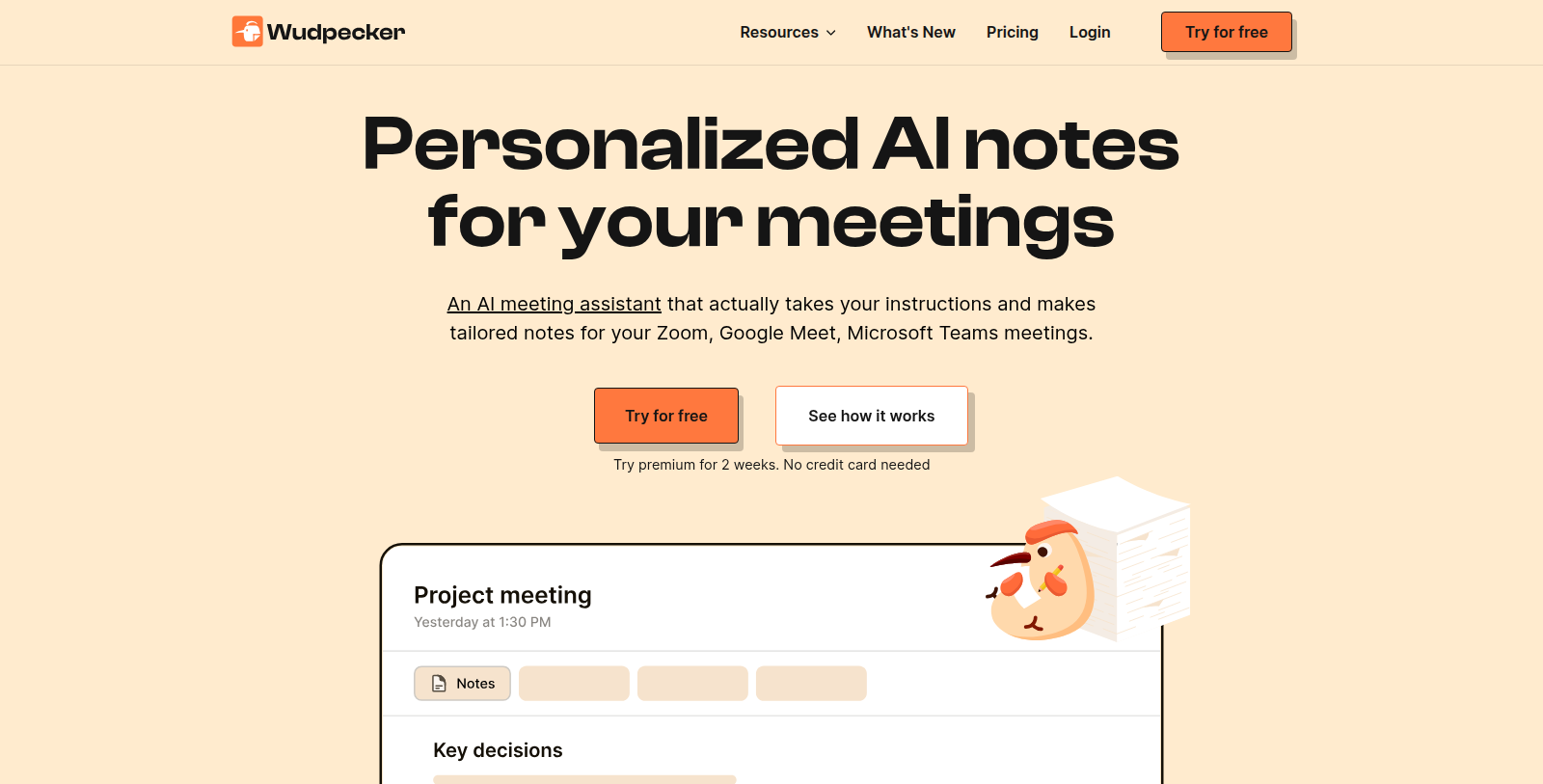
What is Wudpecker?
Wudpecker is an AI note-taker for online and in-person meetings. A notetaker bot joins Zoom, Google Meet and Microsoft Teams calls, and desktop and phone apps can record meetings in person.
Users can instruct the AI to format notes in a preferred structure, focus on particular details and write in any of 35 languages. Notes are fully editable, can be organized into collections, and shared with other accounts or through view-only links.
An Ask Wudpecker feature lets users ask questions about meeting content. The site lists a free plan with 10 meetings per month and a paid Plus plan, and a two-week premium trial without a credit card.
It is intended for professionals and product teams who attend many meetings and want structured, searchable notes.
Pros & Cons
Pros
- Joins Zoom, Google Meet and Microsoft Teams calls with a notetaker bot.
- Writes notes in 35 languages, structured the way the user instructs.
Frequently Asked Questions
Wudpecker is free to start, with paid plans from 19 to 0 USD per month.
According to our latest information, this tool does not seem to have a lifetime deal at the moment, unfortunately.
Wudpecker works with Zoom, Google Meet and Microsoft Teams. A notetaker bot can join calls on those platforms to record and transcribe the meeting. For in-person conversations, the desktop and phone apps can record the meeting directly, so online and face-to-face discussions can both end up in one workspace.
Yes. You can instruct the AI to format notes in the structure you prefer and to focus on particular details. Wudpecker can write notes in any of 35 supported languages. Once generated, the notes are fully editable, so you can adjust wording or sections before sharing them with colleagues or organizing them into collections.
Notes can be shared with other Wudpecker accounts, so teammates can see the same meeting record. You can also create view-only links for people who do not have an account. Notes can be organized into collections, which helps keep recurring meetings or project discussions together and easy to find later on.
Ask Wudpecker lets you ask questions about the content of your meetings. Instead of rereading full transcripts or notes, you type a question and get an answer drawn from what was discussed. It can help you locate a decision, action item or detail from a past call without searching through every recording manually.
Wudpecker is intended for professionals and product teams who attend many meetings and want structured, searchable notes. If your work involves frequent calls and you need a consistent record of decisions and follow-ups, it fits that workflow. For details on specific team features, check the official website.