ImgUpscaler

Online AI image upscaler that enlarges photos 2x or 4x and improves clarity
Imgupscaler.com
Is this your tool?
Follow for updates & deals
Get alerts for ImgUpscaler discounts, feature releases & pricing changes
Similar Tools

PicWish
AI-powered tool for batch background removal and image enhancement

Fotor
Edit photos and create images easily with intuitive tools and AI features for beginners and professionals.
Automatic1111 - Stable Diffusion web UI
Interactive web interface for generating images with Stable Diffusion using the Gradio framework.

PixNova AI
Generate and edit images with AI, including headshots, face swaps, and baby predictions.

Bigjpg
AI image upscaler that enlarges anime artwork and photos up to 16x with less noise

ImgUpscaler Media Gallery
What is ImgUpscaler?
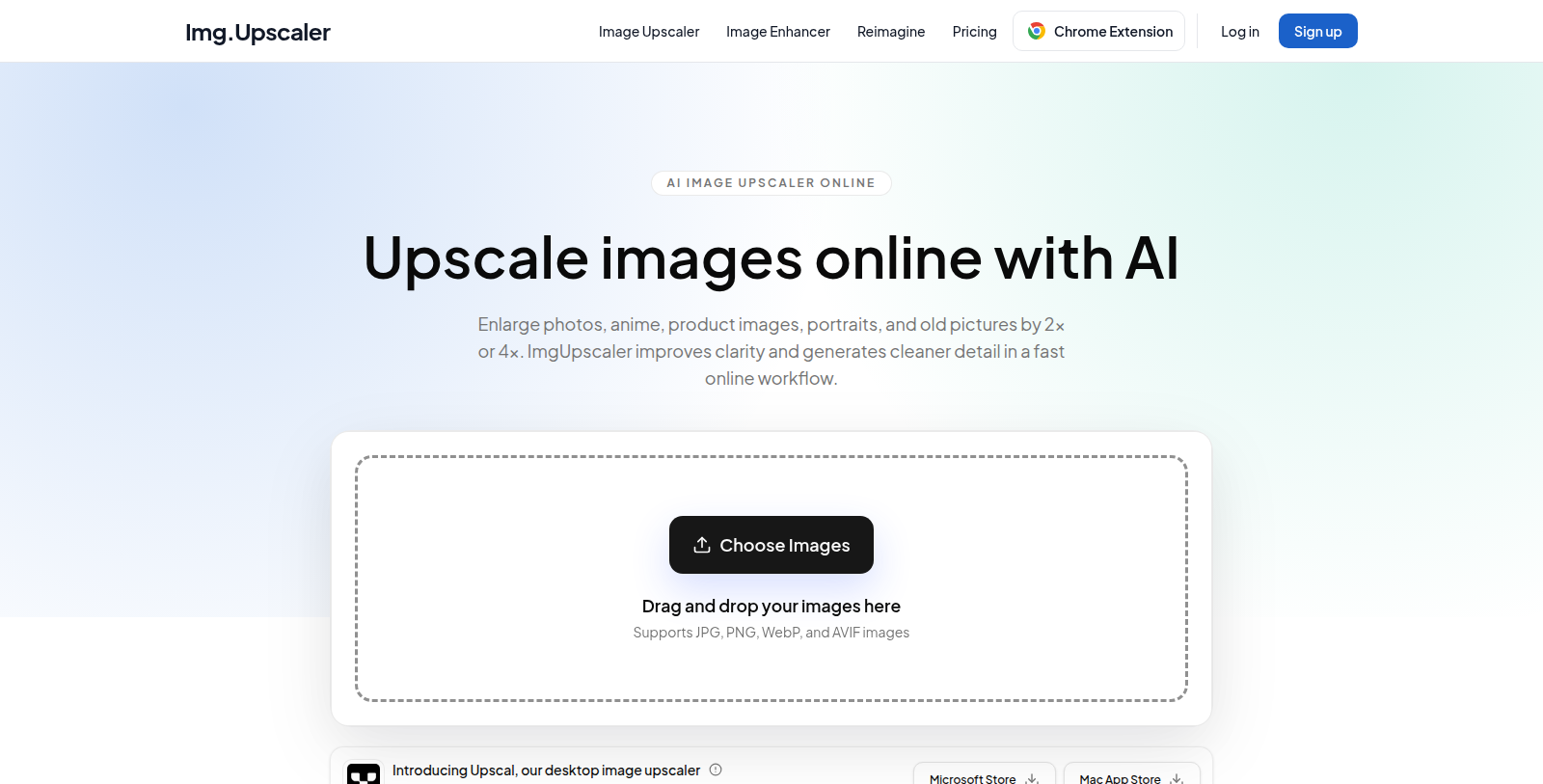
ImgUpscaler is a web-based image upscaler and enhancer. Users upload JPG, PNG, WebP or AVIF files and the AI enlarges them by 2x or 4x while generating cleaner detail, which suits web assets, product photos, anime art, portraits and old pictures.
Besides upscaling, the site offers an Image Enhancer and a Reimagine feature, plus a Chrome extension. Paid plans add batch processing so multiple images can be handled in one run.
According to the pricing page, the Free plan includes 50 credits per month with ads, Premium costs $9.90 per month for 500 credits without ads, and Business costs $19.90 per month with no credit limit. The site also mentions that uploaded files are deleted automatically within 24 hours and that separate desktop apps (Upscal) are sold on their own.
Pros & Cons
Pros
- Enlarges JPG, PNG, WebP and AVIF images by 2x or 4x using super-resolution models.
- Automatically deletes uploaded files within 24 hours, according to the site.
Cons
- Batch processing is reserved for paid plans, according to the site.
Frequently Asked Questions
ImgUpscaler is free to start, with paid plans from 9.9 to 19.9 USD per month.
According to our latest information, this tool does not seem to have a lifetime deal at the moment, unfortunately.
You upload a JPG, PNG, WebP or AVIF file, and the AI enlarges it by 2x or 4x while generating cleaner detail. The site uses super-resolution models to sharpen detail as the image grows. According to the listing, the result suits web assets, product photos, anime art, portraits and old pictures.
The site also offers an Image Enhancer and a Reimagine feature. A Chrome extension is available for working from the browser. For batch work, paid plans add batch processing so multiple images can be handled in one run. Check the official website at imgupscaler.com to see which features each plan includes.
Batch processing is available on paid plans, which lets you handle multiple images in one run. Single-image upscaling works without that option. If your workflow involves large numbers of files, confirm the batch limits on the official website first, because the listing does not describe per-run caps or processing times.
According to the site, uploaded files are deleted automatically within 24 hours. That is useful to know if you work with client or private photos. The listing does not describe the full privacy policy, so review the official terms at imgupscaler.com before uploading sensitive material.
Separate desktop apps, called Upscal on the site, are sold on their own and are not part of the online service described here. If you prefer working offline, check the official website for the current availability and system requirements of those apps before deciding.