







Littlebird

AI-powered
AI assistant that remembers your meetings, messages and docs and acts on them
Littlebird.aiOpens in new tabIs this your tool? Claim this page
Claim Your Tool Page
Free to claim • Premium features available
- Verified Badge – Show users your tool is legitimate with a verified checkmark that builds instant credibility.
- Edit Your Profile – Update descriptions, screenshots, pricing, and keep your listing accurate and up-to-date.
- Boost Visibility – Get featured placements, priority listing in categories, and promotional badges to stand out.
- Respond to Reviews – Engage with your users by responding to feedback and building trust with potential customers.
Follow for updates & deals
Get alerts for Littlebird discounts, feature releases & pricing changes
Similar Tools

Text Generator
OpenAI-compatible API giving access to many AI text, vision and speech models through one endpoint

Brain Pod AI
AI platform for writing, images and chat, now evolving into Charigent with AI characters and workflows
SellMeThisPen
AI sales coaching platform with role-play practice, a 1:1 voice coach and a real-time call assistant

Toby
AI mock interviewer that runs a video-call style practice interview and gives a scored debrief

Myreader
AI reading assistant to ask questions across uploaded books, papers and documents with page references

ZeroTwo
AI agent that plans a goal, works across your files, apps and the web, and returns finished work
Toki
AI executive assistant that handles emails, scheduling, bookings and important matters for you

Tabbit
AI-native desktop browser with page chat, agent task automation, custom skills and tab organization
New Tools

RambleFix
Turns spoken voice notes into polished emails, notes and summaries on web, iPhone and Mac

QuickCreator
AI content team of agents that researches, writes and optimizes SEO articles in your brand voice

Linfo.ai
Summarizes articles, YouTube videos and documents into takeaways, outlines and mind maps

AutoBlogging.Pro
Generates SEO-optimized blog articles with GPT models and publishes them to WordPress automatically

Vsub
Turns a script or voiceover into narrated, illustrated faceless videos using your own style template

VideoToPage
Turns YouTube videos, uploads and recordings into blog posts, articles and social posts

Littlebird Media Gallery
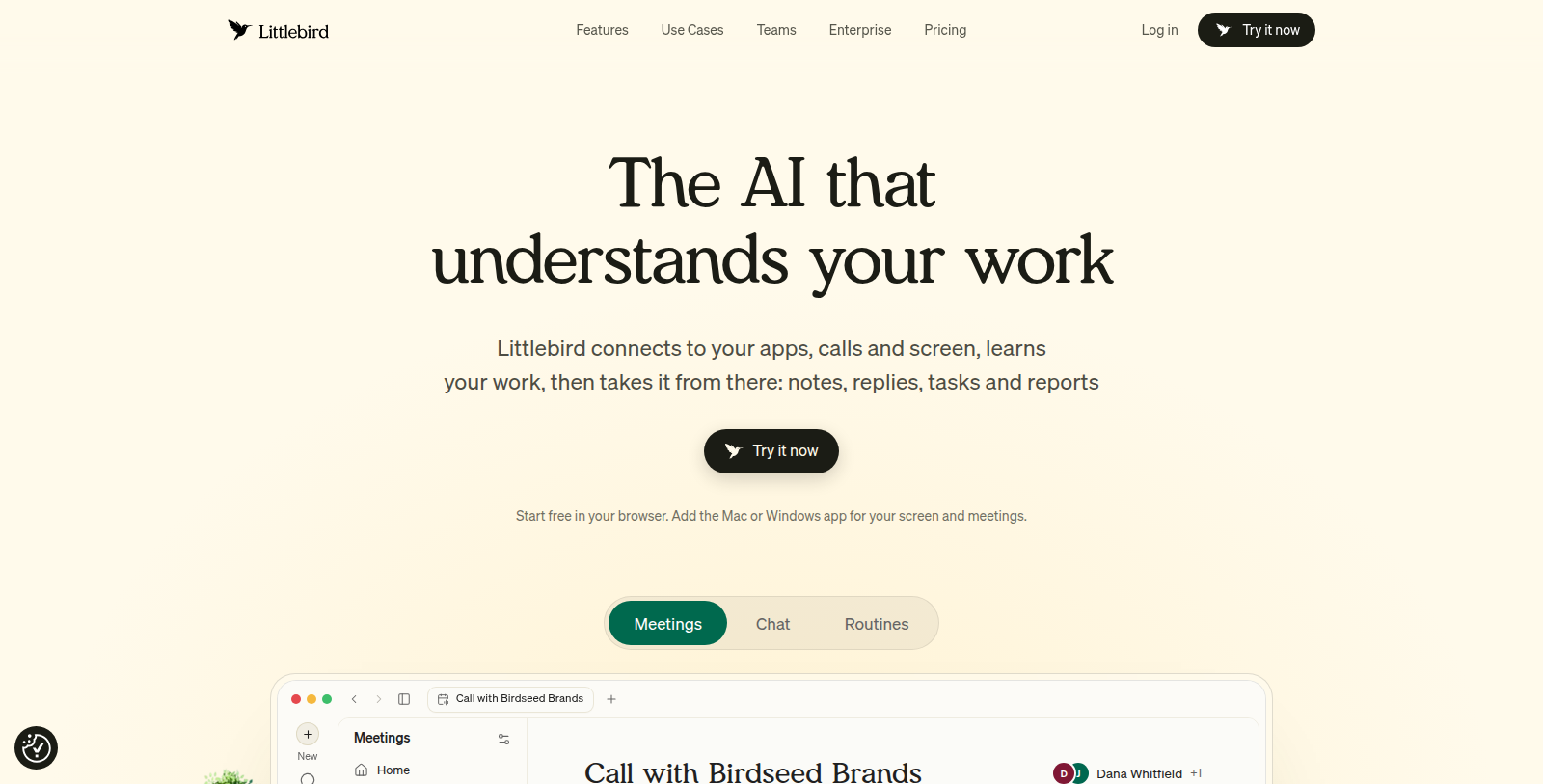
Screenshot of Littlebird
What is Littlebird?
Littlebird is an AI assistant designed to understand your work. It remembers information across meetings, messages, documents and apps, so you can look up any detail without losing context.
Features include a chat with the full picture of your work, automatic meeting notes, routines that produce insights from real work, a hover assistant available wherever you work, and an MCP connection that brings your work memory into other AI tools. It also integrates with workplace tools and has a mobile app and text access.
The site presents use cases for business leaders, creative professionals, developers and product managers, health professionals, client-facing roles and students, and offers team and enterprise plans. A free trial is available.
Pros & Cons
Pros
- Keeps context across meetings, messages, documents and apps.
- Creates automatic meeting notes and routines that surface insights from work.
- An MCP connection shares its work memory with other AI tools.
Cons
- The listing does not name the workplace tools it integrates with.
Frequently Asked Questions
How much does Littlebird cost?
We have no pricing information available now, so please check the Littlebird's website.
Does Littlebird have a lifetime deal?
According to our latest information, this tool does not seem to have a lifetime deal at the moment, unfortunately.
How does Littlebird remember what happened across my tools?
Littlebird keeps context across meetings, messages, documents and apps. You can look up a detail later without losing the surrounding context. Its chat draws on the full picture of your work, so questions can span several of those sources at once.
Does Littlebird take notes during meetings?
Yes, it produces automatic meeting notes. Its routines can also turn real work into insights. The notes become part of the same memory, so you can search them alongside messages and documents. Check the official website for which meeting platforms are currently supported.
How can I bring Littlebird's memory into other AI tools?
An MCP connection carries your work memory into other AI tools. Those AI tools can then draw on the same work context that Littlebird has gathered from your meetings and messages. The product also integrates with workplace tools, though the listing does not name them. For the current list of connected tools and setup steps, see the official website.
What kinds of roles is Littlebird aimed at?
The site presents use cases for business leaders, creative professionals, developers and product managers. It also lists health professionals, client-facing roles and students. Each group is shown with its own use cases on the website, so you can see how the product applies to your work. Team and enterprise plans are also offered.
Can I reach Littlebird from my phone or a hover window?
A mobile app and text access are mentioned in the listing. The hover assistant is described as available wherever you work. Check the official website for which devices support each option, since the listing does not give those details. The mobile app and hover assistant are described as separate options, so you can check each one's details on the website.
Notice: This website uses affiliate links to earn commissions from sales. Please read their ToS when signing up somewhere.