







Morph Studio
AI-powered
AI image and video generator with text-to-video, image-to-video and video style transfer
Morphstudio.comOpens in new tabIs this your tool? Claim this page
Claim Your Tool Page
Free to claim • Premium features available
- Verified Badge – Show users your tool is legitimate with a verified checkmark that builds instant credibility.
- Edit Your Profile – Update descriptions, screenshots, pricing, and keep your listing accurate and up-to-date.
- Boost Visibility – Get featured placements, priority listing in categories, and promotional badges to stand out.
- Respond to Reviews – Engage with your users by responding to feedback and building trust with potential customers.
Follow for updates & deals
Get alerts for Morph Studio discounts, feature releases & pricing changes
Similar Tools

Morphic
AI storytelling suite to generate, animate and edit images and video with a canvas and copilot

Vsub
Turns a script or voiceover into narrated, illustrated faceless videos using your own style template
Mootion
AI video generator that turns text, scripts, ideas and images into scene-based videos

Vidu
AI video generator turning text prompts, images and references into video
Melies
AI studio for filmmakers to generate images, video, voices, music and movie posters

Vidguru
Create videos, images, and audio content with an all-in-one AI platform designed for seamless user experience.

Yolly AI
Generate high-quality videos and images from text prompts in seconds for creative projects.

Auralume AI
Generate professional-quality videos from text prompts and images effortlessly with Auralume AI.
New Tools

Text Generator
OpenAI-compatible API giving access to many AI text, vision and speech models through one endpoint

RambleFix
Turns spoken voice notes into polished emails, notes and summaries on web, iPhone and Mac

QuickCreator
AI content team of agents that researches, writes and optimizes SEO articles in your brand voice

Linfo.ai
Summarizes articles, YouTube videos and documents into takeaways, outlines and mind maps

Brain Pod AI
AI platform for writing, images and chat, now evolving into Charigent with AI characters and workflows

AutoBlogging.Pro
Generates SEO-optimized blog articles with GPT models and publishes them to WordPress automatically

VideoToPage
Turns YouTube videos, uploads and recordings into blog posts, articles and social posts

Morph Studio Media Gallery
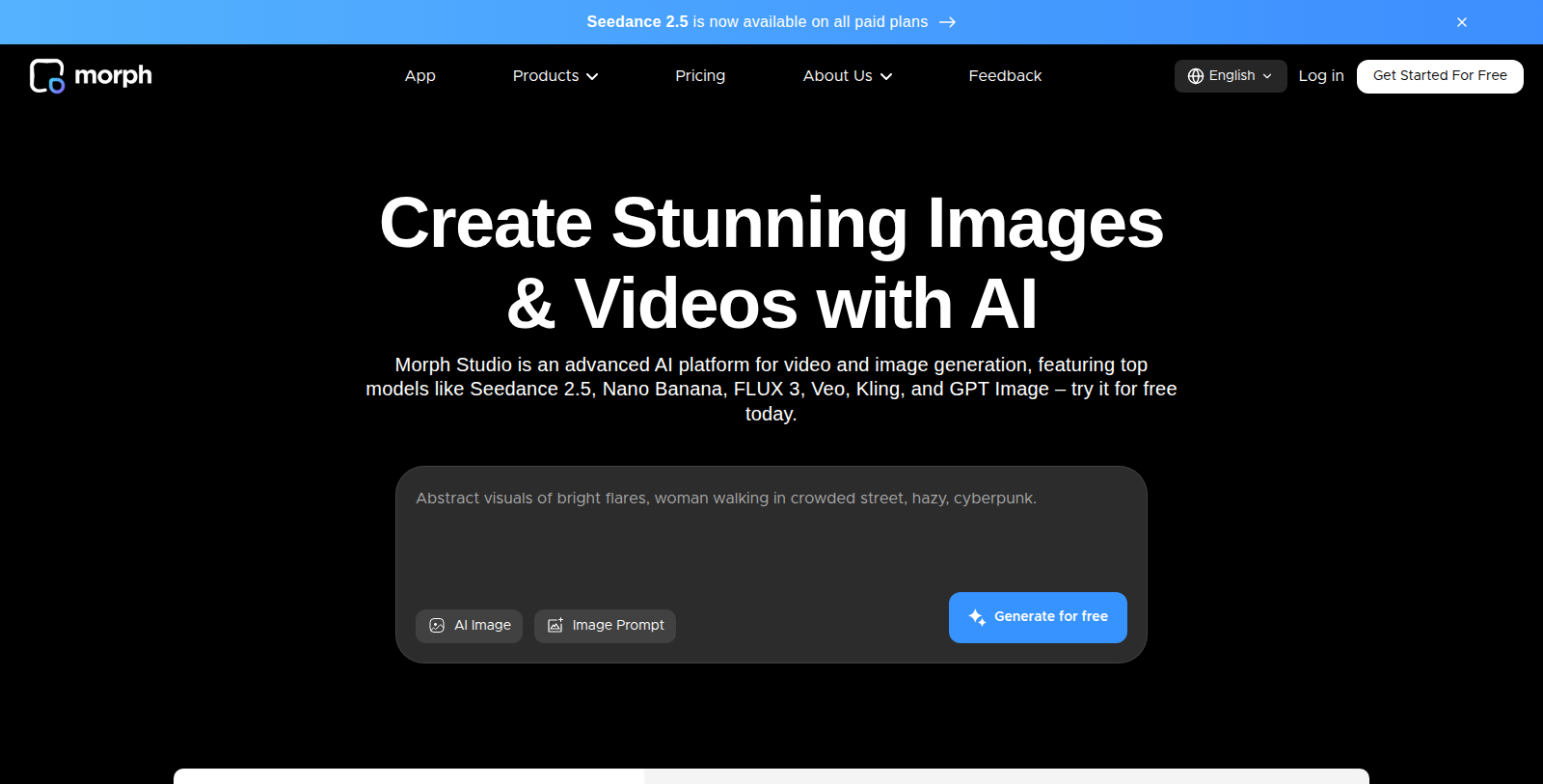
Screenshot of Morph Studio
What is Morph Studio?
Morph Studio is an AI platform for creating images and videos. It combines an Immersive Space for fast prompt-based generation with an Open Canvas, a visual layout for arranging, editing and connecting creations into complete stories.
Features include text-to-video, image-to-video, text-to-image and Video Style Transfer, which converts footage into one of several artistic styles. The site says it provides access to models such as Seedance, Kling, Veo, Wan, FLUX and GPT Image, with generation counts varying by model.
There is a free plan with 75 credits per month. Paid Basic, Pro and Premier plans add more credits, unlimited asset retention and commercial use, with annual billing discounted by 30 percent. Failed video generations do not consume credits.
Pros & Cons
Pros
- Text-to-video, image-to-video and style transfer are available in one suite
- Failed video generations do not consume credits, according to the site
Cons
- Generation counts differ by model, so allowances vary with the model you choose
Frequently Asked Questions
How much does Morph Studio cost?
Morph Studio is available at no cost.
Does Morph Studio have a lifetime deal?
According to our latest information, this tool does not seem to have a lifetime deal at the moment, unfortunately.
What kinds of content can I create in Morph Studio?
Morph Studio covers text-to-video, image-to-video, text-to-image and Video Style Transfer. The last one converts footage into one of several artistic styles. The Immersive Space handles fast prompt-based generation, while the Open Canvas arranges and connects creations into complete stories. Both modes are part of the same creative workflow on the platform.
Which AI models are available through the platform?
The site says it provides access to models such as Seedance, Kling, Veo, Wan, FLUX and GPT Image. The number of generations varies by model, so the allowance you get depends on the one you pick. Check the official site for the current model list before planning a project.
What happens to failed video generations?
According to the site, failed video generations do not consume credits. A generation that does not finish is therefore not charged against your allowance. Credits still matter for successful outputs, so keep an eye on usage when you test many prompts in a row.
How does the Open Canvas help with storytelling?
The Open Canvas is a visual layout for arranging, editing and connecting creations. Rather than treating each image or clip on its own, you place them on one surface to build a complete story. This suits creators who think in sequences and want to see how scenes relate to each other.
Which plans include commercial use?
The site says the Basic, Pro and Premier plans add more credits, unlimited asset retention and commercial use. Check the official site for the current terms of each plan before using outputs in client work, because the listing does not spell out the full conditions.
Notice: This website uses affiliate links to earn commissions from sales. Please read their ToS when signing up somewhere.