Follow for updates & deals
Get alerts for remove.bg discounts, feature releases & pricing changes
Similar Tools

HitPaw
Enhance videos, photos, and audio with easy-to-use multimedia editing tools.

cutout.pro
Automates background removal and enhances images and videos using AI-driven technology.

Pica AI
Revive low-quality images and create professional headshots with AI-powered enhancements.

NVIDIA Studio
Optimize creative projects using NVIDIA RTX GPUs for faster rendering and enhanced editing capabilities.

Malloy
Generate custom animations by typing prompts without needing prior animation skills.

remove.bg Media Gallery

remove.bg (review) video
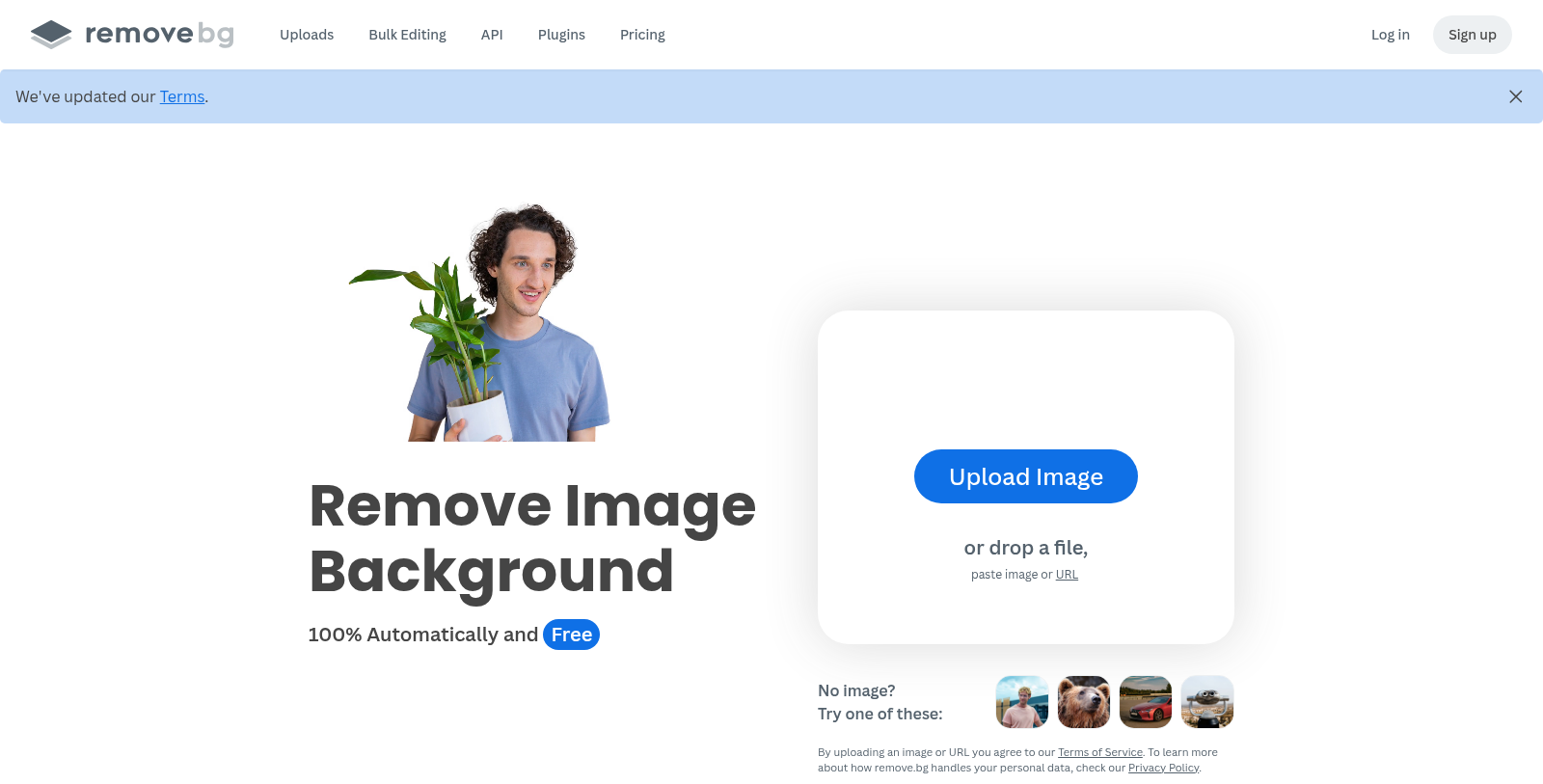
Screenshot of remove.bg
What is remove.bg?
remove.bg is an advanced AI-powered service that simplifies background removal from images. With its easy-to-use interface, users can upload any image and have its background removed within seconds, thus eliminating the tedious task of manual background editing. It has quickly established itself as a favorite among professionals seeking efficiency and superb quality.
The core functionality of remove.bg lies in its automation capabilities. By utilizing sophisticated algorithms, the platform not only identifies the subject of an image but does so with exceptional accuracy, even in complex scenarios involving hair or intricate details. This capability makes it an essential tool for photographers, marketers, and e-commerce businesses alike.
Key Features
remove.bg offers a range of features to enhance user experience:
- Bulk Editing: Users can process batches of up to 500 images per minute, making it ideal for businesses that require high-volume image processing.
- Integration Options: The platform supports integrations with popular tools such as Photoshop, Figma, and Zapier, allowing seamless workflow enhancements.
- Mobile App: With the mobile application, users can remove backgrounds on-the-go, ensuring flexibility and convenience.
- Custom Background Generation: Users can generate unique backgrounds automatically based on the subject of their images, providing creative options for various applications.
Pricing Structure
remove.bg operates on a freemium model, offering users free access to its services with limitations on certain features. Users seeking more extensive capabilities can choose from subscription plans ranging from €8.10 per month for basic features to €80.10 per month for higher-volume needs. Additionally, credits can be pre-purchased for one-time use, providing an additional layer of flexibility in service usage. This tiered pricing structure allows users to choose an option that best fits their needs, whether they are occasional users or require daily access to background removal for a large number of images.
User Satisfaction
remove.bg prides itself on customer satisfaction, featuring numerous testimonials from users who rave about its efficiency and the high quality of its results. Many users report that using this tool to remove backgrounds saves them valuable time and effort, enabling them to focus on more critical areas of their projects.
To complement its services, remove.bg provides a knowledge hub with how-to guides and tutorials, enabling users to leverage its features to their full potential. The ability to quickly access support and learn enhances the entire user experience, making remove.bg a go-to option for image editing on the web.
Pros & Cons
Pros
- Automated background removal in just 5 seconds with high accuracy.
- Supports bulk editing of up to 500 images per minute, enhancing productivity.
- Offers seamless integrations with popular tools like Photoshop, Figma, and Zapier.
Frequently Asked Questions
remove.bg is free to start, with paid plans from 0 to 961.2 EUR per month.
According to our latest information, this tool does not seem to have a lifetime deal at the moment, unfortunately.
remove.bg offers several integrations to streamline your workflow, including officially supported plugins for Adobe Photoshop, Figma, GIMP, and Sketch. Additionally, it provides an API that enables developers to integrate background removal capabilities into their applications and workflows. This integration allows users to automate background removal processes and improve efficiency, particularly suitable for e-commerce and media applications.
The AI background generator is removed.bg allows users to create custom, high-quality backdrops without writing prompts. Users can upload images, and the tool automatically generates suitable backgrounds to enhance their photos. This feature is particularly valuable for users looking to create professional-looking product images or for enhancing portraits, saving time compared to manual editing.
Users should be aware of specific limitations when using images edited with remove.bg. For non-commercial use, results may be used only privately. For commercial purposes, a subscription plan must be used. Additionally, users cannot upload or edit images they do not have the rights to, and care should be taken to ensure that shared content complies with applicable laws and copyright regulations.
remove.bg allows users to process images at impressive speeds, particularly when using its API. The tool offers bulk editing capabilities, enabling users to remove backgrounds from up to 500 images per minute, depending on image resolution. This efficiency is ideal for high-volume users, such as e-commerce businesses that require rapid image updates.
Yes, remove.bg is available via a mobile app that lets users remove backgrounds on the go. This functionality allows users to quickly edit images from their smartphones or tablets, making it convenient for individuals and professionals alike who need to perform background removals without being tethered to a computer.
To use the remove.bg API, developers need to obtain an API key from the remote—bg website. The API is straightforward to integrate into applications with HTTP requests. Users can upload images either directly or via URLs and specify parameters such as output resolution. Detailed documentation and sample code are provided to help developers get started and troubleshoot integration with their apps.
remove.bg offers extensive background manipulation options, allowing users to create custom backgrounds, add solid colors, or select from predefined themes such as nature, seasonal, and creative designs. Additionally, the tool intelligently handles challenging edges, such as hair, ensuring smooth, natural transitions for professional-quality results.
To achieve the best results in removal.bg, users should upload high-resolution images that contain clear subjects. Using the tool's features, such as the Magic Brush, can enhance the editing process by enabling precise adjustments. For optimal image processing, ensure backgrounds are not overly complex to help the AI accurately identify subjects for removal.