







Teachable Machine

AI-powered
Free browser tool from Google to train image, sound and pose recognition models, no code
Withgoogle.comOpens in new tabIs this your tool? Claim this page
Claim Your Tool Page
Free to claim • Premium features available
- Verified Badge – Show users your tool is legitimate with a verified checkmark that builds instant credibility.
- Edit Your Profile – Update descriptions, screenshots, pricing, and keep your listing accurate and up-to-date.
- Boost Visibility – Get featured placements, priority listing in categories, and promotional badges to stand out.
- Respond to Reviews – Engage with your users by responding to feedback and building trust with potential customers.
Follow for updates & deals
Get alerts for Teachable Machine discounts, feature releases & pricing changes
Similar Tools
Zoer
AI app builder that generates full-stack web apps with database and login from a text description

HeyBoss
Describe a website, app or store in plain language and AI builds, hosts and maintains it

CrewAI
Multi-agent platform to build, govern and run AI agent workflows, with an open-source framework

Caffeine
Chat-based builder that creates apps, services and websites with AI built in

Bitrig
Mac app that turns plain-language descriptions into native Swift apps you can ship

EZsite AI
Builds full-stack React apps from a text prompt or by cloning an existing website

PageAI
AI website builder that generates a production-ready Next.js codebase from one prompt

EnhanceAI
Adds GPT-powered autocomplete to website forms, surveys and text inputs with a few lines of code
New Tools

Text Generator
OpenAI-compatible API giving access to many AI text, vision and speech models through one endpoint

RambleFix
Turns spoken voice notes into polished emails, notes and summaries on web, iPhone and Mac

QuickCreator
AI content team of agents that researches, writes and optimizes SEO articles in your brand voice

Linfo.ai
Summarizes articles, YouTube videos and documents into takeaways, outlines and mind maps

Brain Pod AI
AI platform for writing, images and chat, now evolving into Charigent with AI characters and workflows

AutoBlogging.Pro
Generates SEO-optimized blog articles with GPT models and publishes them to WordPress automatically

Vsub
Turns a script or voiceover into narrated, illustrated faceless videos using your own style template

VideoToPage
Turns YouTube videos, uploads and recordings into blog posts, articles and social posts

Teachable Machine Media Gallery
Screenshot of Teachable Machine
What is Teachable Machine?
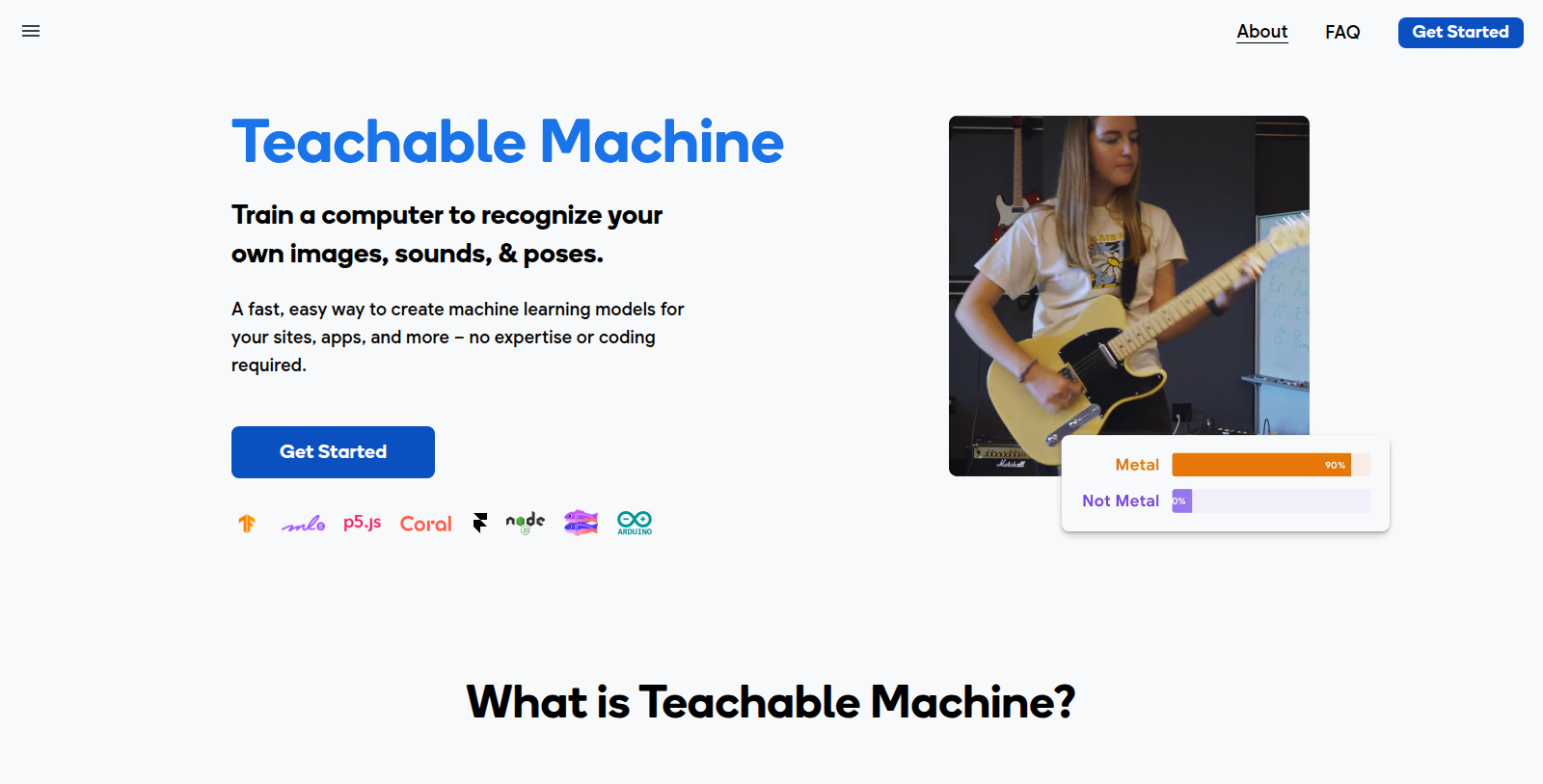
Teachable Machine is a web-based tool from Google that lets anyone train a computer to recognize their own images, sounds and poses. The site describes it as a fast, easy way to create machine learning models for sites, apps and more, with no expertise or coding required.
It is aimed at beginners, students, teachers and makers who want to experiment with machine learning without setting up a development environment. Trained models can be used in your own projects.
The site does not show any pricing or account plans on its homepage. The tool runs in the browser and is published by Google. The homepage itself is a short landing page that leads into the training interface, so details of supported model types should be confirmed on the site. It is suited to classroom demos, prototypes and learning how models are trained from examples, and the resulting models can be reused in other web projects.
Pros & Cons
Pros
- Trains models on your own images, sounds and poses without writing code.
- Runs in the browser, so no development environment needs to be set up.
Cons
- The homepage gives only a general overview, so model details need the official site.
Frequently Asked Questions
How much does Teachable Machine cost?
Teachable Machine is available at no cost.
Does Teachable Machine have a lifetime deal?
According to our latest information, this tool does not seem to have a lifetime deal at the moment, unfortunately.
What can I train with Teachable Machine?
Teachable Machine lets you train a computer to recognize your own images, sounds and poses. You add examples for each category you want the model to learn, and the tool builds a model from them. The site describes it as a fast way to create machine learning models for sites, apps and other projects, with no coding needed.
Do I need coding skills to use Teachable Machine?
No. The site says no expertise or coding is required, which makes the tool approachable for beginners. You work through the training interface in the browser rather than writing code, so it suits classroom demos or a first look at how models learn from examples. Check the official website for the exact steps.
Who is Teachable Machine designed for?
The tool is aimed at beginners, students, teachers and makers who want to experiment with machine learning. It fits classroom demos, quick prototypes and hands-on learning. Because it runs in the browser, people who prefer not to set up a development environment can start right away.
Can I reuse a model I trained in my own projects?
Yes. According to the site, trained models can be used in your own sites and apps, so a model built in the tool can move into other web projects. The homepage is a short landing page, so confirm the export and embedding options on the official website before you plan a build.
Who makes Teachable Machine?
Teachable Machine is a web-based tool from Google. Its homepage is a short landing page that leads into the training interface and does not show detailed model type information. For supported model types and current features, check the official website, since the homepage gives only a general overview.
Notice: This website uses affiliate links to earn commissions from sales. Please read their ToS when signing up somewhere.