







Highlight AI

AI-powered
AI assistant that captures meetings and work context and drafts follow-ups in your tools
Highlightai.comOpens in new tabIs this your tool? Claim this page
Claim Your Tool Page
Free to claim • Premium features available
- Verified Badge – Show users your tool is legitimate with a verified checkmark that builds instant credibility.
- Edit Your Profile – Update descriptions, screenshots, pricing, and keep your listing accurate and up-to-date.
- Boost Visibility – Get featured placements, priority listing in categories, and promotional badges to stand out.
- Respond to Reviews – Engage with your users by responding to feedback and building trust with potential customers.
Follow for updates & deals
Get alerts for Highlight AI discounts, feature releases & pricing changes
Similar Tools

Jamie
Bot-free AI meeting notes for online and in-person meetings with EU data hosting

RambleFix
Turns spoken voice notes into polished emails, notes and summaries on web, iPhone and Mac

Video Highlight
AI summaries, transcripts and chat for YouTube videos and your own recordings, with a searchable archive
Toki
AI executive assistant that handles emails, scheduling, bookings and important matters for you

Pally
AI personal assistant you text, handling email, calendar, reminders, research and errands

OpenAssistantGPT
No-code platform for building RAG chatbots and AI agents trained on your website and files

Omnifact
GDPR-compliant enterprise AI platform with a privacy filter, hosted in Germany or on-premises

Mendable
Platform to train an AI chat assistant on your docs and data and embed it for customer support
New Tools

Text Generator
OpenAI-compatible API giving access to many AI text, vision and speech models through one endpoint

QuickCreator
AI content team of agents that researches, writes and optimizes SEO articles in your brand voice

Linfo.ai
Summarizes articles, YouTube videos and documents into takeaways, outlines and mind maps

Brain Pod AI
AI platform for writing, images and chat, now evolving into Charigent with AI characters and workflows

AutoBlogging.Pro
Generates SEO-optimized blog articles with GPT models and publishes them to WordPress automatically

Vsub
Turns a script or voiceover into narrated, illustrated faceless videos using your own style template

VideoToPage
Turns YouTube videos, uploads and recordings into blog posts, articles and social posts

Highlight AI Media Gallery
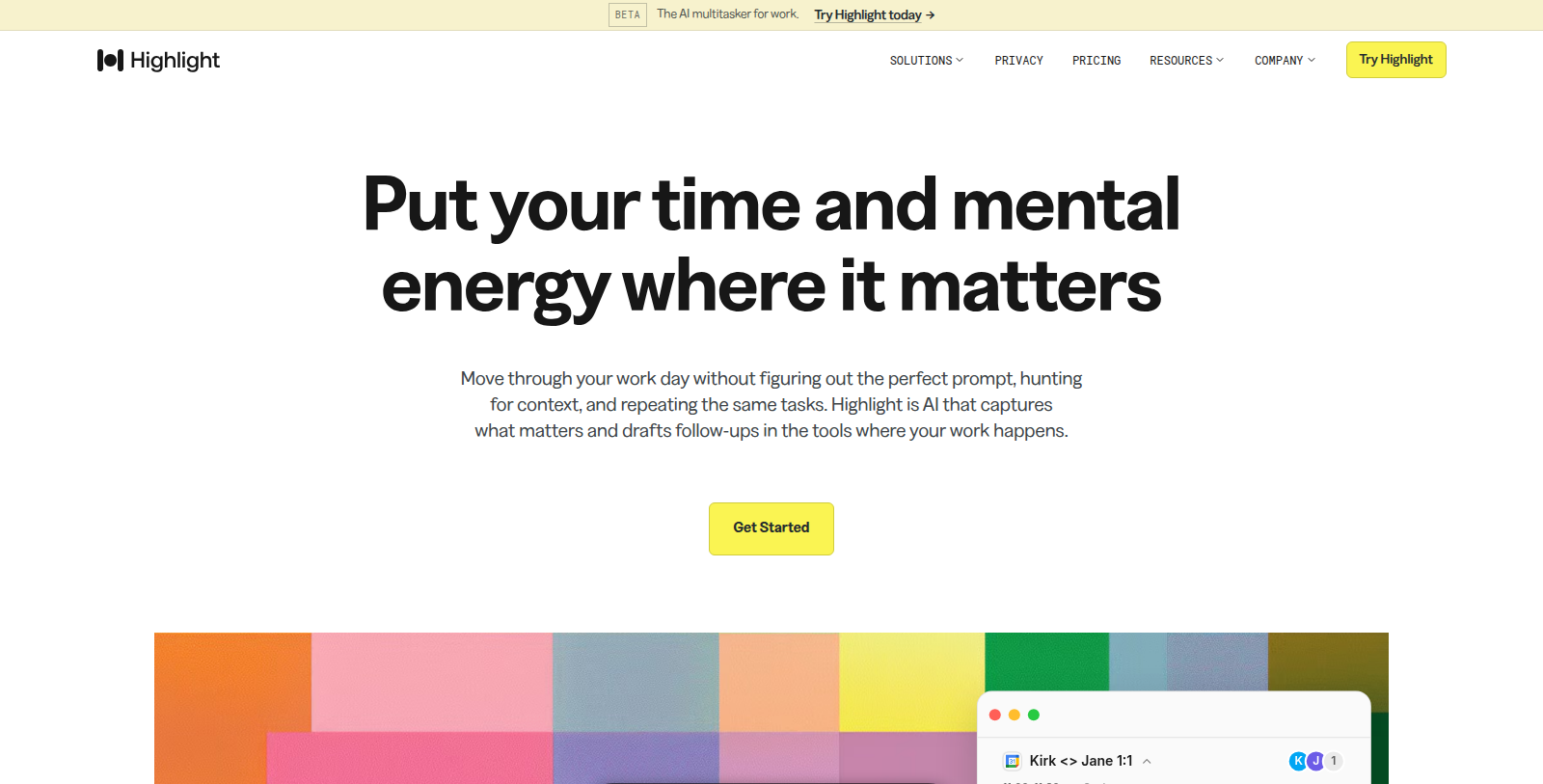
Screenshot of Highlight AI
What is Highlight AI?
Highlight is an AI assistant for professionals who spend their day in meetings, messages and documents. It records and transcribes meetings, keeps context from connected tools and answers questions grounded in that material.
Features include briefs before meetings, daily briefs and recaps, drafted follow-ups and reminders, and search across meetings and integrations. Paid plans add skills that run on a schedule or when something happens.
The Free plan includes 10 hours of meeting transcription a month, 500 chat credits and a limited number of follow-ups and briefs, with 14 days of Pro included at the start. Pro costs $35 per month according to the pricing page. Highlight can be downloaded as an app and connects to the tools a team already uses.
Pros & Cons
Pros
- Records and transcribes meetings, then drafts briefs and recaps
- Keeps context from connected tools for questions and reminders
- Paid plans add skills that run on a schedule or on events
Cons
- Scheduled and event-triggered skills are only available on paid plans
Frequently Asked Questions
How much does Highlight AI cost?
Highlight AI is available at no cost.
Does Highlight AI have a lifetime deal?
According to our latest information, this tool does not seem to have a lifetime deal at the moment, unfortunately.
What does Highlight AI do during meetings?
Highlight AI records and transcribes meetings, then keeps context from your connected tools. Before a meeting it can prepare a brief, and afterwards it can produce a recap. It answers questions based on that material, so you can look up what was decided without rewatching the call.
What follow-up help does Highlight AI offer?
Highlight AI drafts follow-up messages and reminders based on what it captured. Daily briefs and recaps summarize your day in a few lines. Paid plans add skills that run on a schedule or when something happens, which can automate repeated follow-ups across your team.
Which tools can Highlight AI connect to?
The listing says Highlight AI connects to the tools a team already uses and supports search across meetings and integrations. It also runs as a downloadable app. The product text does not name every connector, so check the official Highlight website for the current integration list.
Who is Highlight AI best suited for?
Highlight AI is built for professionals who spend their day in meetings, messages and documents. It helps them keep track of commitments without taking manual notes. People who rely on many connected tools may find the search across integrations especially useful for everyday work.
How reliable are the answers Highlight AI gives?
The company says its answers are grounded in the meeting and tool material it has captured. Results still depend on what was recorded, so the quality of a summary follows the quality of the source. Review important briefs or follow-ups before acting on them.
Notice: This website uses affiliate links to earn commissions from sales. Please read their ToS when signing up somewhere.