







Voiskey
AI-powered
AI voice typing app that turns spoken words into polished text across 100+ languages
Voiskey.aiOpens in new tabIs this your tool? Claim this page
Claim Your Tool Page
Free to claim • Premium features available
- Verified Badge – Show users your tool is legitimate with a verified checkmark that builds instant credibility.
- Edit Your Profile – Update descriptions, screenshots, pricing, and keep your listing accurate and up-to-date.
- Boost Visibility – Get featured placements, priority listing in categories, and promotional badges to stand out.
- Respond to Reviews – Engage with your users by responding to feedback and building trust with potential customers.
Follow for updates & deals
Get alerts for Voiskey discounts, feature releases & pricing changes
Similar Tools

RambleFix
Turns spoken voice notes into polished emails, notes and summaries on web, iPhone and Mac

Video Highlight
AI summaries, transcripts and chat for YouTube videos and your own recordings, with a searchable archive

VoiceLine
Voice AI platform for enterprise field sales that captures visit notes by voice and syncs them to CRMs
Talknotes
AI voice note app that transcribes recordings and turns them into notes, lists, emails and posts

Shadow
Mac meeting assistant that records calls without a bot and saves them as Markdown for you and your agents

Notability
Note-taking app for handwritten notes, audio and PDFs with AI summaries, quizzes and flashcards

Leexi
European AI notetaker that transcribes, summarizes and tracks meetings with GDPR compliance

UniScribe
AI transcription of audio, video and YouTube links with summaries, translation and exports
New Tools

Text Generator
OpenAI-compatible API giving access to many AI text, vision and speech models through one endpoint

QuickCreator
AI content team of agents that researches, writes and optimizes SEO articles in your brand voice

Linfo.ai
Summarizes articles, YouTube videos and documents into takeaways, outlines and mind maps

Brain Pod AI
AI platform for writing, images and chat, now evolving into Charigent with AI characters and workflows

AutoBlogging.Pro
Generates SEO-optimized blog articles with GPT models and publishes them to WordPress automatically

Vsub
Turns a script or voiceover into narrated, illustrated faceless videos using your own style template

VideoToPage
Turns YouTube videos, uploads and recordings into blog posts, articles and social posts

Voiskey Media Gallery
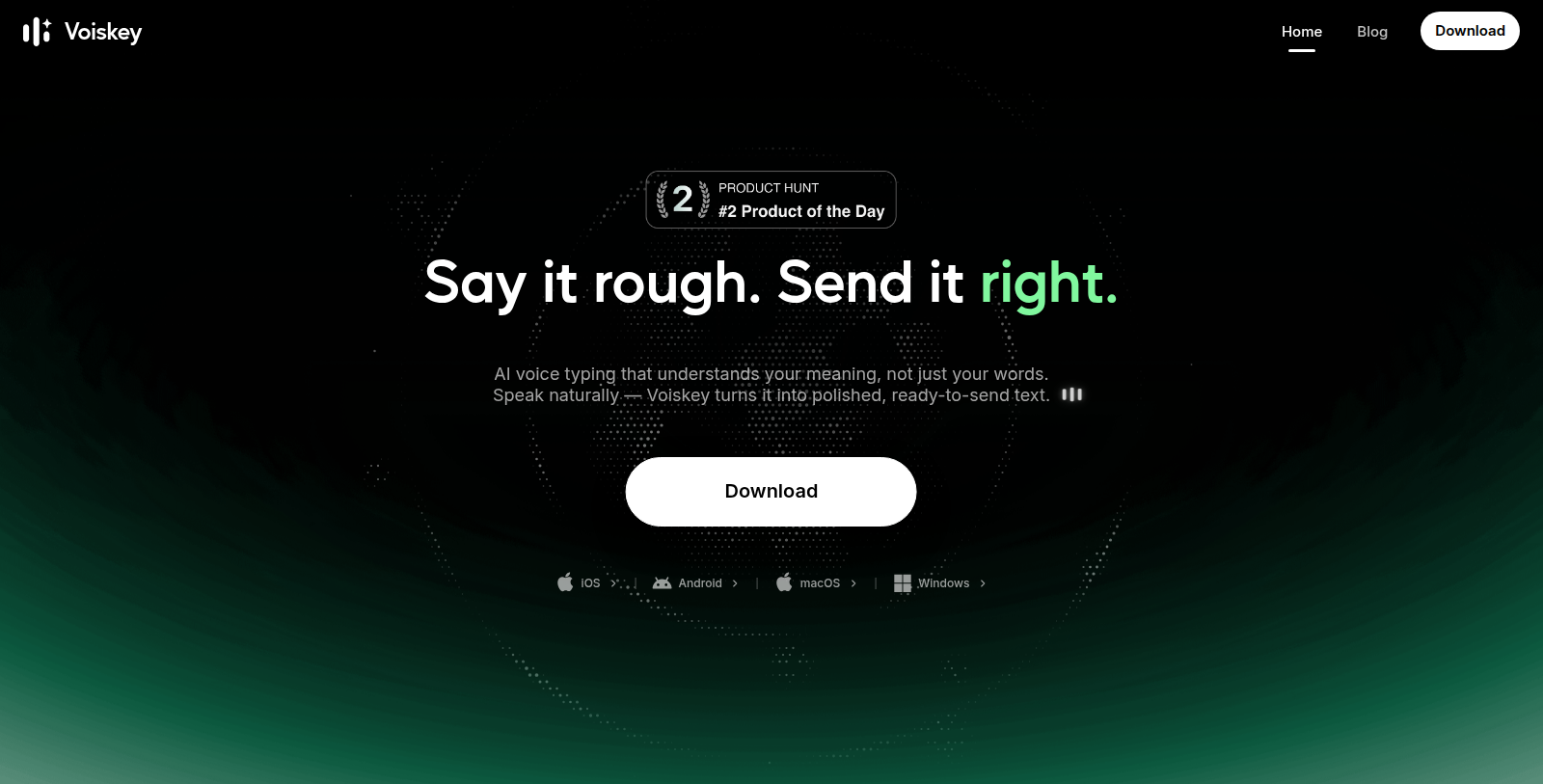
Screenshot of Voiskey
What is Voiskey?
Voiskey is a voice typing tool that converts speech into ready-to-send text. It removes fillers, stumbles and changes of mind, and adjusts formatting, tone and word choice to fit what you are writing.
The app learns names, jargon and spelling preferences, and supports voice-to-text output in more than 100 languages, including translation of speech from one language into fluent text in another. It can also turn spoken instructions into structured prompts for AI coding tools, capturing files, paths and commands.
Voiskey works anywhere you type on your computer and is available for macOS, Windows, iOS and Android. The site targets engineers, sales and support teams, writers, students, founders and legal or consulting professionals. Pricing was not visible on the homepage.
Pros & Cons
Pros
- Removes fillers, stumbles and changes of mind from spoken text
- Supports voice-to-text output in more than 100 languages
- Captures files, paths and commands for structured AI coding prompts
Cons
Frequently Asked Questions
How much does Voiskey cost?
We have no pricing information available now, so please check the Voiskey's website.
Does Voiskey have a lifetime deal?
According to our latest information, this tool does not seem to have a lifetime deal at the moment, unfortunately.
Which devices and platforms does Voiskey run on?
Voiskey runs on macOS, Windows, iOS and Android. The listing says it works anywhere you type on your computer, so you can dictate into email, notes, chat or an AI prompt without switching tools. For the latest list of supported apps and versions, see the official Voiskey website.
How does Voiskey deal with fillers and corrections while I speak?
Voiskey removes fillers, stumbles and changes of mind as you talk, so the text it produces is cleaner than a raw transcript. It also adjusts formatting, tone and word choice to suit what you are writing, whether that is a message, an email, a set of notes or a prompt for an AI tool.
Can Voiskey learn the names and technical terms I use?
Yes. The app learns names, jargon and spelling preferences, which helps with product names, client names and specialist vocabulary. That makes it relevant for engineers, consultants and legal professionals who write with technical terms. Check the official website for details on how you can review or manage the learned vocabulary.
Which languages can Voiskey transcribe and translate?
Voiskey supports voice-to-text output in more than 100 languages. It can also translate speech from one language into fluent text in another, so you can speak in one language and receive written output in a different one. The official site is the place to confirm the full language list.
Can Voiskey help me write instructions for AI coding tools?
It can turn spoken instructions into structured prompts for AI coding tools. Files, paths and commands mentioned out loud are captured, so details that are easy to lose in dictation remain in the final prompt. Confirm which coding tools are supported on the official Voiskey site before relying on this workflow.
Notice: This website uses affiliate links to earn commissions from sales. Please read their ToS when signing up somewhere.